
What software does a handyman business actually need, and what should it cost?
A handyman needs estimates, invoicing with card payments, scheduling, a customer list and job notes. That core should cost $0 to $49 a month. Pay extra only for tools that save real hours.
-2.webp)
Rob Heller
Published Oct 13, 2026
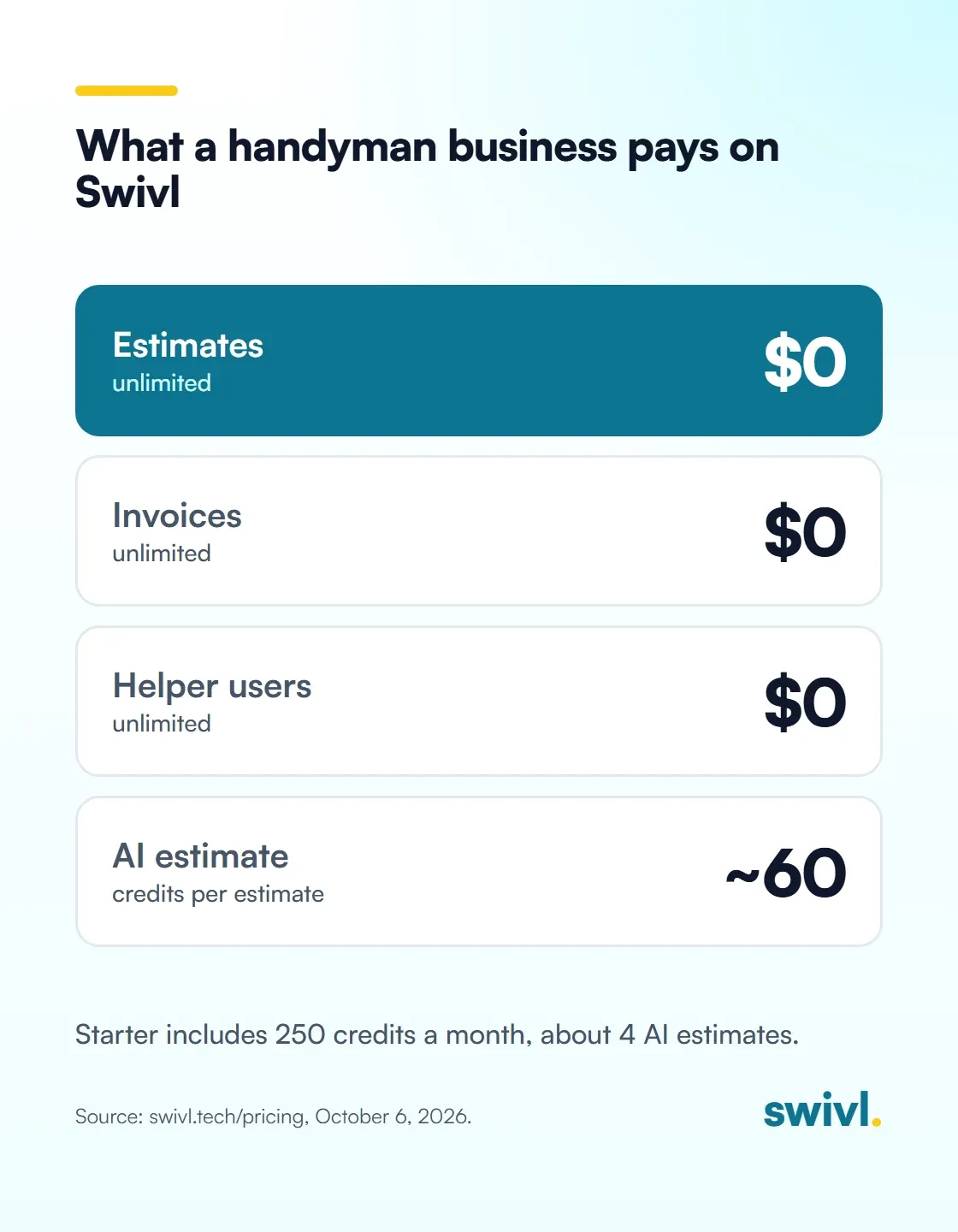
Table of Contents
Share this article
A handyman business needs five things: estimates you can send from the truck, invoices that take card payments, a schedule, a customer list, and a place for job photos and notes. That core should cost $0 to $49 a month. Pay extra only for tools that save you real hours, like AI estimates.

Handyman work is a lot of small jobs. A door that sticks, a garbage disposal, a fence board, a bathroom fan. Lots of tickets at a few hundred dollars each. The software has to keep up with that pace without eating the margin on a $250 job.
So here's the short list of what you actually need, what you can skip, and what it should cost you.
What software does a handyman business really need?
Five things. Everything else is nice to have.
- Estimates you can send from your phone. The customer is standing there. If the price shows up in their inbox tonight, you've probably lost the job to the guy who quoted on the spot.
- Invoices that take a card. Send it when you pack up the truck and let them pay from their phone. Chasing checks on $180 jobs is a losing game.
- A schedule. One calendar that you, a helper and the office can all see, so nobody double-books Tuesday morning.
- A customer list. Names, addresses, what you did last time. Repeat customers are most of a handyman's business.
- Job photos and notes. Before and after shots, what you found behind the drywall, what the customer approved. This one gets skipped the most and bites the hardest.
That last one isn't just me talking. Art Way runs All Around Homeworks, a handyman company in Kyle, Texas. When he sat down with us on Swivl Sessions, this is what surprised him most:
“One of the things that surprised me the most is the amount of documentation that goes into running a business... nobody seems to ever tell you that you need to document literally everything.”
A 20-second Swivl product film: Max builds a handyman's vanity-and-faucet estimate with labor, materials and live prices, one more hour of labor updates the customer price to $1,567.31, and the customer approves on her phone and pays from the invoice before he packs up the truck. The handyman and screens are illustrated; the estimate is rebuilt from a real Swivl estimate.
What should handyman software cost?
For a solo handyman or a two-person shop, the five basics should cost somewhere between nothing and $49 a month. If you're paying more than that for estimates, invoices and a calendar, you're paying for things you don't use.
Here's how that looks on Swivl, from our pricing page as of today:
- Starter: $0 a month, free forever. Unlimited users, customers, jobs, estimates and invoices, plus scheduling, the mobile app, a pricebook, inventory and reports. 250 credits a month for the metered features.
- Growth: $49 a month. Everything in Starter with 1,500 credits a month. Built for one or two trucks.
- No per-user fees and no contracts on any plan. Add a helper or a sub and the bill doesn't move.
To be fair to the other side, the big names charge differently. Jobber's pricing page (checked October 6, 2026) lists its Core plan at $49 a month for one user with no commitment, or $29 a month paid annually, plus $29 a month per added user. Core covers quotes, invoices and online payments, and Jobber gives you a 14-day trial with no card. That's a fair deal for a true one-person operation. It gets pricier once you add a helper and someone on the phones.
Which paid extras are worth it for a handyman?
On Swivl, the features that cost us real money to run use credits. None of them are free, and you only pay when you use them. Here's my honest take on which ones earn their keep for a handyman:
- AI Estimator, about 60 credits an estimate. Worth it if you write a lot of mixed-scope estimates at night. Starter's 250 credits cover about 4 a month. Writing estimates yourself is always free.
- Text reminders, 1 credit per text. Cheap insurance against no-shows. Email reminders cost nothing.
- AI Receptionist, 10 credits a minute while on a call. Worth a look if you miss calls while you're on a ladder.
- Website builder, 200 credits a month while the site is live. Skip it if you already have a site that brings in calls.
- GPS, 5 credits an hour per tech while clocked in. Most solo handymen don't need it. Useful once you have helpers driving separately.

How should a handyman price jobs in the software?
This is where most of the money gets lost, and I learned it the hard way at our plumbing company. We priced plenty of smaller jobs wrong. Most small shops write an estimate by guessing what the customer will accept, without looking at their costs at all. We did too.
Once we started comparing estimated costs to actual costs, we found we were badly underestimating whole categories. Materials, because nobody counts the small stuff and it adds up. Drive time, which costs you twice, in the truck and in labor. On a handyman ticket, that's the box of screws, the caulk, the second trip to the hardware store and 40 minutes in traffic.
The lesson I learned: anticipate your costs accurately, add your margin on top, then check the estimate against actuals when they come in. That's how we built estimating in Swivl. An estimate starts with what the job will cost you, in labor, materials, tools and equipment, vehicles, subcontractors and other. Your markup goes on top. Then the job's cost card shows estimated costs next to actual costs, so you can see where you missed.

A walkthrough of how Swivl builds an estimate for a 50-gallon gas water heater replacement. The AI estimator first estimates your cost in six categories (labor, materials, tools and equipment, vehicles, subcontractors and other), then adds your markup per category to get the customer price. It also shows where default markups live in the pricebook.
Art ran into the pricing question too. He started on cost-plus and found it held him back as he grew: "The more I learn the more I want to scale, but because of the cost plus that kind of slowed that entire process down." Whatever model you pick, set it up so it can grow with you. For more on that, read our posts on fixing handyman estimating with flat-rate pricing and the handyman estimating problem.
What should a handyman set up first?
Do it in this order, and don't buy anything until the free basics are running:
- Load your customer list and your common jobs into a pricebook.
- Send your next estimate from your phone, on site.
- Invoice from the job when you finish and take the card right there. Our guide to contractor invoicing software covers what to look for.
- Take before and after photos on every ticket.
- After a month, look at estimated versus actual cost on your ten most common jobs and fix your prices.
Art's advice to anyone starting out fits here: "Before you actually start, start looking into what it actually takes to run a business and set it up with that in mind from the start. Don't get yourself cornered up into a catch 22."
Swivl Sessions episode 23 with Art Way, owner of All Around Homeworks, a handyman company in Kyle, Texas. Art talks about learning to build a house at eight, working through multiple trades, the documentation that comes with running a business, moving from cost-plus pricing toward bid-based estimates, and how advertising filled his calendar.
Frequently asked questions
Is there free software for a handyman business?
Yes. Swivl's Starter plan is $0 a month, free forever, with unlimited users, customers, jobs, estimates and invoices, plus scheduling and the mobile app. AI features like the AI Estimator use credits, and Starter includes 250 a month.
How much does handyman software cost per month?
For a solo or two-person shop, expect $0 to $49 a month for the basics. Swivl Starter is $0 and Growth is $49 with unlimited users. Jobber Core is $49 a month for one user with no commitment, plus $29 per added user (as of October 6, 2026).
Do I need an app to write handyman estimates?
You don't strictly need one, but sending the estimate from your phone while you're still on site wins more jobs than emailing it that night. Writing estimates yourself in Swivl is free and unlimited.
Can my helper use the app without paying for another seat?
On Swivl, yes. Every plan includes unlimited users with no per-seat or per-technician charge, so helpers, subs and office staff can all use the mobile app.
Should a handyman use flat-rate or cost-plus pricing?
Either can work. What matters is knowing your real cost first, including materials and drive time, then adding your margin on top and checking estimates against actual costs every month.
Free to start. No contract. No sales call.
Start freeReady to transform your business?Transform your business
Join thousands of contractors already growing with Swivl's AI-powered platform.