
7 Signs Your Home Service Business Is Using Too Many Apps
Learn the warning signs of app fatigue in home service businesses and how field service software helps centralize scheduling, CRM, communication, and operations.

Jonathan Tyson
Published May 5, 2026
Last updated May 25, 2026
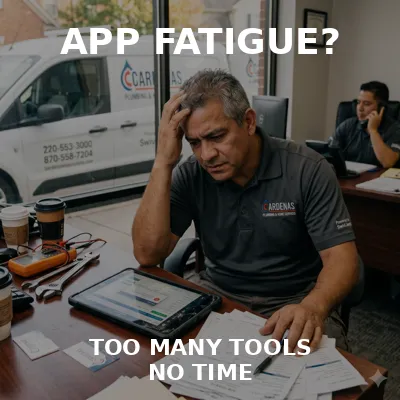
Table of Contents
Share this article
7 Signs Your Home Service Business Is Using Too Many Apps
Running a home service business rarely becomes complicated overnight. Most field service teams add software one tool at a time—scheduling tools, CRM platforms, invoicing systems, communication apps, spreadsheets, and reporting tools. While each application may solve an immediate problem, disconnected systems often create a larger operational challenge as businesses grow.
Instead of improving productivity, teams can end up spending more time updating software than serving customers. Information becomes fragmented, communication slows down, and technicians often lack visibility into the information they need.
Why Multiple Apps Slow Down Home Service Businesses
Home service businesses depend on connected workflows. Scheduling, dispatching, customer communication, invoicing, and technician updates should work together as a single process rather than isolated activities. When information is spread across multiple systems, even small delays can create larger business problems.
Imagine a technician completing a job and entering notes into one system while invoices are generated elsewhere and customer history sits in another platform. When this process repeats across dozens of jobs each week, teams lose time and visibility.
7 Warning Signs Your Field Service Team Is Using Too Many Apps
1. Disconnected Scheduling and Dispatch Workflows
Scheduling and dispatch should operate as connected workflows. When teams manually move updates between systems, communication mistakes become more common and technicians may receive incomplete job information.
For example, a last-minute schedule change can require updates across several systems, increasing the chance of delays and missed customer expectations.
2. Customer Information Lives Across Multiple Systems
Customer history should be easy to access. When records exist across multiple platforms, office staff and technicians may see different versions of information.
This often creates duplicate records, inconsistent communication, and missed follow-ups.
3. Invoices Regularly Go Out Late
Delayed invoicing impacts cash flow and creates additional work for administrative teams. Teams frequently spend time transferring information instead of sending invoices immediately after work completion.
Growing businesses often feel these delays more heavily because payment timing affects operations.
4. Technicians Depend on Spreadsheets
Spreadsheets often begin as temporary solutions but eventually become operational systems. While useful in some cases, they are difficult to maintain as field teams grow.
Teams can lose visibility when critical updates live in files rather than connected workflows.
5. Reporting Takes Too Long
Reporting should provide visibility quickly. When managers spend hours gathering information from different platforms, decision-making slows down.
Disconnected systems make it difficult to understand technician performance, job completion rates, and operational trends.
6. Teams Constantly Switch Between Applications
Frequent switching between tools interrupts workflow and creates friction. Employees lose time navigating systems instead of focusing on customers and service delivery.
Even small interruptions repeated daily can reduce efficiency.
7. Work Falls Through the Cracks
Missed updates, forgotten follow-ups, and incomplete tasks are often symptoms of disconnected systems rather than employee performance.
As businesses grow, fragmented workflows make it harder to maintain consistency.
How Field Service Software Simplifies Daily Operations
Unified field service software helps create a single source of truth by connecting scheduling, CRM, communication, and operational workflows into one system.
Connected Scheduling and Dispatch
Connected scheduling and dispatch gives teams visibility across daily operations. Office teams and technicians work from shared information instead of disconnected systems.
This improves coordination, reduces communication mistakes, and creates a better customer experience.
How Swivl Helps Home Service Businesses Work Smarter
Swivl brings CRM workflows, scheduling, communication, invoicing, and field operations together through one connected platform.
Ready to transform your business?Transform your business
Join thousands of contractors already growing with Swivl's AI-powered platform.