When you can’t pick up, it does more than take a message.
A front desk that answers the phone and texts people back. It books the job, quotes from your price book, sends the estimate and the invoice with a payment link on them, tells a customer who is coming and when, and screens out the junk. Not a name and number for you to call back when you are out from under the house — the work, done. English or Spanish, at two in the morning if that is when they ring.
On the Growth plan, $49 a month. Your first 14 days include it.
A minute on what it now does
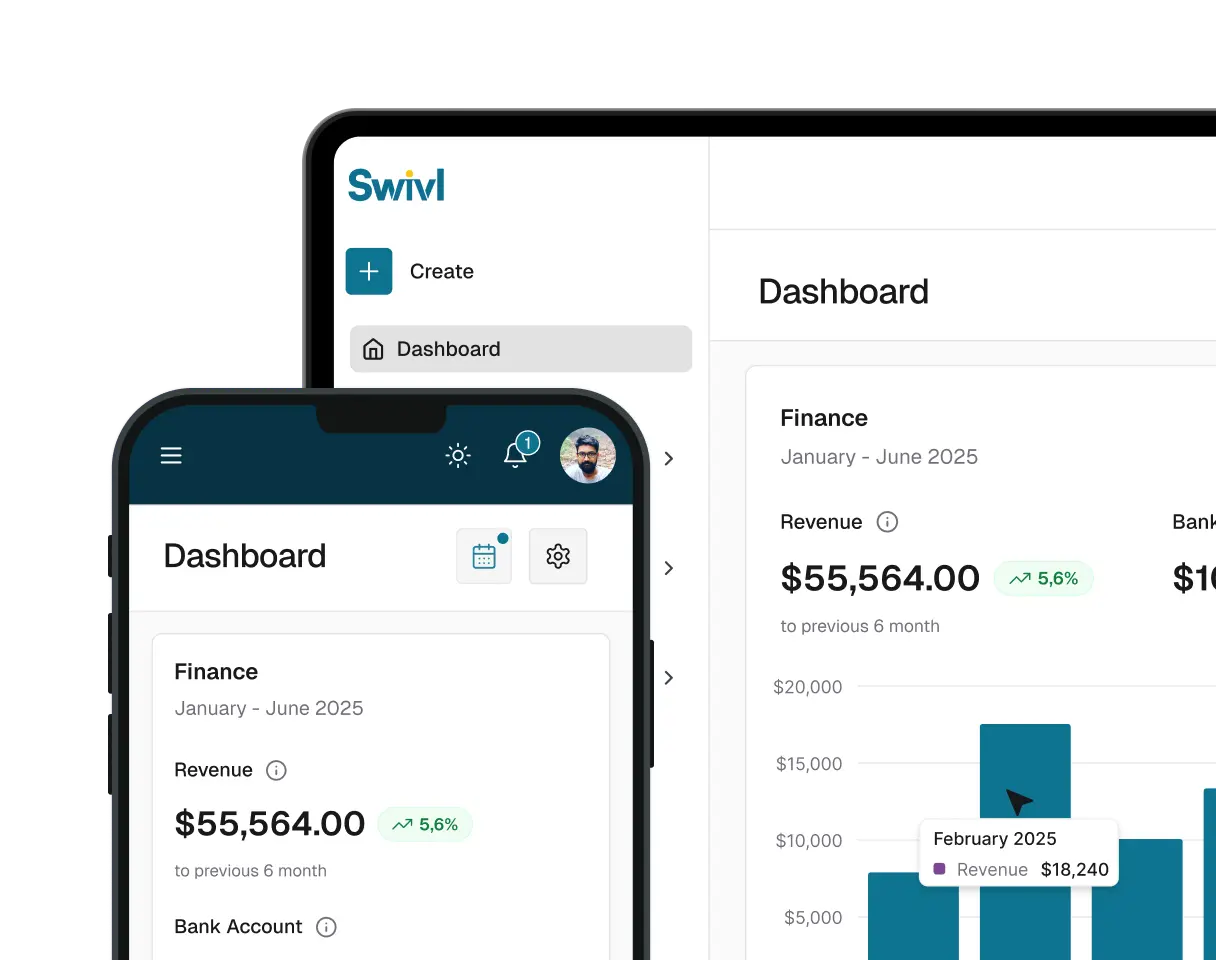
Max answering a call, texting back a missed one, quoting from a price book and booking the job — then the call log and the numbers it adds up to.
Texting runs on a carrier registration you complete during setup, and the carriers take a few days to approve it. The website voice widget switches on once your listing is enabled. Both are walked through.
Call it yourself. Right now.
Every owner asks the same thing first: do people hang up on a robot? Nobody has an honest number for that, so be the caller and find out. This is the real thing, answering as Ridgeline Plumbing — a shop we made up so you can push it around without bothering a customer. Ask what a water heater costs. Book a slot. Tell it the water heater is leaking. Try to catch it out.
Pick a voice, then press play to hear them
Your browser will ask for the microphone. Calls run up to three minutes and nothing is sent to a real business.

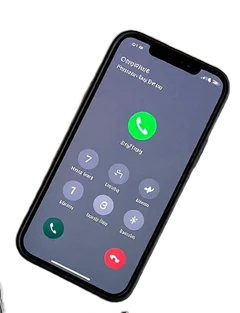

How a call gets from your phone to the front desk
Every owner asks the same second question: what do I have to change about my phone? One forwarding step, and then this.
Step 1
A customer calls your shop
They dial (404) 555-0123 — the number on the truck, the invoices and the Google listing. Nothing about that changes, and it stays the only number they ever see.
(404) 555-0123Ridgeline PlumbingStep 2
Your line forwards — once
You do this one time, at setup. After it, a call you do not pick up lands at the front desk instead of voicemail. How you do it depends on who your phone company is, and there are only two answers.
Forwarding instructions, carrier by carrier →Mobile or landline: a code you dial
*71 on Verizon, **61* on T-Mobile. Setup gives you the one for your own carrier and texts it to your phone, so you can dial it from the handset in your hand.
Cable or VoIP: a setting in the portal
Spectrum, RingCentral and the rest have no code to dial. It is a switch in your provider’s account, and on some of them forwarding on no answer can only be set there.
Step 3
You decide who picks up
One switch, changed whenever you like. It is the same switch during a holiday week as on a Tuesday.
Your phone rings. The front desk steps in only if nobody answers.
A few rings first — your carrier decides how many, and some let you set the delay. Pick it up and it is your call. Walk past it and the front desk takes it instead of voicemail.
Step 4
Then it works the call
Not a message taken. It talks the job through, prices it off your pricebook, puts it on the calendar and tells you what happened.
My water heater is leaking into the garage.
That one we treat as urgent. I can get someone out tomorrow between eight and ten — what is the address?
412 Peachtree Walk.
Booked. I am texting you the confirmation now, with a link to send a few photos of the job.
Books the jobTexts a link for job photosTexts the estimate or invoice linkLogs the call on the jobTexts you a summaryIf a call needs you on the line and nobody picks up, it texts you the caller, the address and the problem rather than leaving them on hold. Texting starts once your number is registered for business messaging, which setup walks you through.
Answers every call, including the ones at 9pm
You cannot take a call with your hands inside a wall. It picks up on the first ring, gets the address and the problem, and sends you the summary before you have put the wrench down.
- Answers nights, weekends and holidays
- Rings your cell first if you would rather take it
- A gas smell gets 911 and you, in that order
Quotes your prices, not a guess at them
It reads the services you have switched on in your price book and quotes from those. Anything you have not priced, it does not invent — it offers to send someone out to look.
- Quotes only the services you turned on
- Always says the final price is confirmed on site
- Answers your common questions the way you wrote them
Books the job, or asks you first
Let it book straight into your scheduler, or have it request a time and wait for your yes. Either way the customer is already in Swivl with the job attached when you look.
- Take a message, request a time, or book outright
- The customer, the job and the recording all land together
- Confirm from the text without opening anything
How Swivl's AI Receptionist Handles Every Customer Call
Pick a natural voice and greeting that reflects your brand, so every call sounds professional and consistent.
Add your services, FAQs, and pricing so AI can answer questions accurately and confidently.
Decide when to book, when to take messages, and when to forward urgent calls to your team.
Swivl's AI Receptionist answers every call, captures details, and books jobs — without you lifting a finger.
A bigger shop, after six
Six trucks, two trades, and a phone that keeps ringing after everyone has gone home. A robocall hung up on, a photo link texted out for a water heater, a visit booked, and a burst pipe sent straight down your emergency list.
Simple, transparent pricing
The front desk runs from the Growth plan, $49 a month. That is 1,500 credits, and a minute on a call costs ten of them — about 150 minutes if calls are all you spend them on, though estimates and texts draw on the same pot. Everything else in Swivl — jobs, estimates, invoices, scheduling, the whole crew — is free on the plan below it.
 250 credits/month
Everything needed to run the work
 Lowest plan with the AI Receptionist1,500 credits/month
Adds the AI Receptionist
4,800 credits/monthAdds GPS on the map
12,000 credits/monthThe lowest published rate per credit
Every rung runs the whole business. Unlimited users, customers, estimates, invoices, scheduling, the mobile app and the crew’s clock-ins cost nothing on any plan, including the free one. What climbing adds is the AI Receptionist at Growth, GPS on the map at Scale Pro, and a cheaper credit the whole way up.
GPS sits on Scale Pro because that is where the credits are. One tech on the map runs about 880 credits a month, so Growth would cover 1 truck and little else. We would rather put it on the plan that can actually carry your crew than sell you something that burns out in a fortnight.
The second time she calls, it knows her
Carol has had an estimate, an install and an invoice from this shop. It greets her by name from the caller ID, texts her the estimate link when she cannot find it, tells her who is coming out, and sends the invoice with the balance on it once the job is done.
Estimate and invoice links go out by text or email through your customer portal, and carry the deposit or balance due. Max never reads an amount out or takes a payment over the phone.
What you get to decide
It is your phone and your prices. These are the parts you set, and change whenever you like.
- Forwarding steps for your carrier
Forwarding, per carrier
Setup gives you the instructions for your own phone company rather than a generic code. A cable or VoIP business line forwards from your provider's portal instead of a star code, and setup says so. Then a test call proves the line is connected.
A number is included
No monthly number fee, and you keep the one you have been handing out for years. Your line forwards to it.
One switch decides who picks up
Set it to let your own phone ring four times and step in only when nobody answers. Or have it pick up immediately. Or only outside the hours you set, so the shop phone stays yours during the day.
It never makes a price up
Services and prices come from your pricebook, hours and service area from your profile. Jobs you only price on site get a visit booked instead of a number.
Missed calls get a text back
Within minutes, and their reply lands in Message Center as a conversation you can take over.
It knows who called before
Repeat customers get greeted with the context from their last call, not treated like strangers.
It tries you in the order you set
You, then the foreman, then the office. Anyone marked business-hours-only is never rung at 2am. If nobody picks up, it takes the details and texts them to you rather than leaving the caller with nothing.
Pause it whenever
An hour, until tomorrow, or indefinitely. If it is paused or unavailable, calls go to your backup number — never a dead line.
You see what it did
Every call gets an outcome, a summary and a link to the lead or job. Calls answered, leads created, jobs booked and money invoiced all add up where you can see them.
Told, not pestered
Text summaries and the 6pm digest are both off until you turn them on. Pick which call types reach you, set quiet hours, and emergencies still come through.
Frequently asked questions
Everything you need to know about the product and billing.
The AI Receptionist starts on Growth, $49 a month. It is not on the free Starter plan and never has been. A new account's first 14 days run on Scale Pro, which includes the receptionist, so you can hear it answer real calls before you decide anything. If you already have an account, you switch it on from your receptionist settings — you do not need to sign up again.
10 credits a minute, and only while it is on the line. Growth includes 1,500 credits a month, so roughly 150 minutes of calls if you spend them all here — though most shops spend credits across texts, estimates and storage too. A phone number is included with no monthly number fee, spam calls are free, and a caller who hangs up in the first few seconds is not billed.
Getting a number and hearing your receptionist in the browser takes a few minutes. Connecting your line is the part that varies: on a mobile or landline it is a forwarding code we give you for your own carrier, and we will text it to you so you can dial it from the phone in your hand. On a cable or VoIP business line there is no code to dial — forwarding is a setting in your provider's portal, and setup walks you through that instead. Either way we place a test call afterwards to prove it is connected, rather than leaving you to find out from a missed customer.
No. Your customers keep calling the number they already have. Your office line forwards to the receptionist, or your cell does when you cannot pick up, and a number is included at no extra monthly cost. Your estimates and invoices carry the phone number from your company profile, so fill that in and it stays the only number your customers ever see.
The receptionist number comes with the paid plans and your trial. Cancel and it keeps answering to the end of the period you have already paid for. Drop to the free Starter plan instead and it stops answering that day. Either way we hold the number for thirty days, so switching the receptionist back on gets you the same one; after that it is released. None of that touches the number you have been handing out for years — that one is yours, and it is the one on your paperwork.
It introduces itself as your virtual assistant on every call, and says so plainly if anyone asks. We do not let it claim to be human. It also discloses that the call is recorded.
Yes — you can hear every one on this page before you sign up, from a straight front-desk voice to a gruff old Southern neighbor. Name it whatever you like. If you run in Spanish as well as English, the matching voice handles both.
Emergencies are screened first, before anything else. A gas smell means leave the building and call 911 from outside — that comes before anything we do. Then it tries your transfer list in the order you set. Beyond that you decide what counts as urgent, and urgent calls still try you outside business hours when everything else is taking a message. If nobody picks up, it takes the details and texts you rather than leaving the caller with nothing.
The caller gets a text within minutes, and whatever they write back continues as a conversation in Message Center that you can take over at any point. Texting runs on a carrier registration you complete during setup, the same way you set up call forwarding — we walk you through it, and the carriers take a few days to approve it.
Calls go to your backup number or voicemail. They never hit a dead line. You can pause it yourself for an hour, until tomorrow, or indefinitely, and the timed ones switch back on by themselves.