
Instant Quote: Let Customers Get an Estimate Instantly
Give your website visitors an instant price estimate for your services. Instant Quote uses AI to generate accurate price ranges and automatically creates leads in Swivl.
Overview
Instant Quote is an AI-powered feature on your Swivl website that lets customers get a price estimate for your services in seconds without calling your business. Customers enter their service details, and the AI generates a price range based on your configured pricing rules. A lead is automatically created in Swivl every time a customer requests a quote.
Who can access this
Role | Access Level |
|---|---|
Super Admin | Can enable, configure, and view Instant Quote analytics |
Admin | Can view Instant Quote analytics |
Lead Technician / Technician | No access |
How to Enable Instant Quote
Before enabling Instant Quote on your website, make sure it is activated for your account:
- Go to Billing & Usage → Features & Usage.
- Find Instant Quote.
- Click the Disabled badge next to it to enable the feature.

Once activated, follow these steps to enable it on your website:
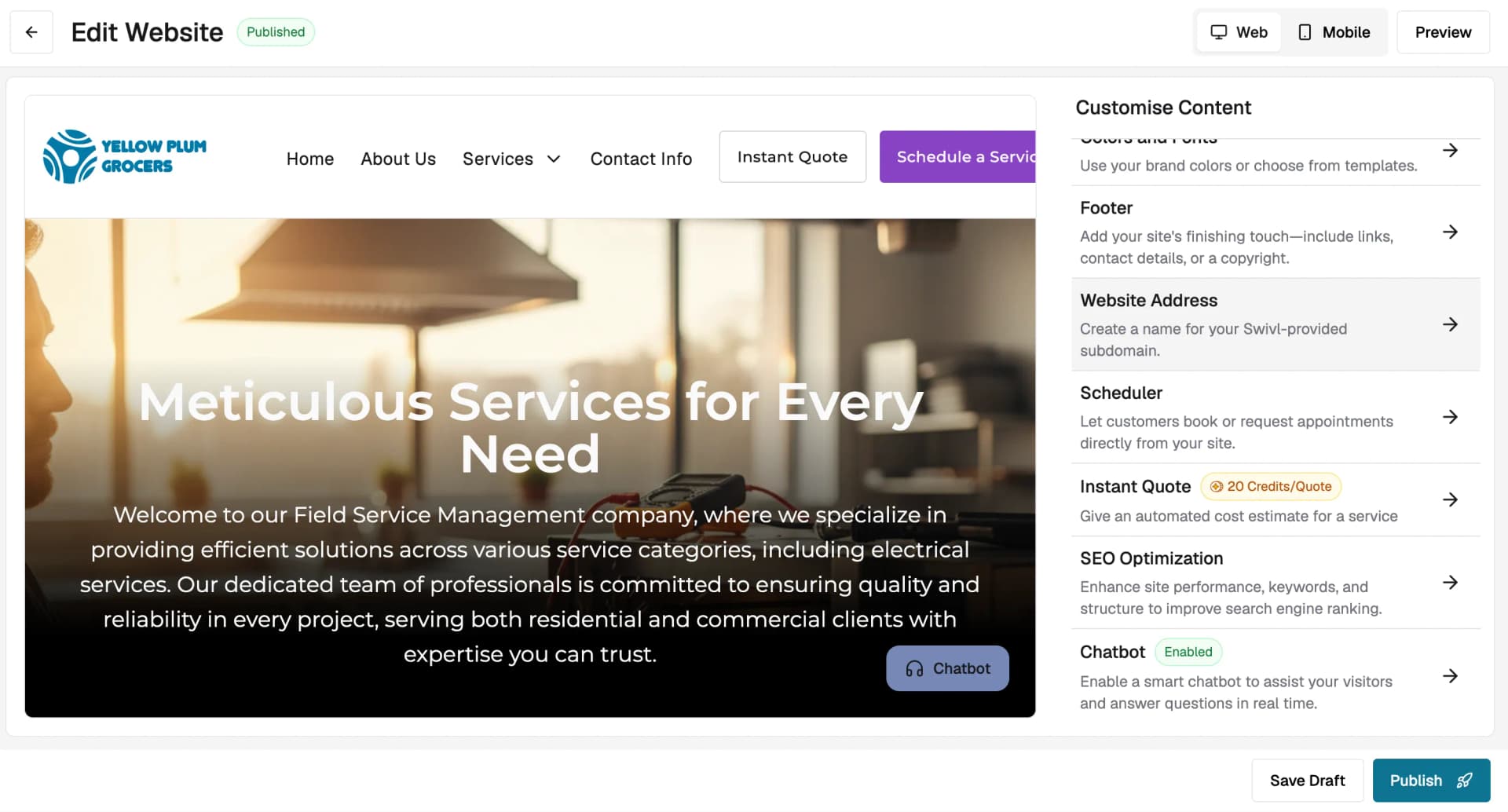
- Go to Marketing → AI Website Builder and click Edit Website.
- In the Customise Content panel on the right, scroll down and click Instant Quote.
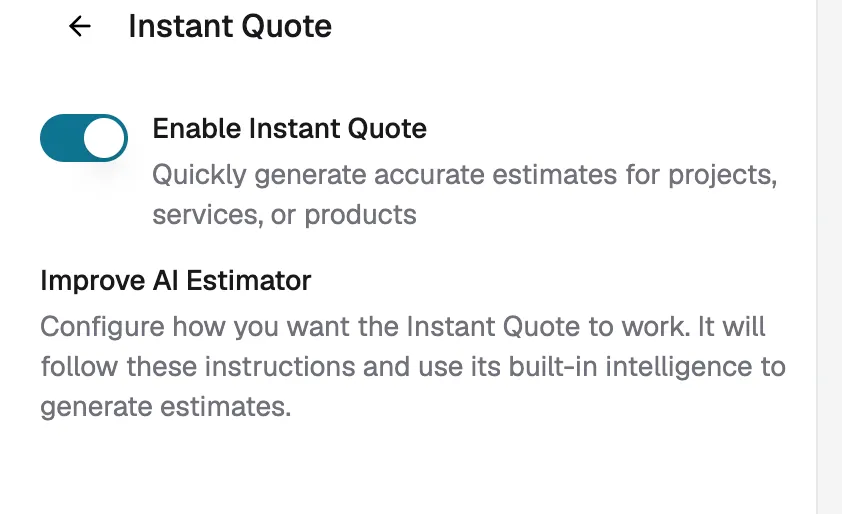
- Toggle Enable Instant Quote on.
Once enabled, the Instant Quote button will appear on your website for customers to use.
Note: Instant Quote is charged at 20 credits per quote generated. To disable the feature, click the three-dot menu next to Instant Quote in Billing & Usage → Features & Usage.
How to Configure Instant Quote
You can use Instant Quote in two ways:
On your Swivl website
Enable it directly through the AI Website Builder as covered in the steps above.
On an external website
If you have your own website outside of Swivl, you can embed Instant Quote using a script or share it as a direct link:
- Go to Marketplace → Instant Quote.
- Click Copy Script to embed it on your website, or click Copy URL to share it as a standalone link.
How It Works for Customers
When a customer clicks the Instant Quote button on your website, they are guided through a simple flow:
- Select a service : choose the service they need (e.g., Electrical Services, Plumbing).
- Answer questions: respond to a few questions about the job.
- Add details: elaborate on the issue if needed, enter your zip code for location-based pricing, and upload any relevant media if needed.
- Get an instant estimate: the AI generates a price range based on your pricing rules and local market data.
- Review how the quote was calculated, the customers can see the factors considered:
- Job complexity and scope
- Property size and type
- Site access and conditions
- Seasonal demand
- Local market rates
- Next steps the customer can:
- Refine the quote: adjust details to get a more accurate estimate.
- Schedule the service : book directly from the quote page.
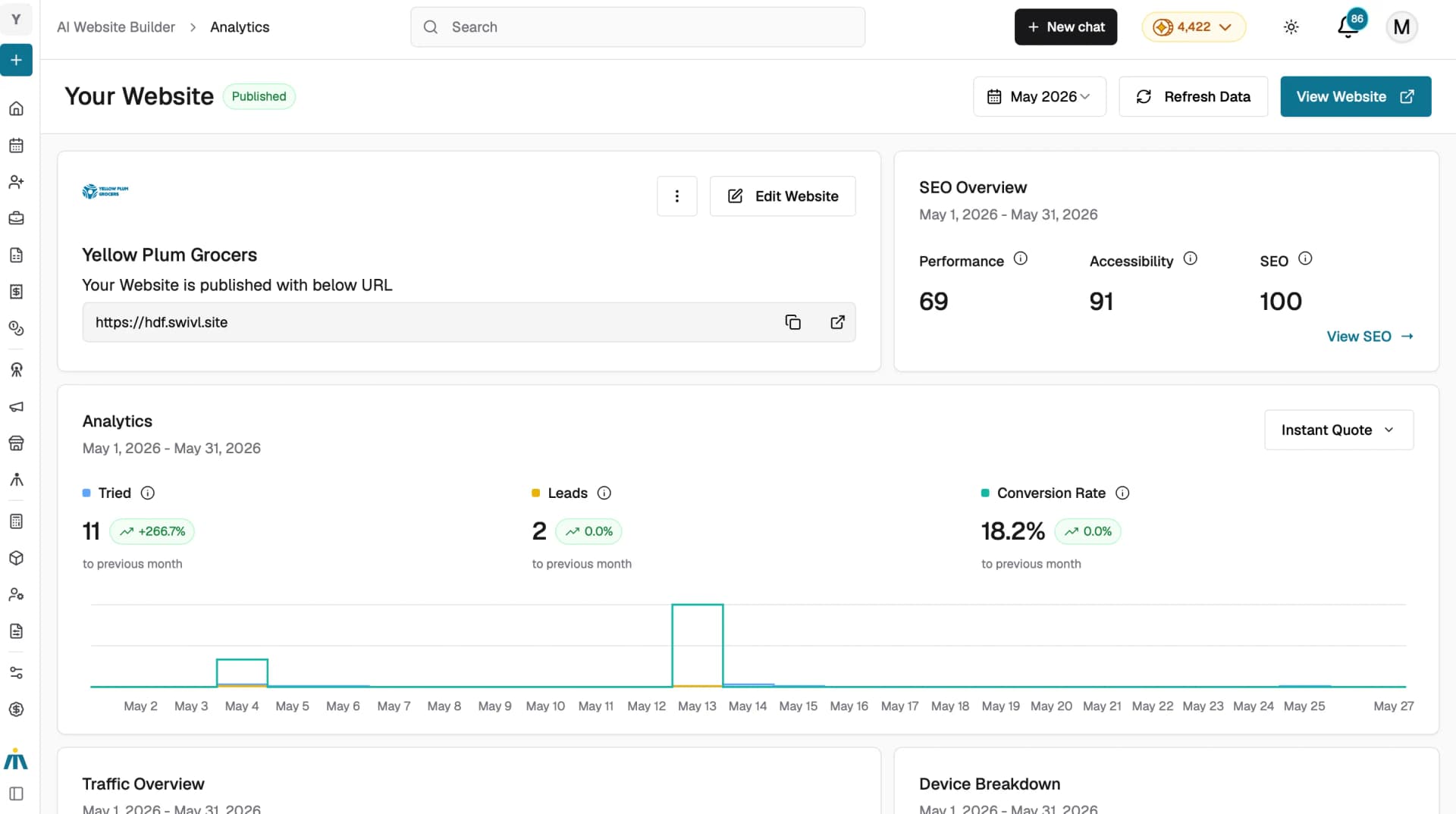
Note: You can track your Instant Quote performance, including quote attempts, leads generated, and conversion rate under the Analytics section in the AI Website Builder dashboard.
Tips
- From the Marketplace, use Copy URL to share Instant Quote as a standalone link, which is useful for social media and email, or use Copy Script to embed it on an external website.
- Instant Quote is charged at 20 credits per quote, monitor your usage regularly under Billing & Usage → Features & Usage to avoid running low on credits.