
Getting Help with Swivl MAX
Learn how to use Swivl MAX, Swivl's in-app AI assistant, to create estimates, generate reports, and manage your operations through simple conversation.
Overview
Swivl MAX is an AI assistant built directly into the Swivl platform. Unlike a support chat, Swivl MAX works inside the platform and takes action for you you can ask it to create an estimate, pull a report, look up a job, or manage your operations, and it will do it on your behalf. It is available to all users on any Swivl plan and uses 1 credit per chat.
Who can access this
All roles that is Super Admin, Admin, Lead Technician, and Technician have full access.
How to access Swivl MAX
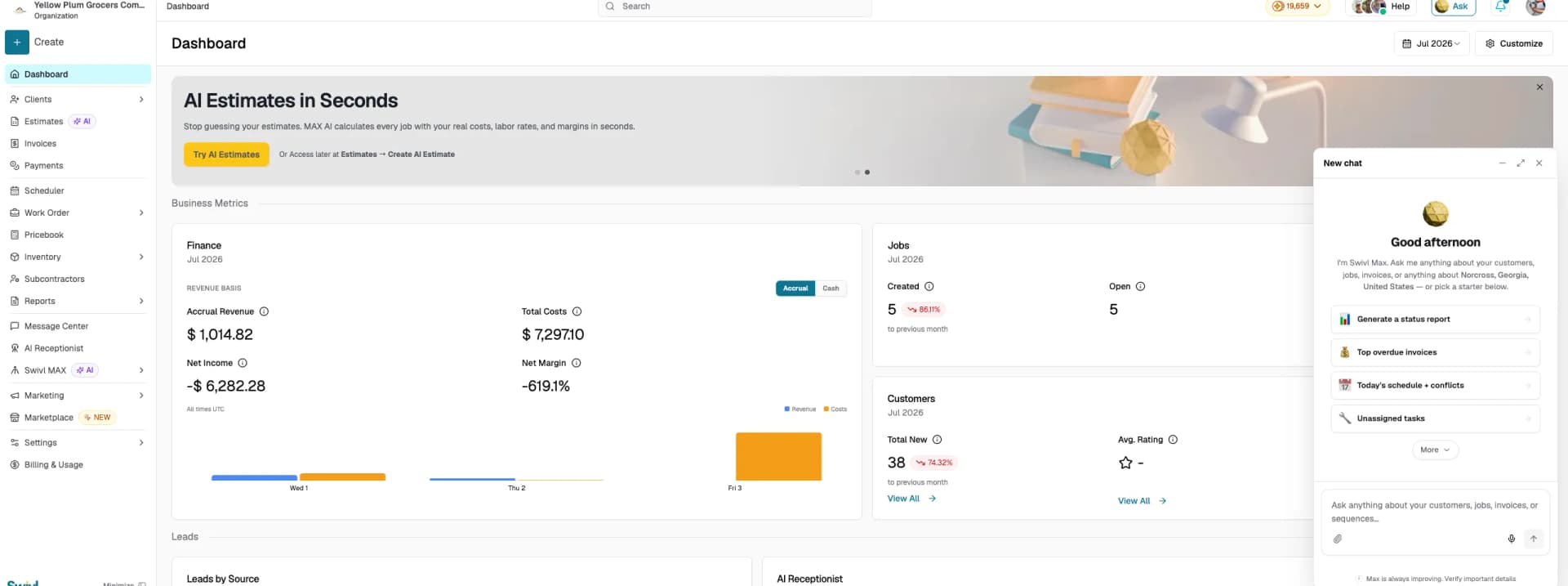
- Click the Ask button at the top of the right sidebar.
- A chat widget opens in the bottom-right corner of your screen.
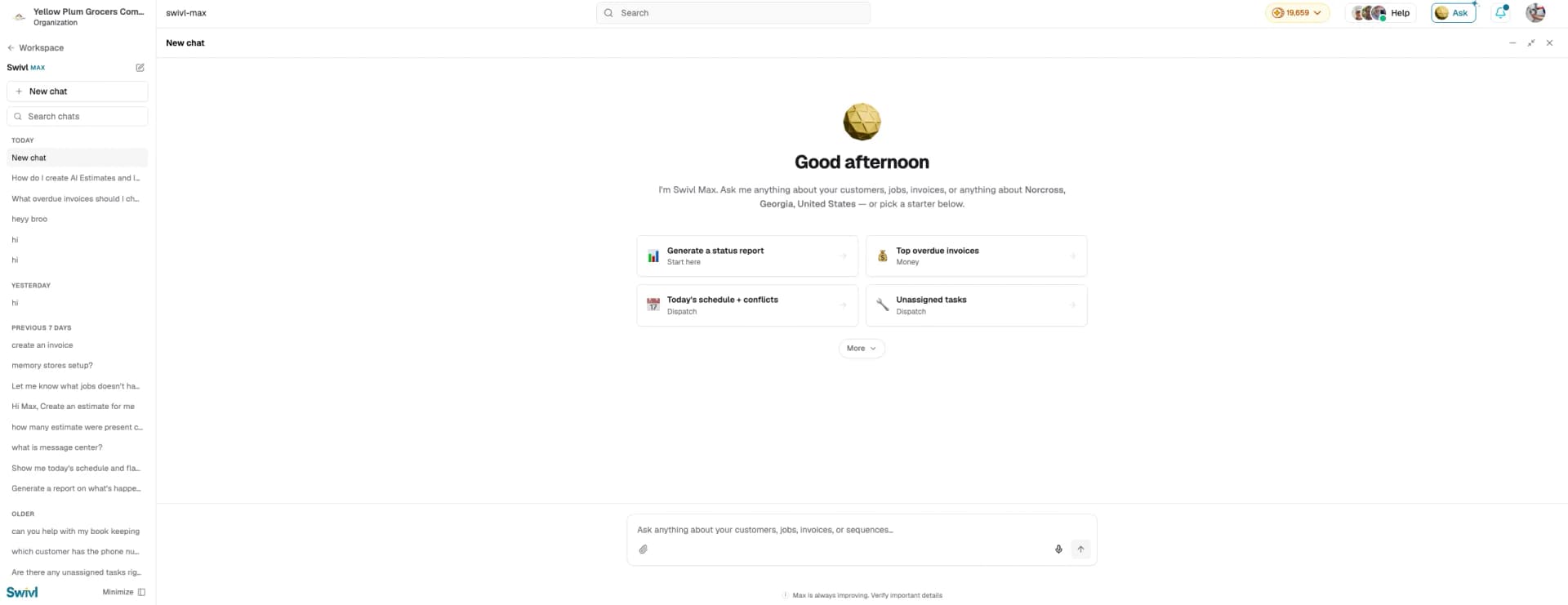
- Click the expand icon (next to minimize and close) to open it in full-screen, the sidebar then switches to Swivl MAX with your chat history.
- Click + New chat to start a new conversation, or use Search chats to find a previous one.
- Type your request in the message input or select a starter prompt to get going quickly.

What you can ask Swivl MAX
Swivl MAX can take action across your Swivl account. Some examples:
- Create an estimate for a customer
- Generate a status report
- Show today's schedule and conflicts
- Find overdue invoices
- Look up unassigned tasks
- Search for a customer or job
When to use Swivl MAX vs Swivl Team
Swivl MAX | Swivl Team | |
|---|---|---|
What it does | Takes action inside Swivl on your behalf | Guides you on how to use Swivl |
Use it when | You want to create, find, or manage something in Swivl | You have a question, issue, or need step-by-step help |
Examples | Create an estimate, pull a report, find a customer | How do I set up AI Receptionist? Why is my invoice not sending? |
Availability | Always on, 1 credit per chat | AI agent available 24/7, human support during business hours |
How Swivl MAX takes action
- Type your request in the message input and send it.
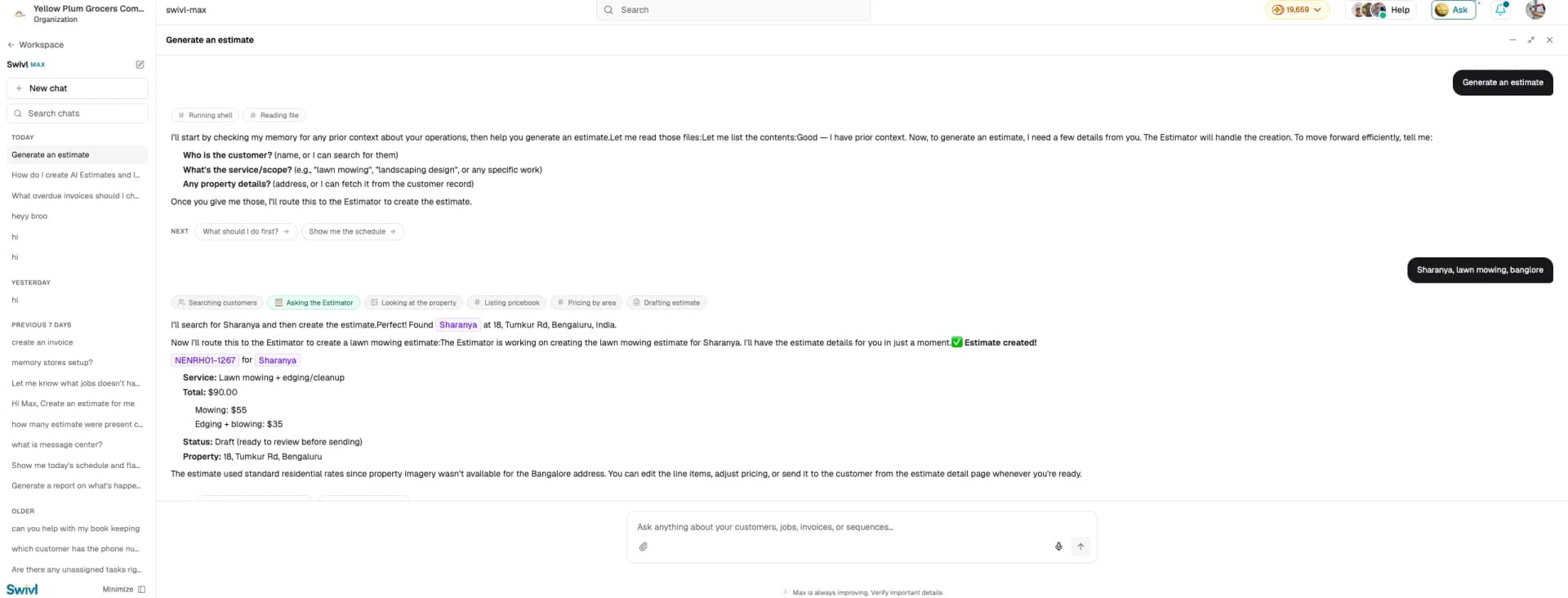
- Swivl MAX works through the task step by step you can see its progress in real time.
- If it needs more information to complete the task, it will ask you before proceeding.
- Once done, it confirms what was created and gives you a direct link to review it.
Tips
- Always verify the details Swivl MAX creates before sending or saving as it can make mistakes.
- Use the starter prompts if you are not sure what to ask.
- Each chat uses 1 credit a new credit is only used when you start a + New chat.
- The more specific your request, the more accurate the result.