
AI Receptionist: Credits, Usage and Billing
Understand how phone number fees, credit usage, and optional AI training work for AI Receptionist, so you can manage costs effectively.
Overview
AI Receptionist is included with the Scale Pro and Organization plans. This article explains how the phone number fee, credit usage, and optional training work so you can manage costs effectively.
Who can access this
Role | Access level |
|---|---|
Super Admin | Can view billing details and manage the AI Receptionist subscription |
Admin / Lead Technician / Technician | Cannot access billing settings |
Phone number fees
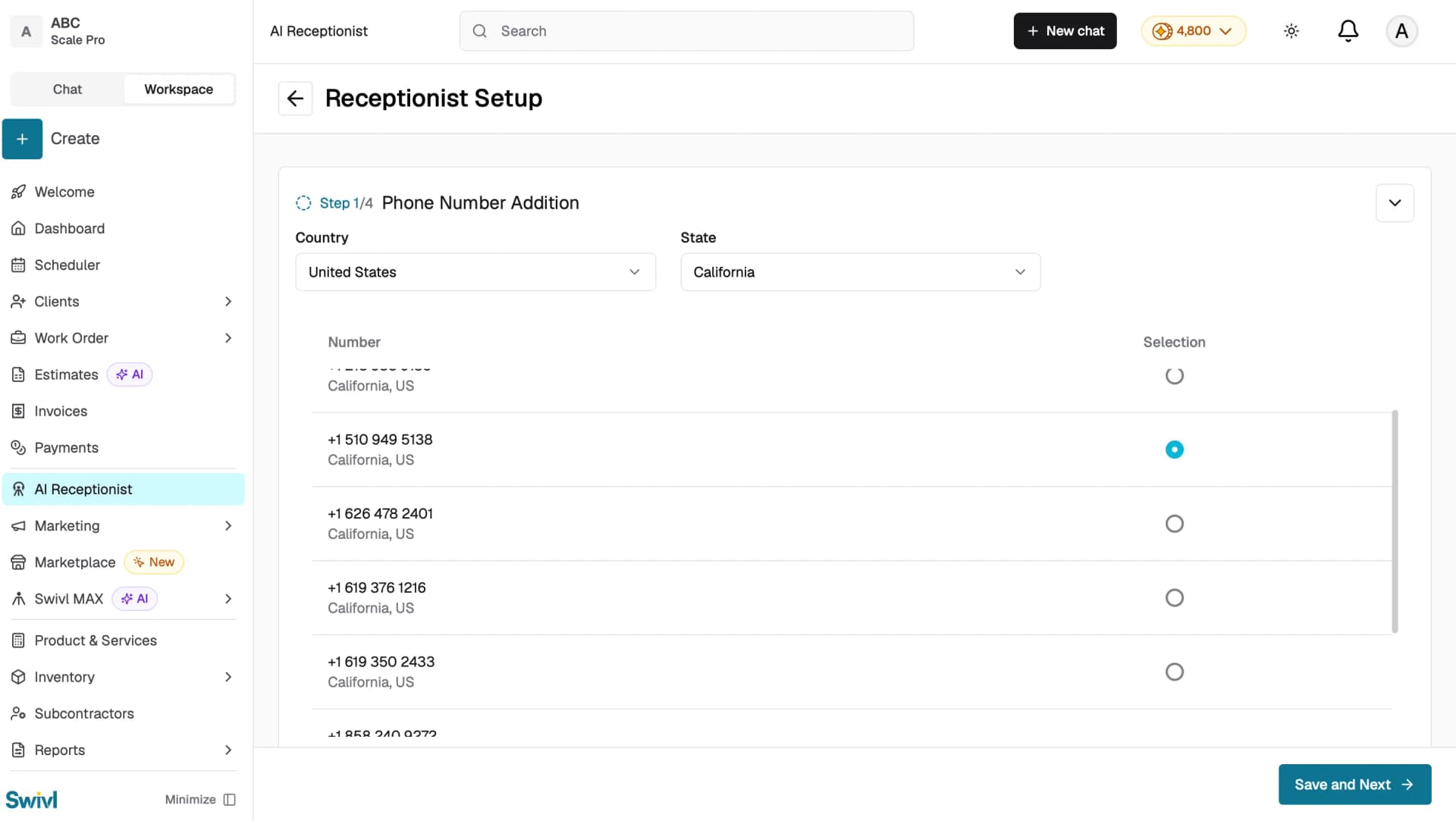
During setup you purchase a dedicated phone number for your AI Receptionist. The number comes with a recurring monthly fee that is shown before you confirm the purchase. Key details:
- The monthly fee varies based on the country and state of the number you select.
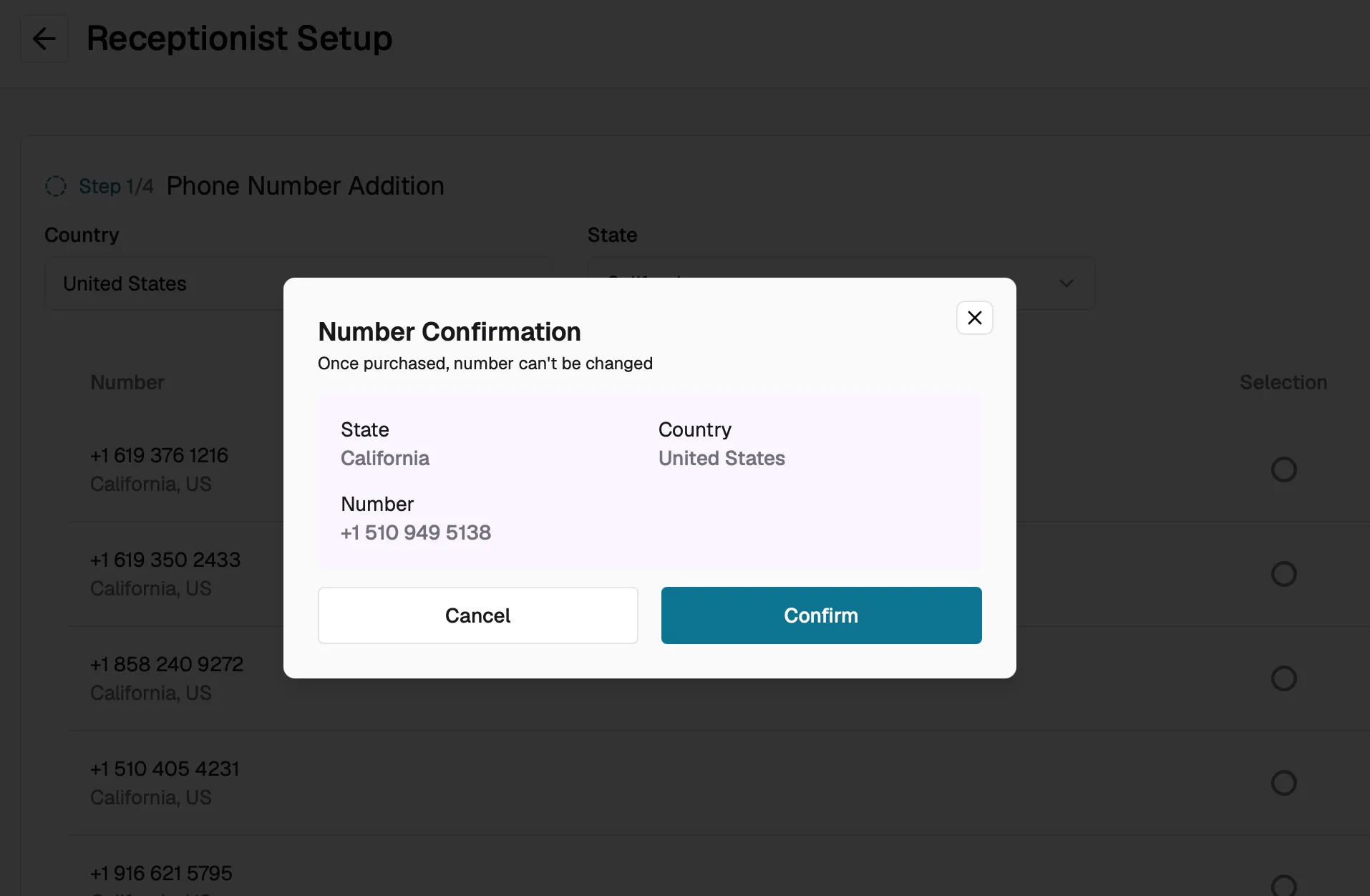
- The fee is displayed on the number selection screen and confirmed in the Number Confirmation dialog before purchase.
- Once purchased, the phone number cannot be changed, so review the details carefully before clicking Confirm.
Subscription and Credit Usage
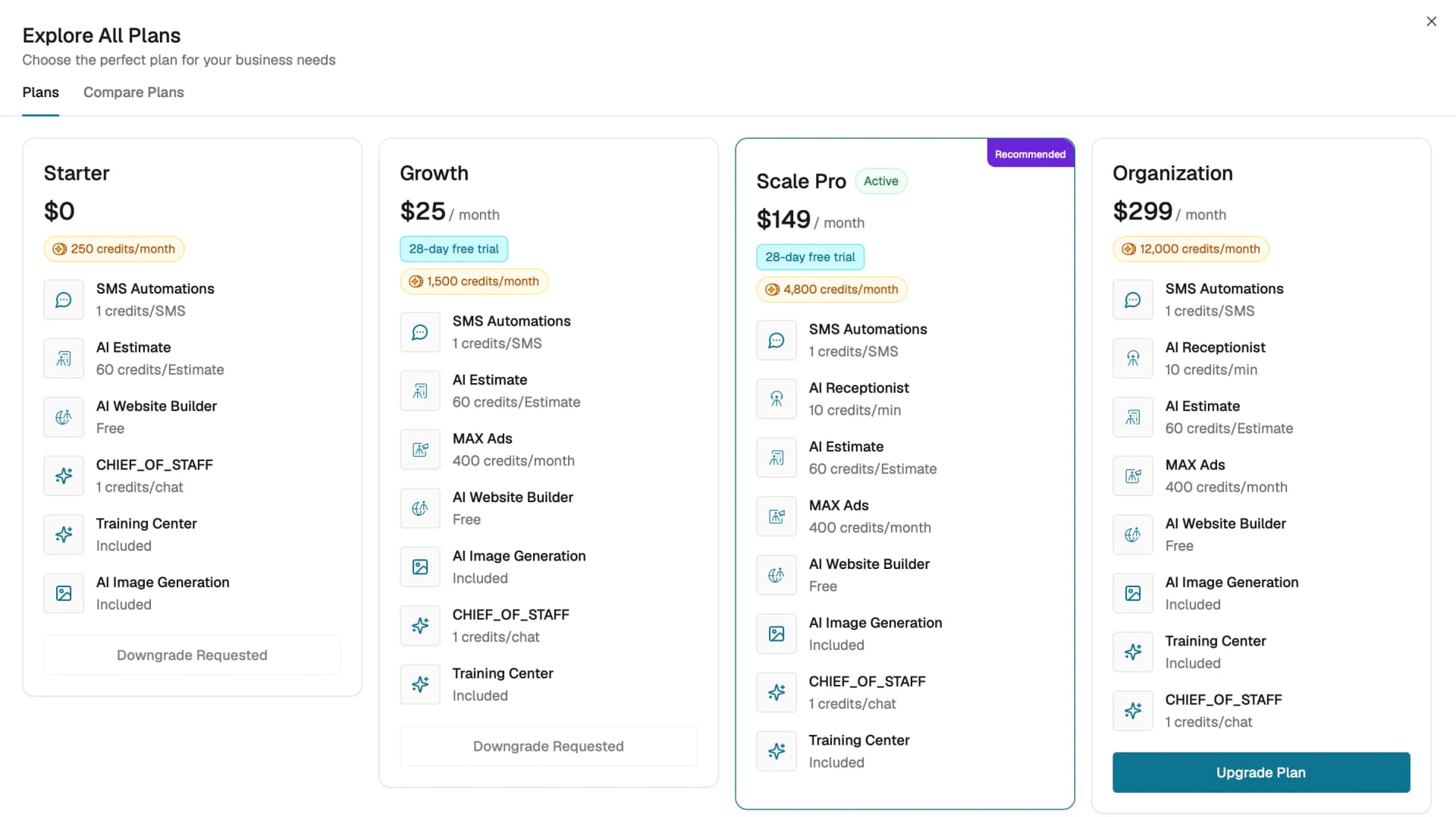
AI Receptionist is included with the Scale Pro and Organization plans. It is not available on Starter or Growth plans.
Usage is charged at 10 credits per minute of call time, deducted from your plan's monthly credit allowance:
- Scale Pro : 4,800 credits/month
- Organization : 12,000 credits/month
Without an active Scale Pro or Organization subscription:
- The feature will not be accessible in your settings menu.
- You may see an access restriction message if your subscription lapses.
Optional: Smarter Receptionist training
After initial setup you can opt into personalized AI training that uses your specific business information like service details, FAQs, and custom responses , so the receptionist handles calls more accurately.
To express interest:
- Go to AI Receptionist → Receptionist Settings.
- Open Receptionist Customization.
- In the Additional Company Information section, click I'm Interested.
- The Swivl team will follow up to discuss pricing and enable the training.
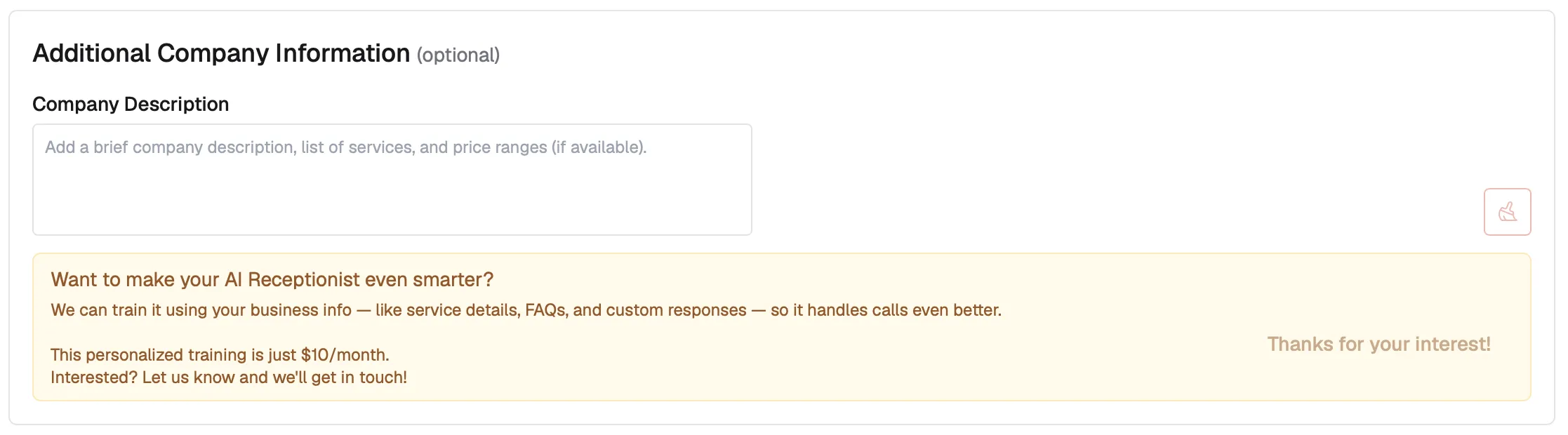
Once you have expressed interest, the button changes to Thanks for your interest! and becomes disabled.
Managing your subscription
To manage your subscription or review billing details, go to your account's billing settings. If you need to cancel AI Receptionist, contact Swivl support to discuss your options and understand how cancellation affects your active phone number.
Tips
- Check the monthly phone number fee before purchasing, it is a recurring charge on your account.
- The Smarter Receptionist training is optional. Your AI Receptionist works without it, the training simply improves response quality for business-specific questions.
- If your subscription lapses, existing call logs remain accessible but the AI will stop answering new calls.
- Review your call log volume periodically to ensure the feature is delivering value for your investment.