
Website Analytics: Track Your Website Performance
Track your website's performance with built-in Analytics. Monitor visitor traffic, page views, bounce rate, top pages, traffic sources, and device breakdown all from the AI Website Builder dashboard.
Overview
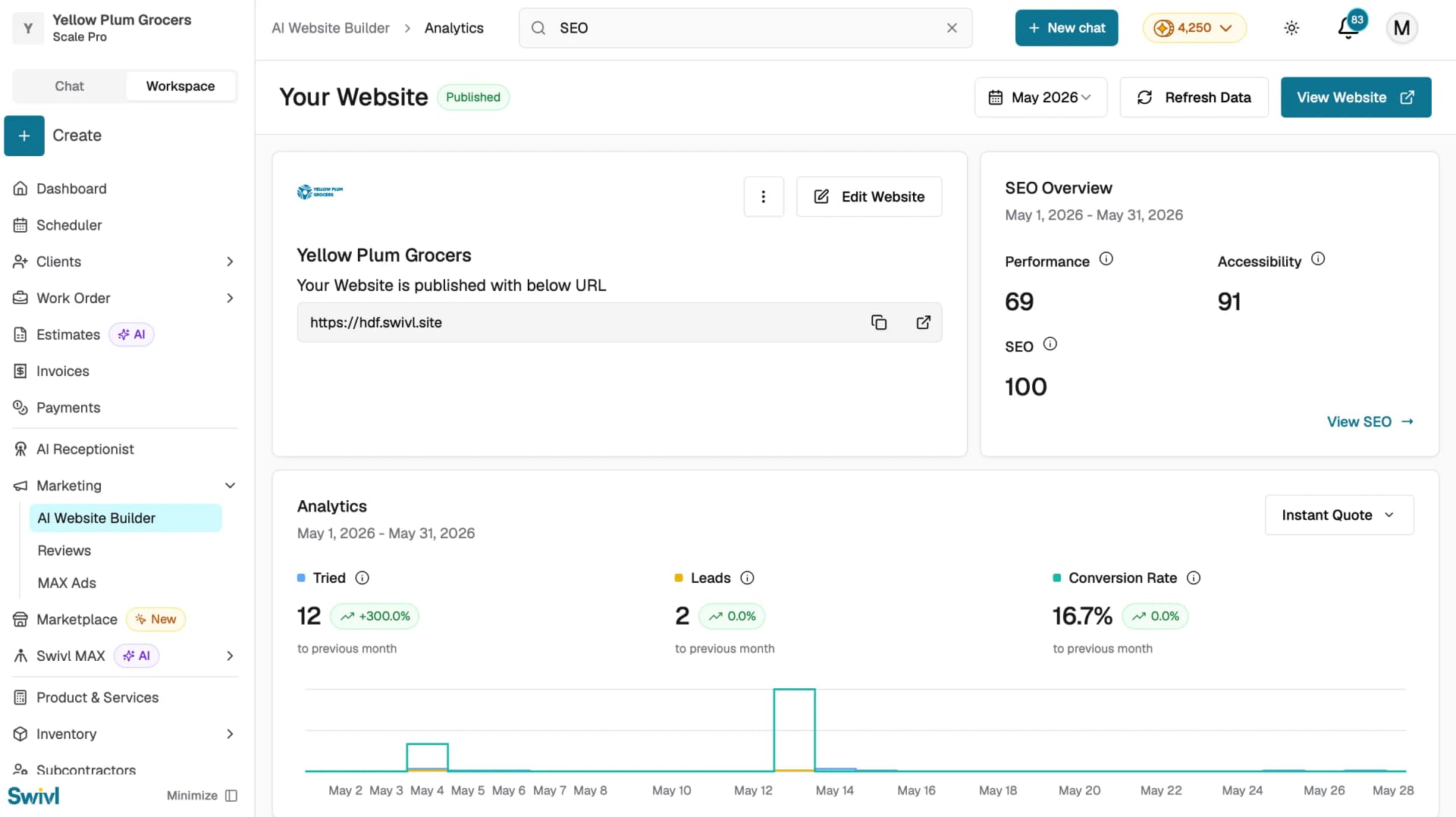
The Analytics section in the AI Website Builder gives you a view of how your website is performing. Track visitor traffic, page views, bounce rate, top pages, traffic sources, and device breakdown all in one place. You can also monitor the performance of your Instant Quote, Scheduler, and Chatbot features separately.
Who can access this
Role | Access Level |
|---|---|
Super Admin | Can view all Analytics data |
Admin | Can view all Analytics data |
Lead Technician / Technician | No access |
How to Access Analytics
From the AI Website Builder dashboard, scroll down to the Analytics section.
Use the date range dropdown in the top right to filter data by a specific time period from today up to the last year, or set a custom date range.
Use the feature dropdown on the right to switch between Instant Quote, Scheduler, and Chat Bot analytics.
What You Can Track
Overall Website Metrics
- Tried: number of visitors who interacted with a feature.
- Leads: number of leads generated from visitor interactions.
- Conversion Rate: percentage of interactions that resulted in a lead.
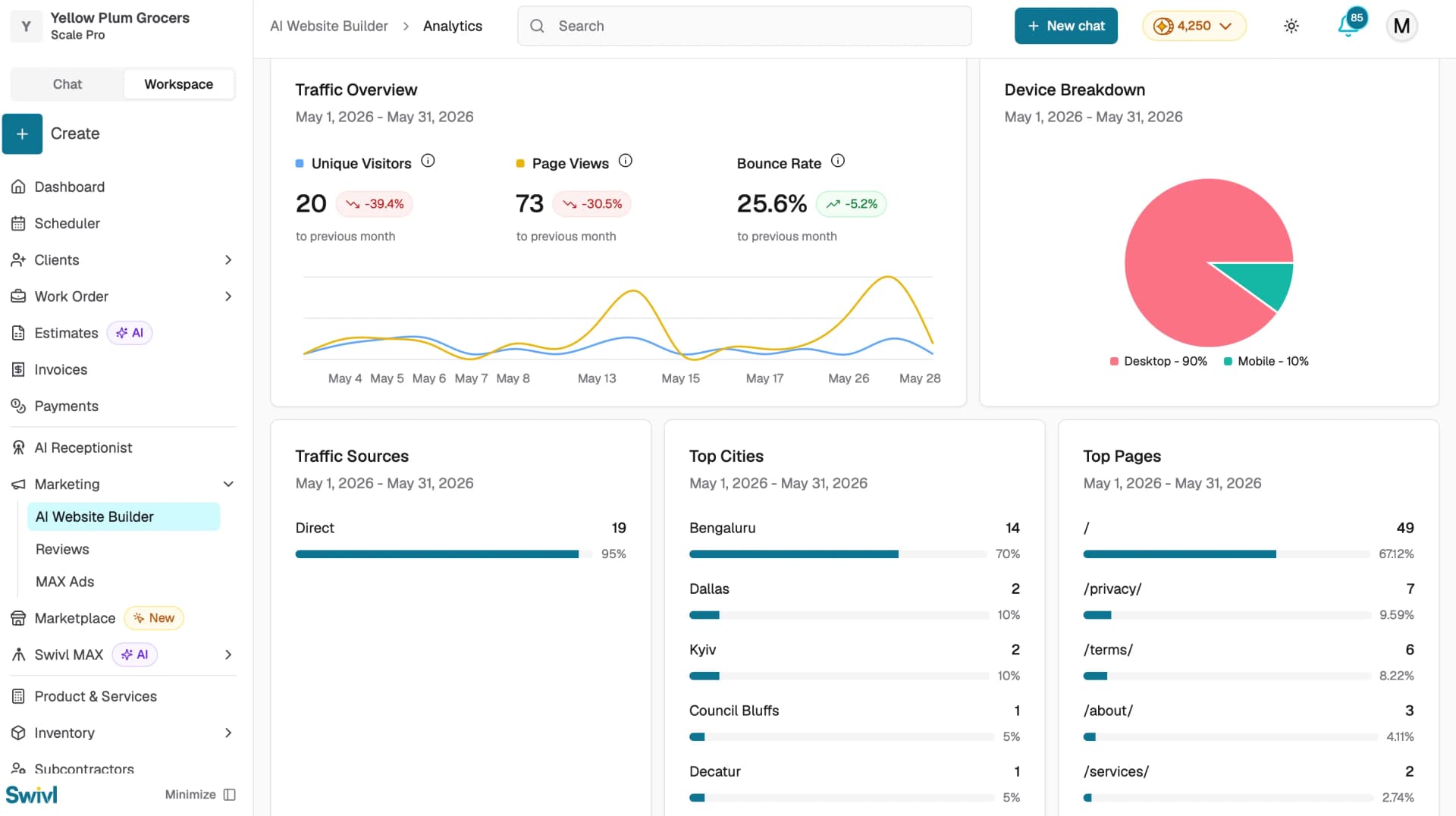
Traffic Overview
A line graph showing page views vs visitors over time for the selected date range.
Top Cities
Shows the top cities your website visitors are coming from, displayed as a progress bar with numbers and percentages.
Top Pages
Shows the most visited pages on your website, displayed as a progress bar with numbers and percentages.
Traffic Source
Shows where your visitors are coming from:
- Google Search
- Direct
- Social Media
- Referral
Device Breakdown
A pie chart showing the split between Desktop, Mobile, and Tablet visitors, with numbers and percentages.
Tips
- Check your Analytics regularly to understand which pages are performing best and where your visitors are coming from.
- Use the Custom Date range to compare performance across specific time periods.
- Monitor your Conversion Rate for Instant Quote and Chatbot to see how effectively your website is turning visitors into leads.