
Marketplace Overview
Learn how to use the Swivl Marketplace to add plugins like Scheduler, Instant Quote, Chatbot, and Analytics to your business, install with a script or hosted link, no coding required.
Overview
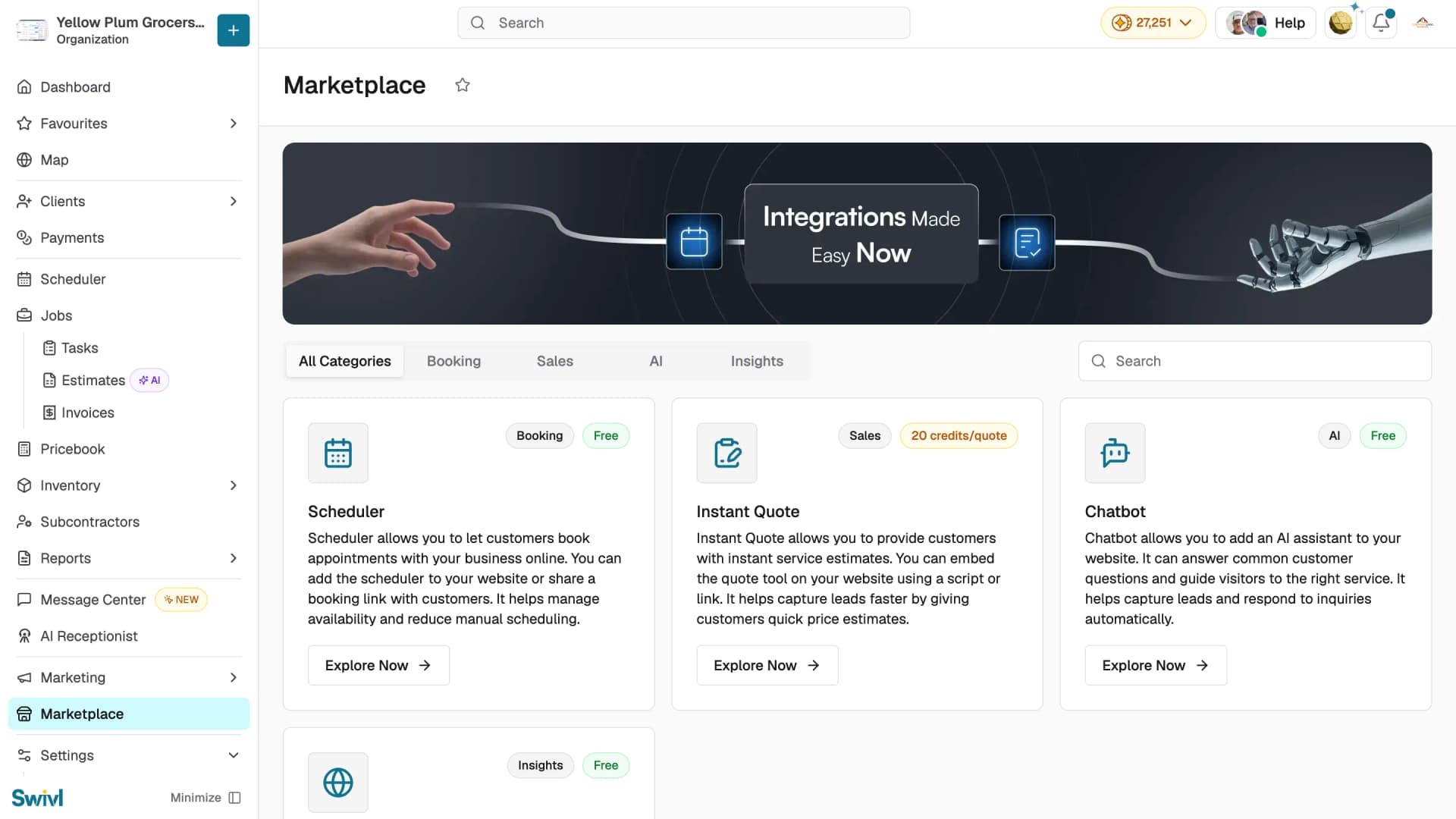
The Marketplace is a built-in catalog of plugins that add customer-facing features to your business online booking, instant quotes, AI chat, and analytics. Each plugin works on your website or as a standalone hosted link, installs in minutes, and requires no coding. You'll find it in the left sidebar of your Swivl dashboard.
Who can access this
All roles can browse the Marketplace. Installing plugins and managing domains requires Super Admin or Admin access.
How to access the Marketplace
- Click Marketplace in the left sidebar.
- Browse plugins using the category tabs All Categories, Booking, Sales, AI, Insights or use the search bar to find a specific plugin.
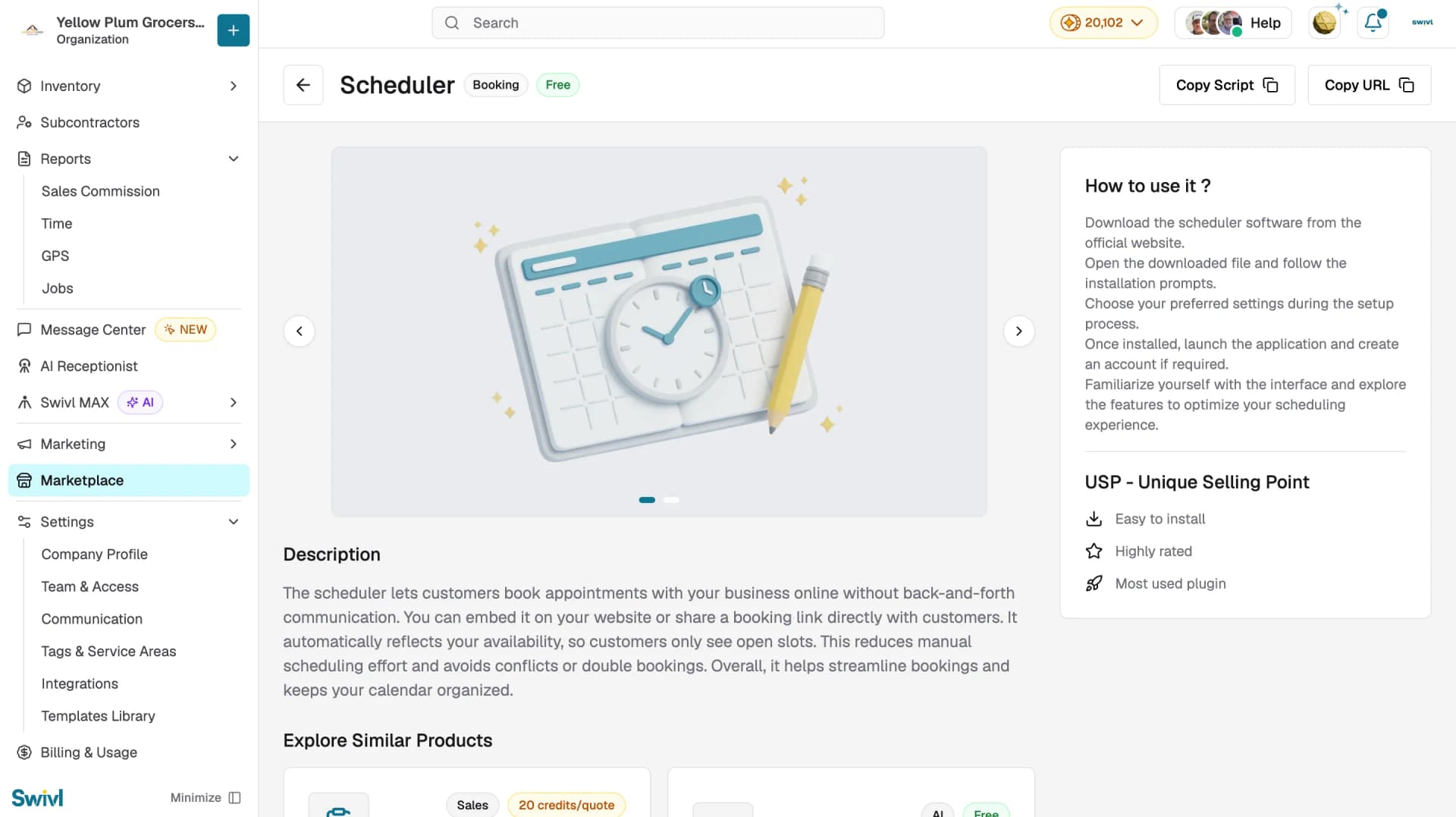
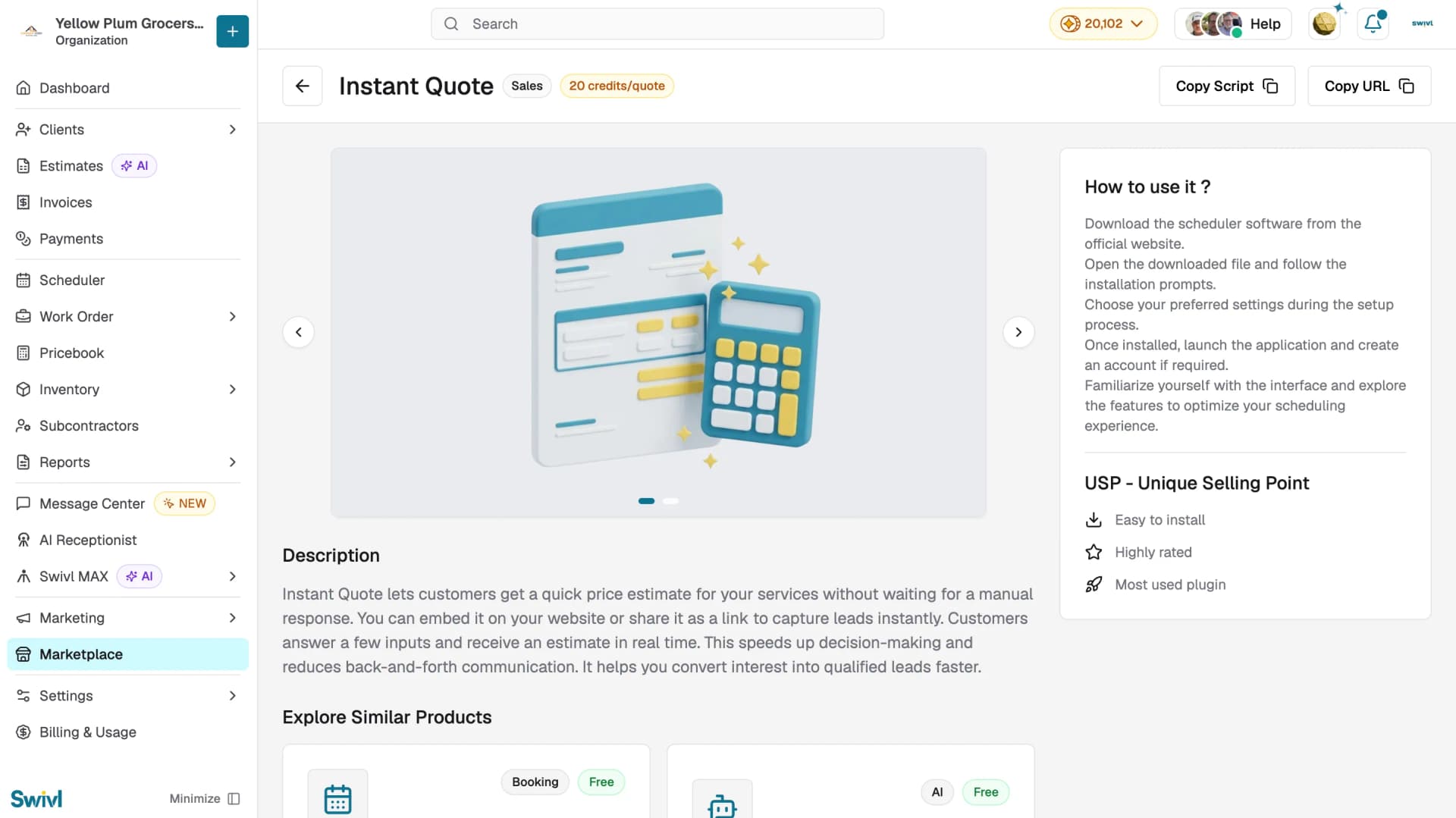
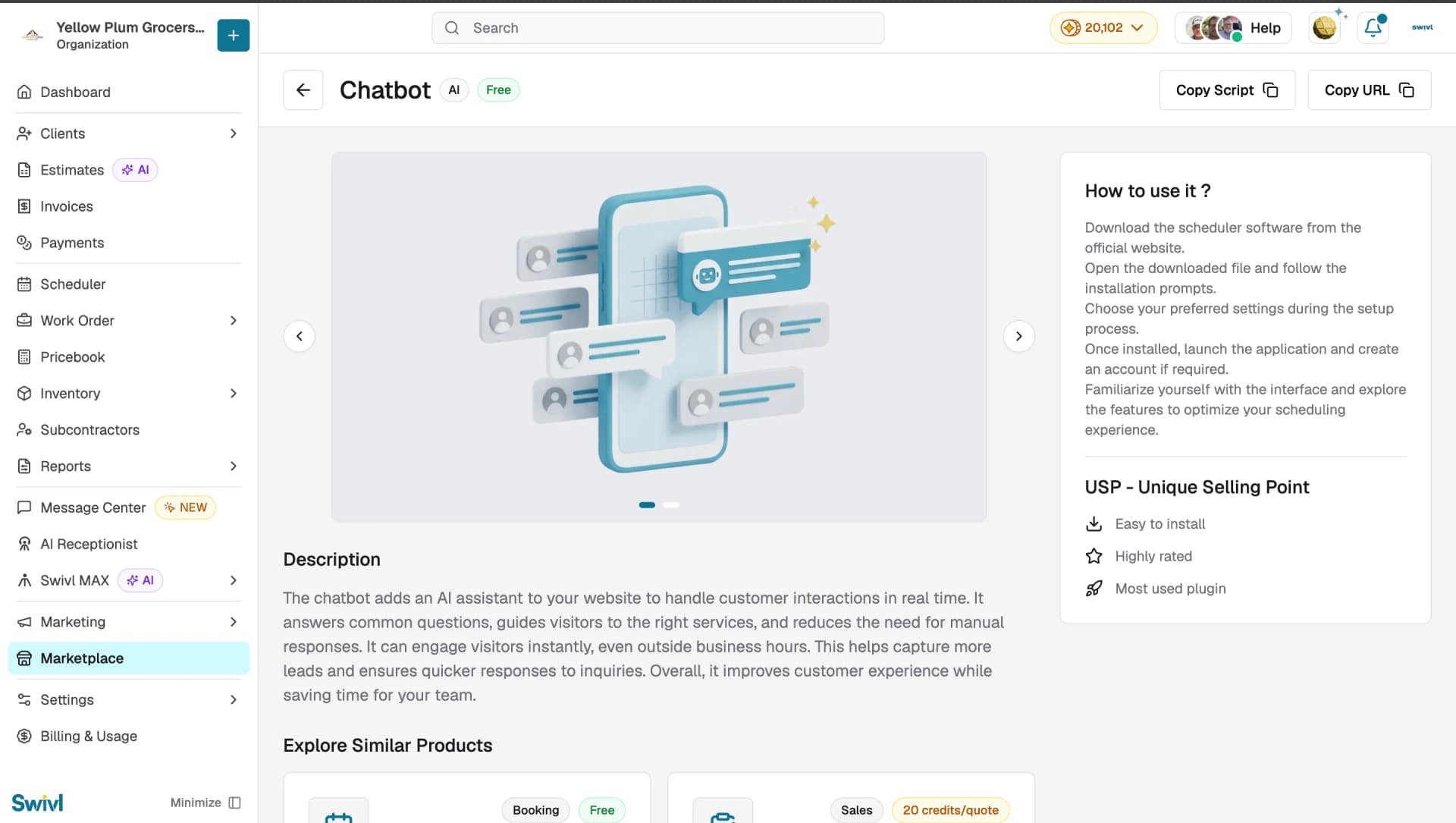
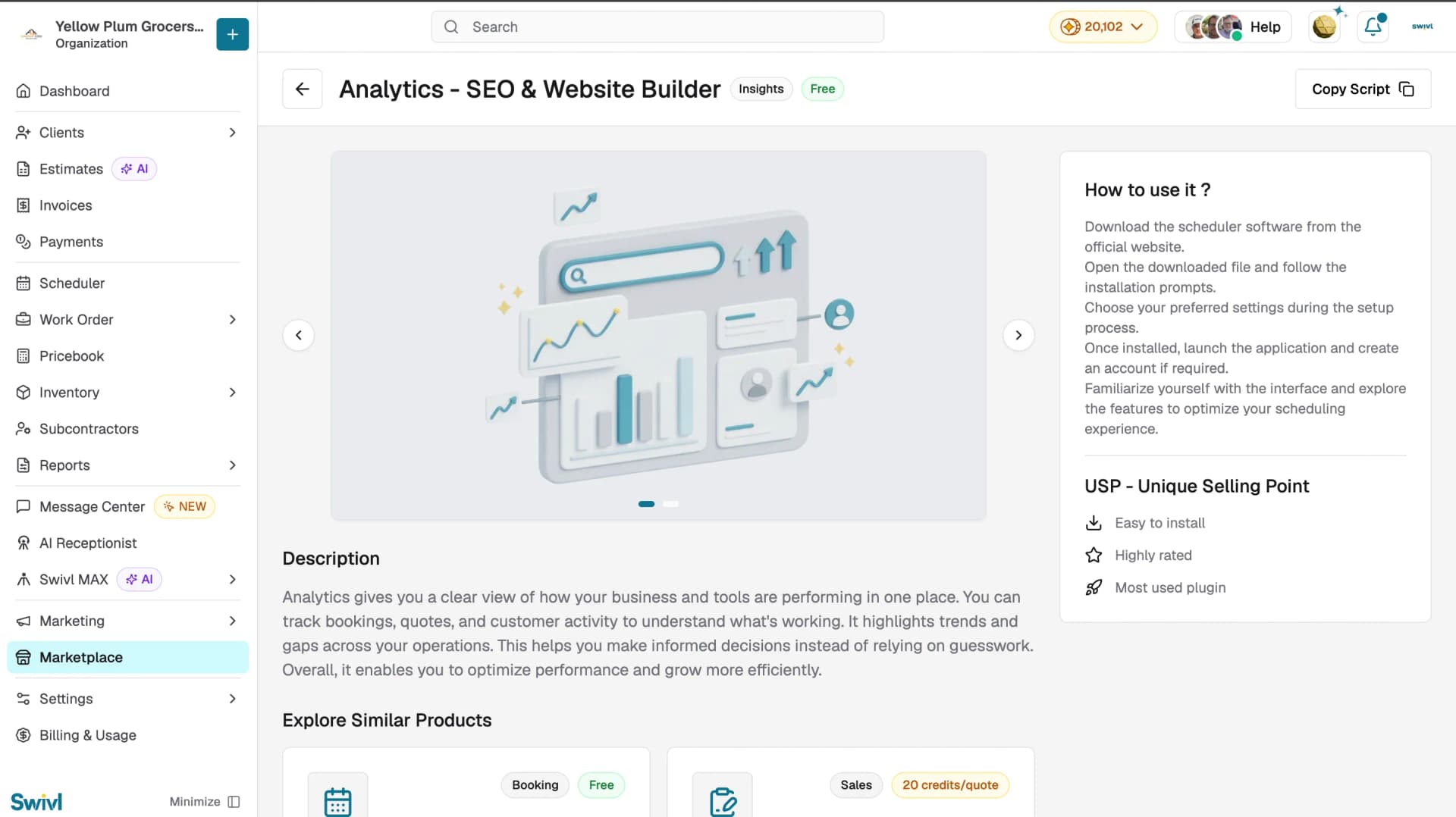
- Click Explore Now on any plugin card to open its detail page with a full description, quick-start steps, and unique selling points.
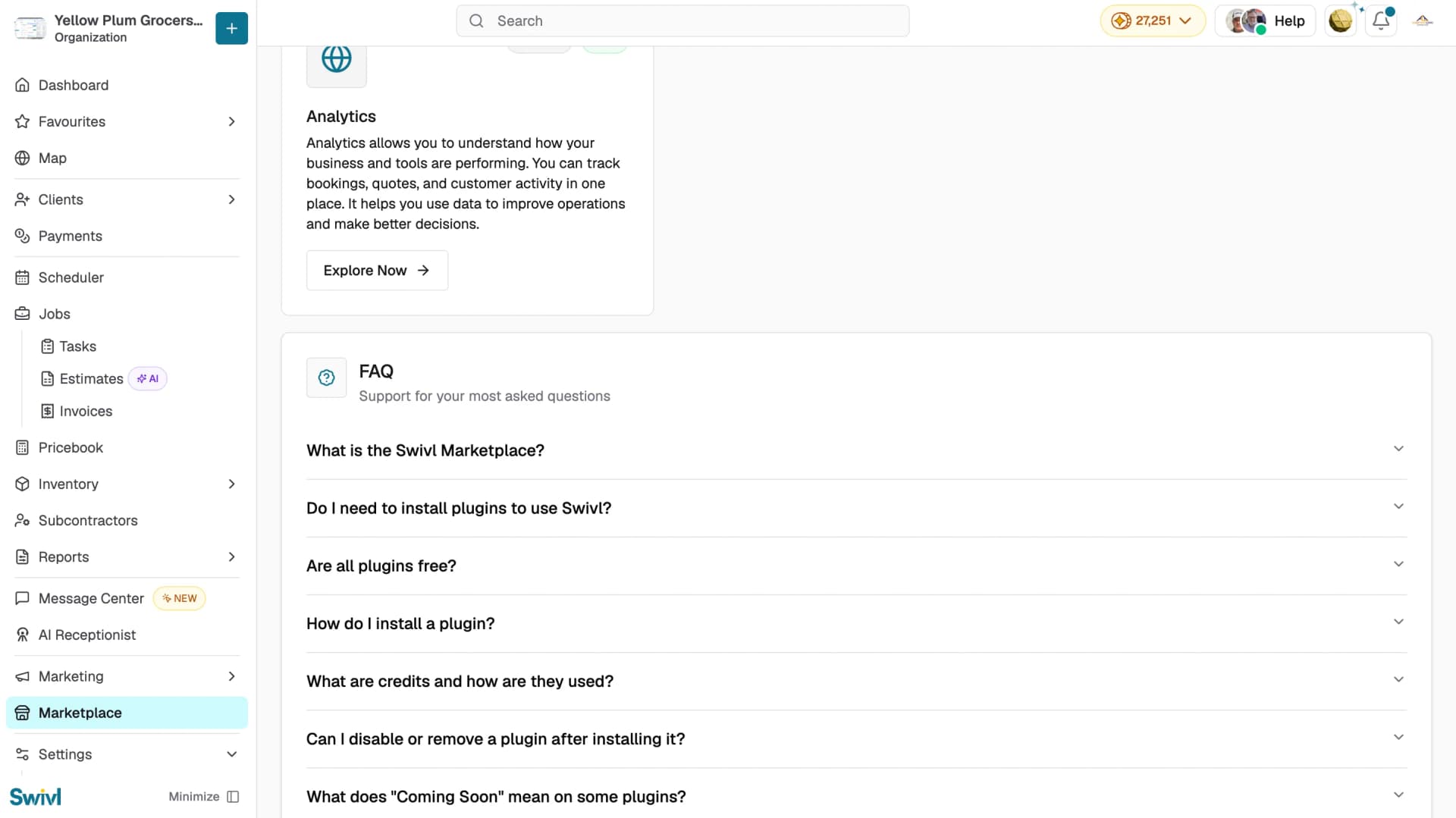
- Each detail page also suggests related plugins under Explore Similar Products.
What's available in the Marketplace
Plugin name | Category | Pricing | What it does |
|---|---|---|---|
Scheduler | Booking | Free | Lets customers book appointments online without back-and-forth. Reflects your availability automatically, so customers only see open slots no conflicts or double bookings. |
Instant Quote | Sales | 20 credits/quote | Gives customers a real-time price estimate from a few inputs. Speeds up decision-making and converts interest into qualified leads faster. |
Chatbot | AI | Free | Adds an AI assistant to your website that answers common questions and guides visitors to the right service even outside business hours. |
Analytics | Insights | Free | Tracks bookings, quotes, and customer activity in one place. Highlights trends and gaps so you decide with data, not guesswork. |
How to install a plugin
- Open the plugin's detail page and choose one of the two buttons at the top:
- Copy Script copies an embed script to paste into your website, so the plugin appears on your own pages.
- Copy URL copies a hosted link you can share directly or add to menus, social profiles, or your Google Business Profile. Zero code needed.
- Use Manage Domain (top-right of the Marketplace) to configure the domain your plugins run on.
Tips
- Most plugins are free; credit-based ones (like Instant Quote) show their rate on the plugin card. Your balance is always visible at the top of the dashboard.
- Use the hosted URL if you don't want to touch your website it's the fastest way to go live.
- Add one plugin at a time and check your site after each.
- You can stop using a plugin anytime by removing its script or link.
Conclusion
The Marketplace makes it easy to grow what your business can do from 24/7 bookings to instant quotes, AI chat, and performance insights all from one place, with no coding needed. Head to the Marketplace in your Swivl dashboard, explore a plugin, and go live in minutes.