
Swivl MAX overview
Swivl MAX is the AI-powered tier of the Swivl platform that unlocks advanced features designed for growing field service businesses, including an AI assistant, automation rules, and a training centre.
Overview
Swivl MAX is the premium tier of the Swivl platform that unlocks advanced AI-powered features designed for growing field service businesses. It includes an AI business assistant, configurable automation rules, a training centre, and expanded integrations that go beyond the standard Swivl plan.
Who can access this
- Super Admin: can view plan details and manage upgrades
What is included in Swivl MAX
Swivl MAX brings together the AI-powered tools in Swivl into one place:
- Swivl MAX Chat: an AI business assistant that helps you manage operations, generate reports, create invoices, and take action without leaving the platform
- AI Rules: configurable rules for AI Estimator, AI Receptionist, and GPS tracking that keep your operations consistent and accurate
- Training Center: upload business data and documents to train Swivl MAX so it gives more relevant and accurate responses over time
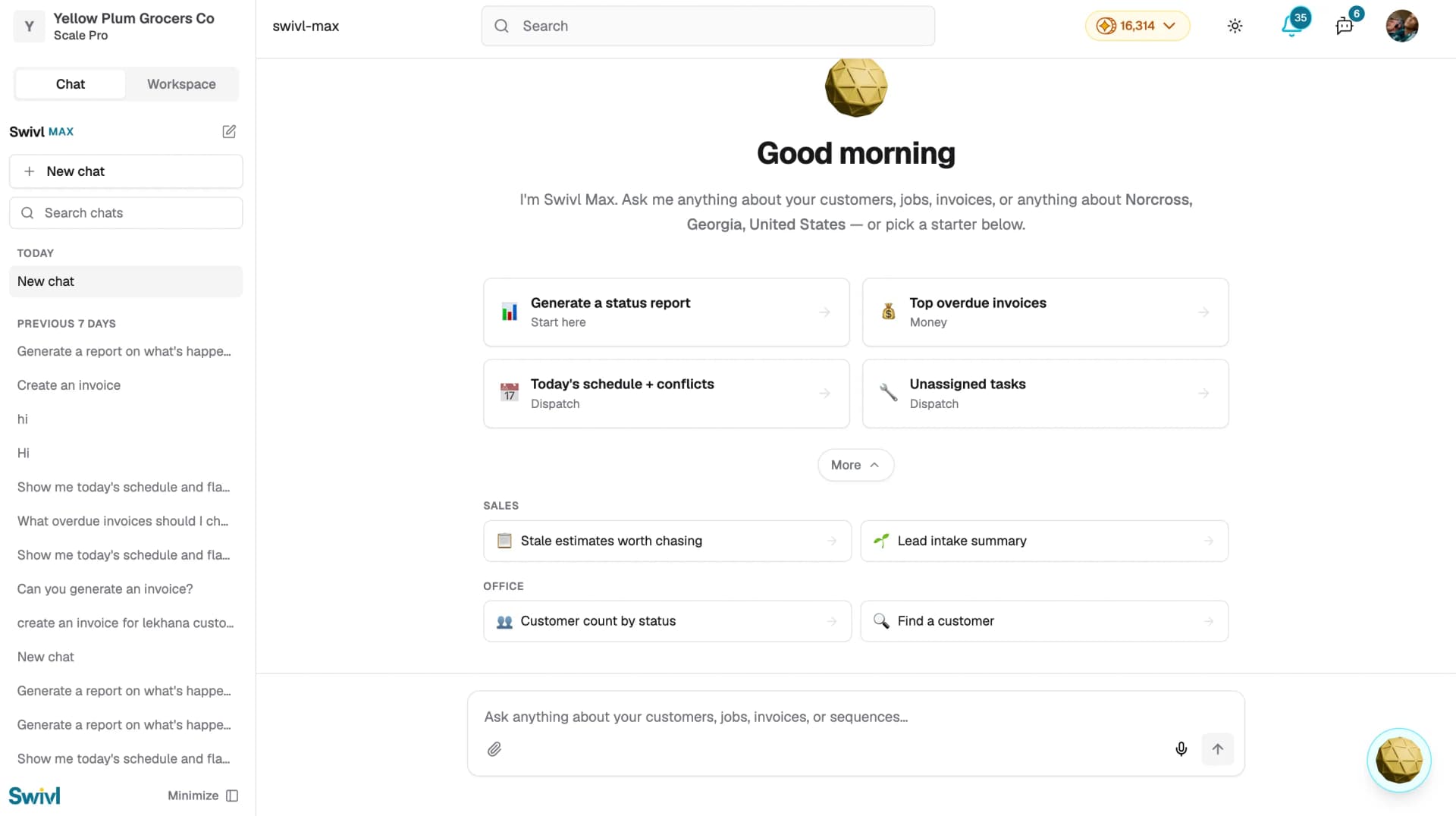
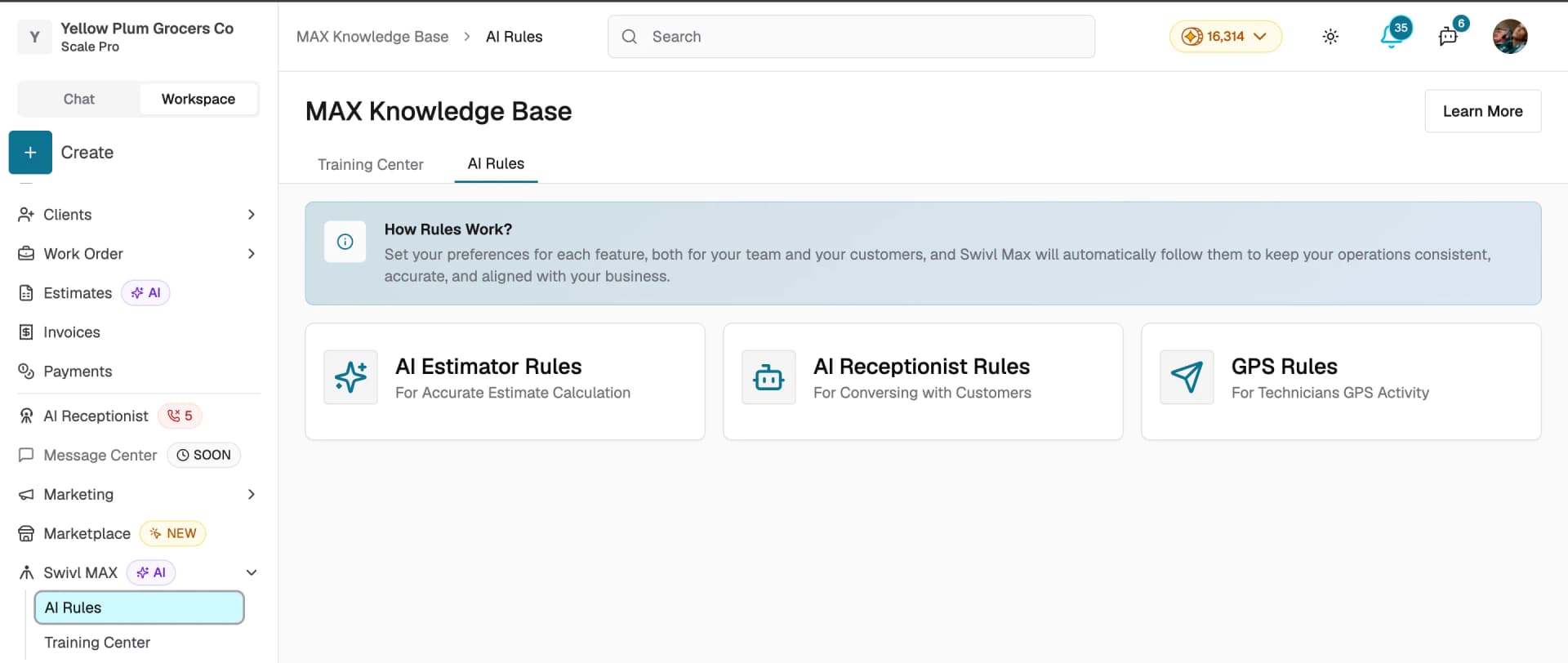
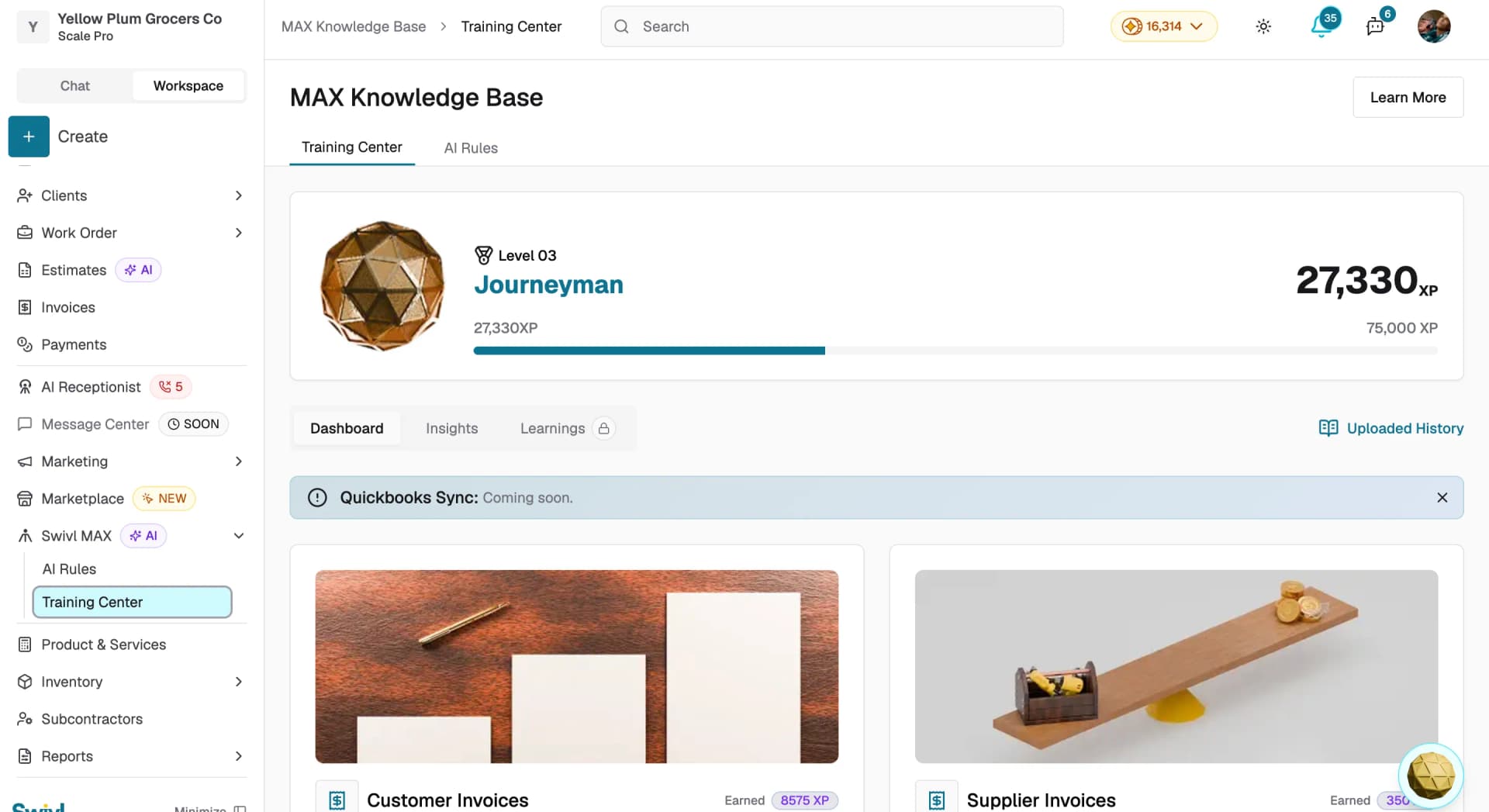
Note: Go to Billing & Usage to view your current plan, credit usage, and available features.
Viewing your current plan
- Go to Billing & Usage from the left sidebar
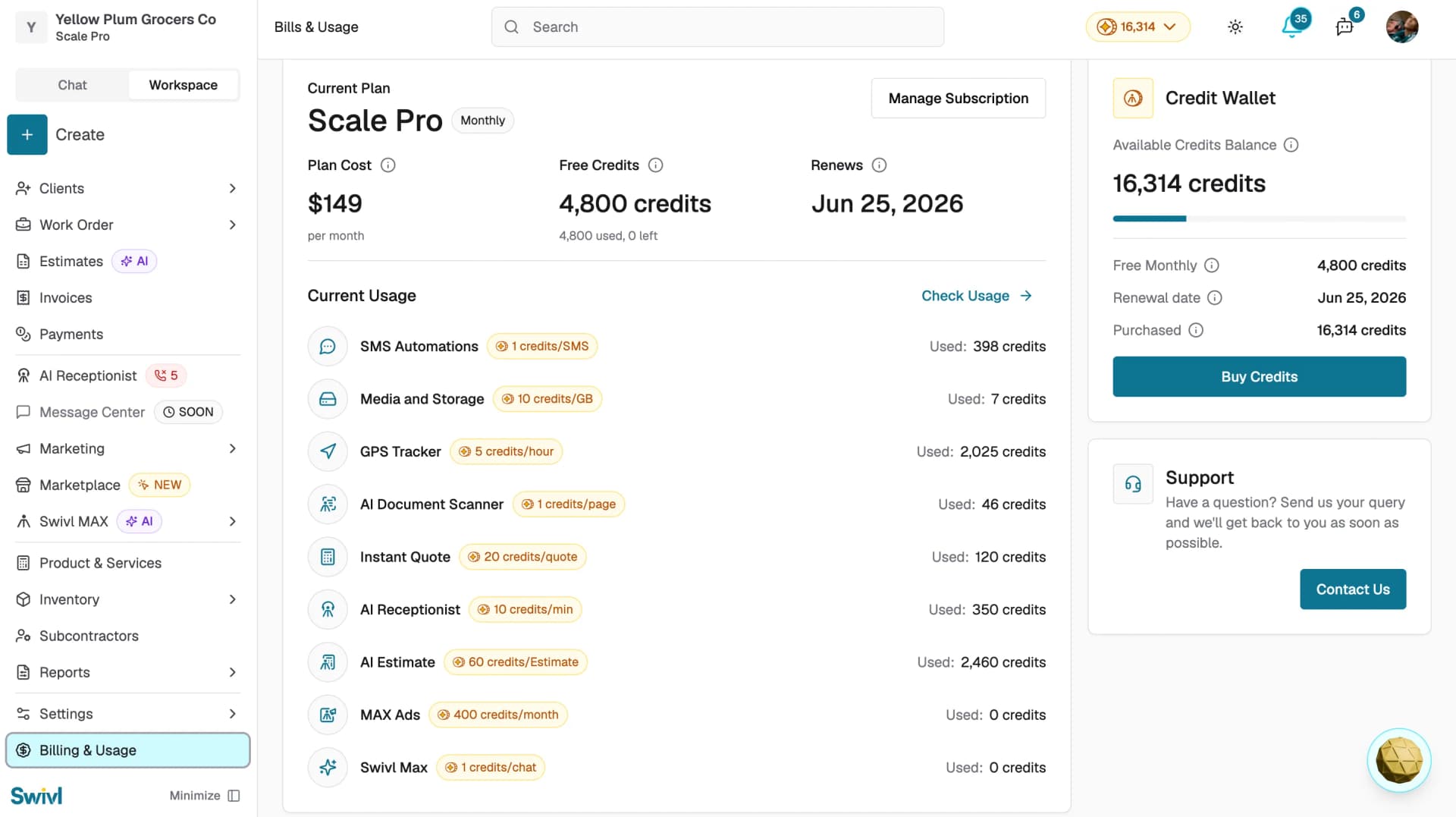
- View your current plan, monthly credits, plan cost, and renewal date under Current Plan
- Review credit usage per feature under Current Usage
- Click Check Usage for a detailed breakdown
- Click Manage Subscription to upgrade or change your plan
- Click Buy Credits to top up your credit balance if needed
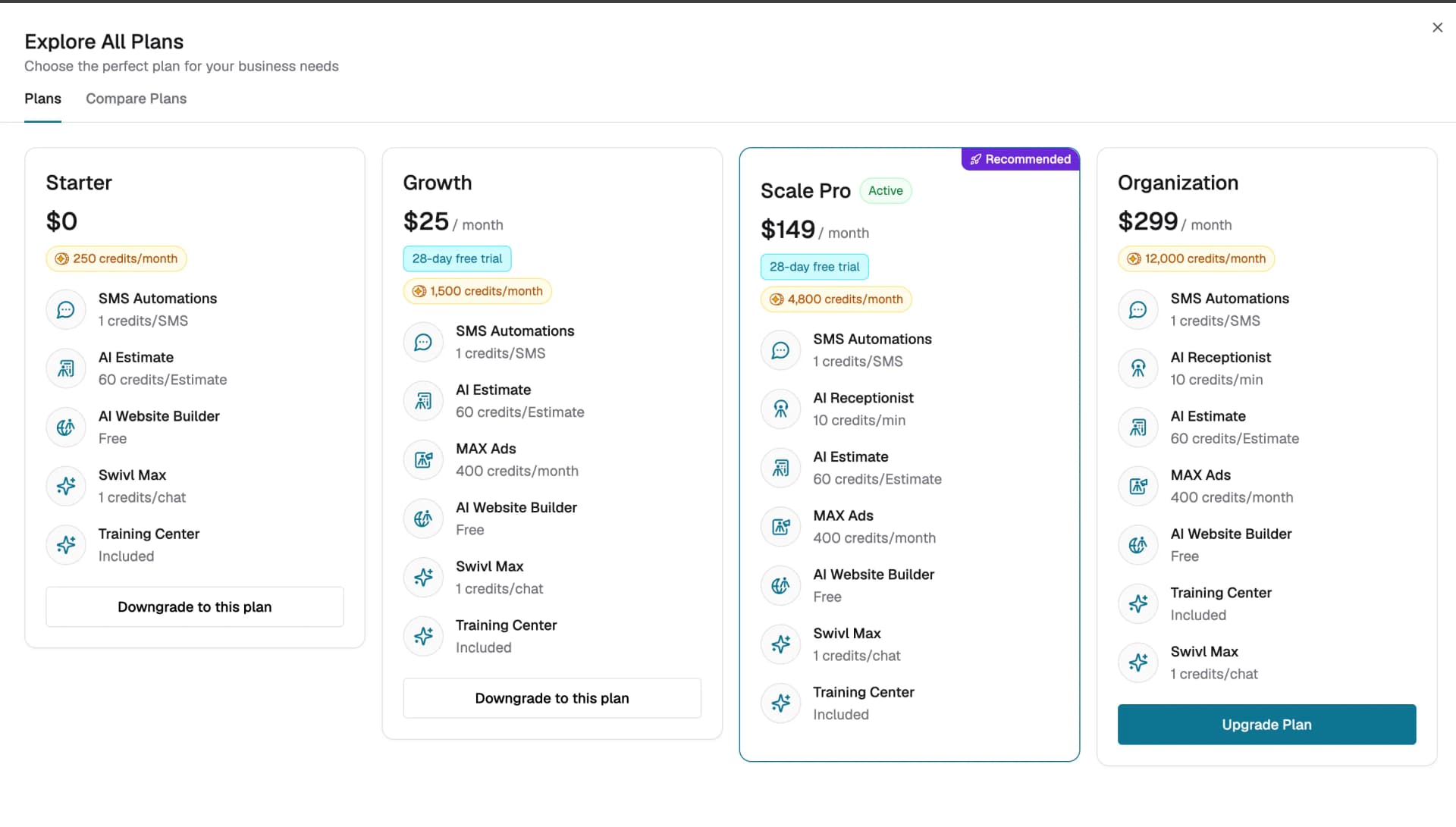
Understanding feature availability
Each Swivl feature consumes credits at a different rate depending on usage. If your credits run out, you can purchase additional credits at any time using the Buy Credits button in Billing & Usage. If a feature is unavailable on your current plan, an Enable prompt will appear on the feature's page with instructions to upgrade.
Tips
- Check Billing & Usage regularly to monitor your credit consumption and avoid running out mid-month
- Purchase additional credits at any time using the Buy Credits button if you need more before your plan renews
- Click Manage Subscription to upgrade your plan if you consistently need more credits each month