
Signing up for Swivl
Signing up for Swivl is free and takes just a few minutes. No credit card is required, no software to install everything runs in your browser. Once your account is created, an onboarding wizard will guide you through setting up your company profile.
Overview
Signing up for Swivl is free and takes just a few minutes. No credit card is required and there is no software to install everything runs in your browser. Once your account is created, you will be guided through an onboarding wizard to set up your company profile before landing on your personalised Get Started page.
Who can access this
- Super Admins (the person who creates the account becomes the Super Admin)
How to sign up
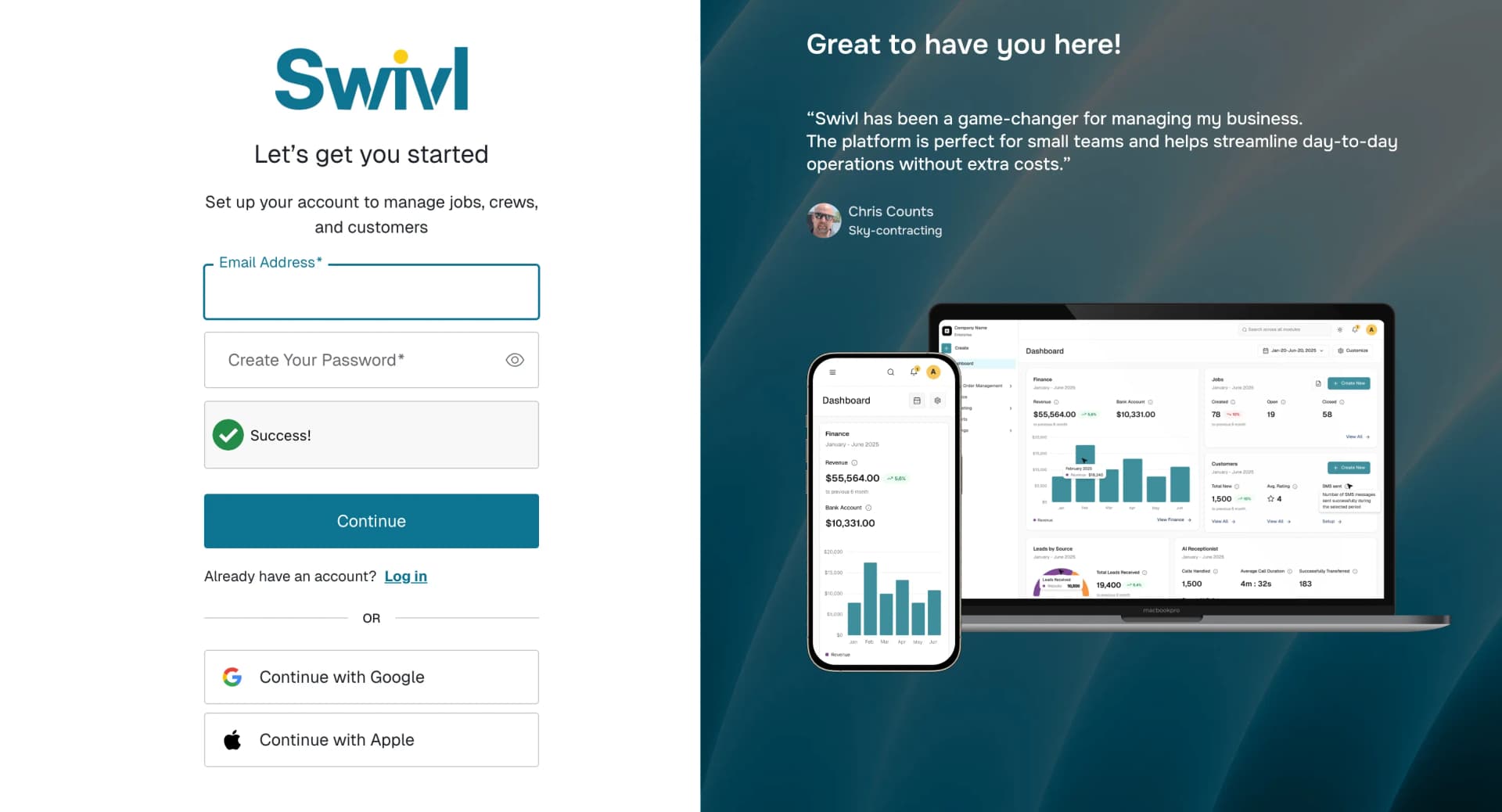
- Visit the Swivl signup page.
- You can create an account using your email address or continue with Google or Apple.
- If signing up with email, enter your email address and create a password that meets the security requirements, then click Continue.
- After submitting, check your inbox for a verification email and click the link to confirm your address.
- Once verified, log in and you will be taken directly to the onboarding wizard.
Email verification
Swivl requires a verified email address before you can access the platform. If you do not receive the verification email:
- Check your spam or junk folder.
- Make sure you entered the correct email address during signup.
- Try signing up again if the verification link has expired.
If your email is not yet verified, you will see a prompt asking you to complete verification before logging in.
What happens after signup
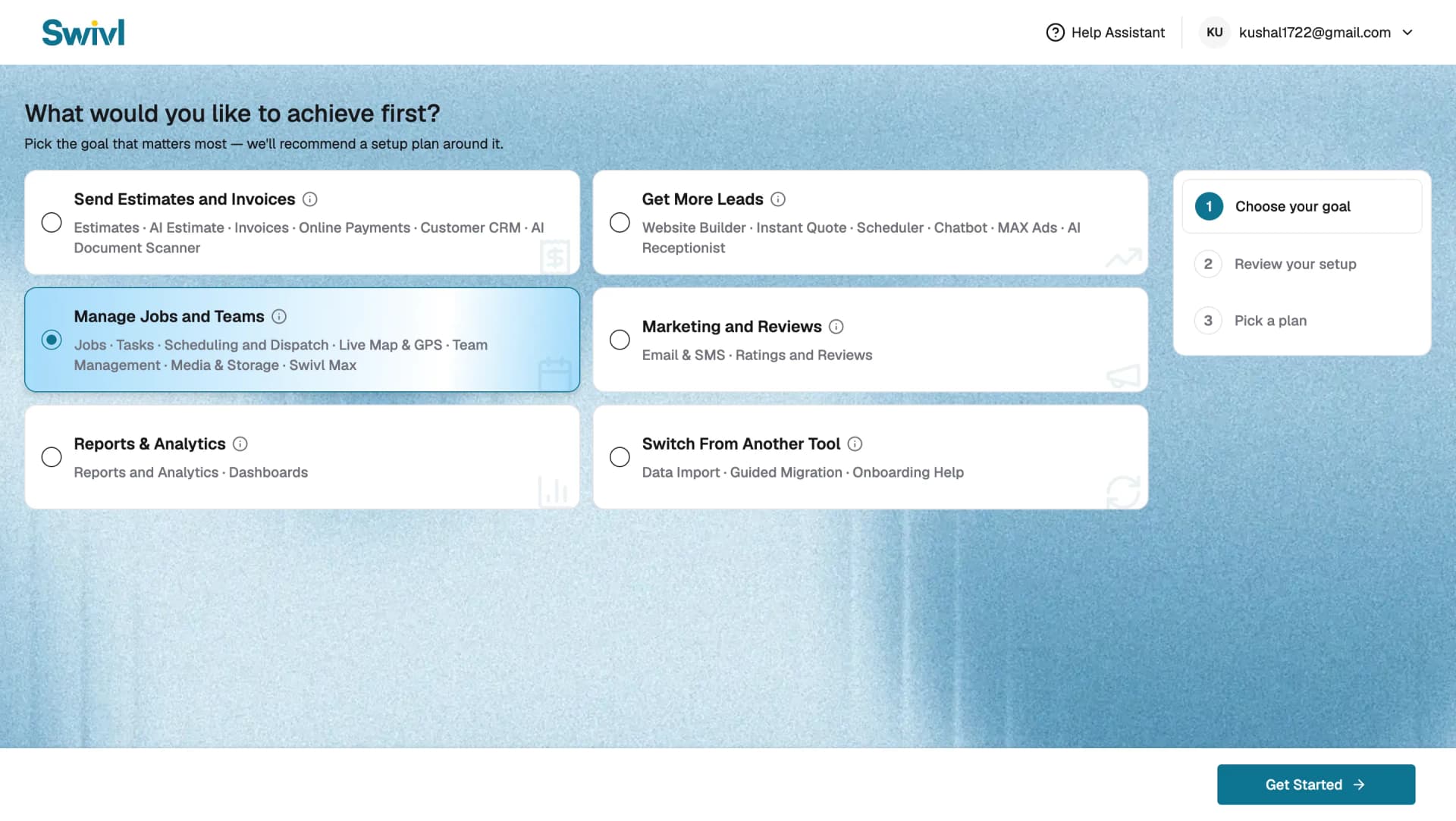
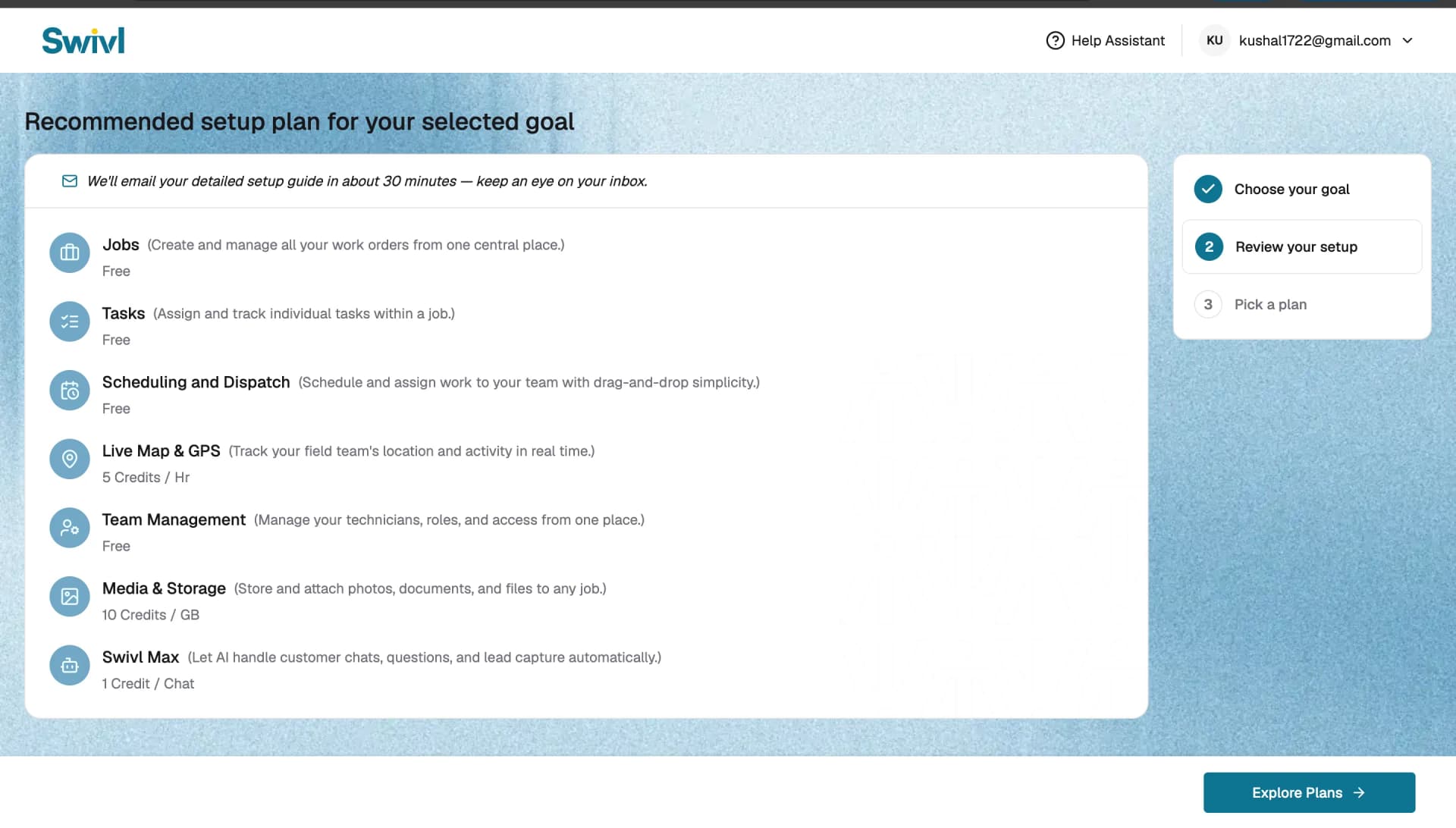
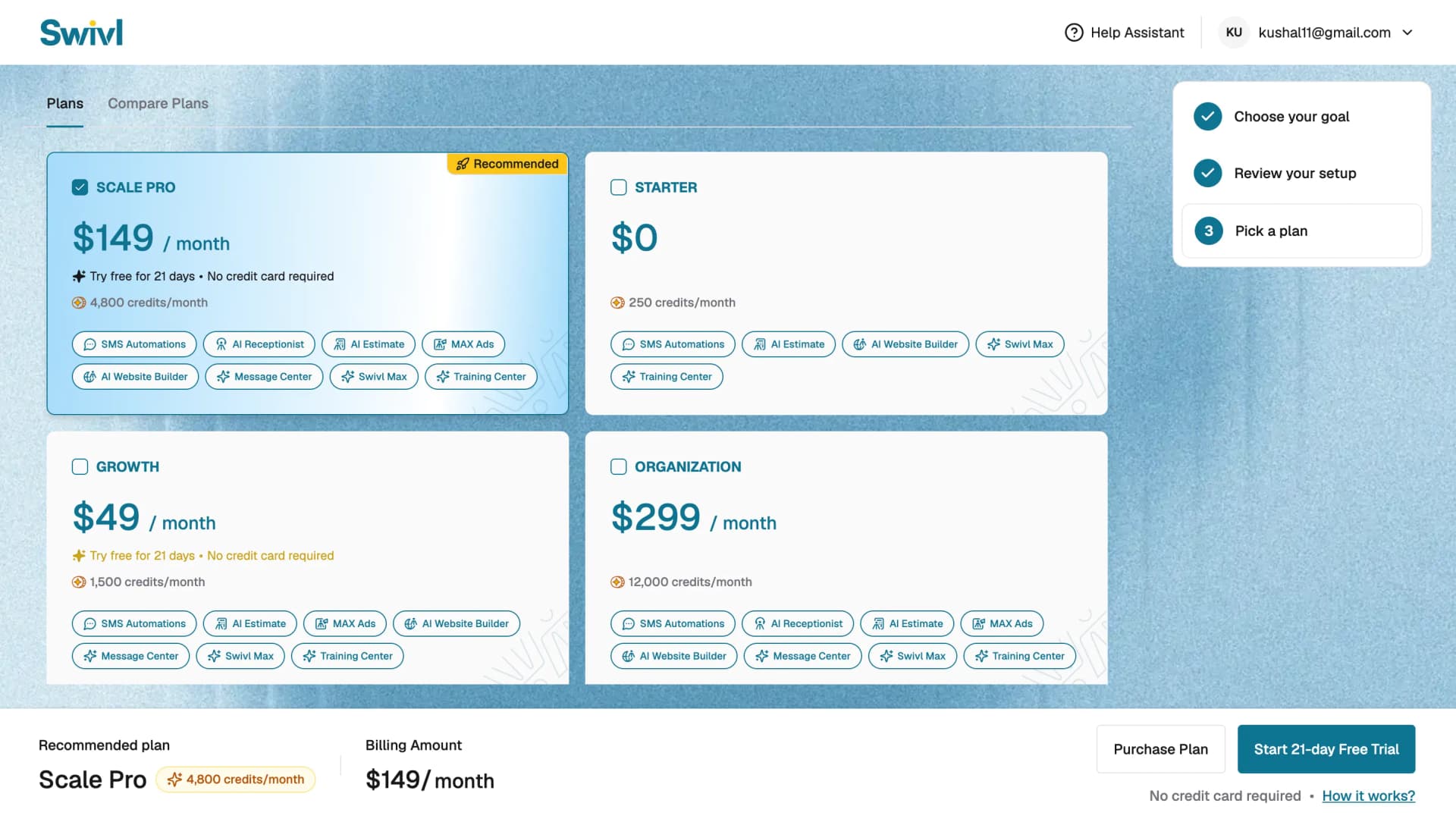
Once your email is verified and you log in for the first time, Swivl walks you through a three-step onboarding wizard:
- Select your features: pick the goal that matters most to your business right now, such as sending estimates and invoices, getting more leads, managing jobs and teams, marketing and reviews, reports and analytics, or switching from another tool. Swivl uses this to recommend a setup plan.
- Review your recommended setup plan: Swivl shows a recommended list of features for your goal, along with their credit cost. A detailed setup guide is emailed to you automatically within about 30 minutes. Click Explore Plans to continue.
- Choose a plan: select from Starter, Growth, Scale Pro, or Organisation to complete your signup.
Tips
- The person who signs up becomes the Super Admin and has full control over the account, including billing and user management.
- You can invite additional team members later from Settings → Team & Access.
- Already have an account? Use the Log in link on the signup page instead.