
Marketing
Online Scheduler: Online Booking for Your Website
Let customers book or request appointments directly from your website without any back-and-forth calls.
Overview
The Online Scheduler lets customers book or request appointments directly from your Swivl website. When enabled, a scheduling widget is embedded into your published site so visitors can pick a date and time without leaving the page.
Who can access this
- Super Admin: full access.
- Admin: full access.
- Lead Technicians and Technicians cannot access the website builder.
Enabling the scheduler
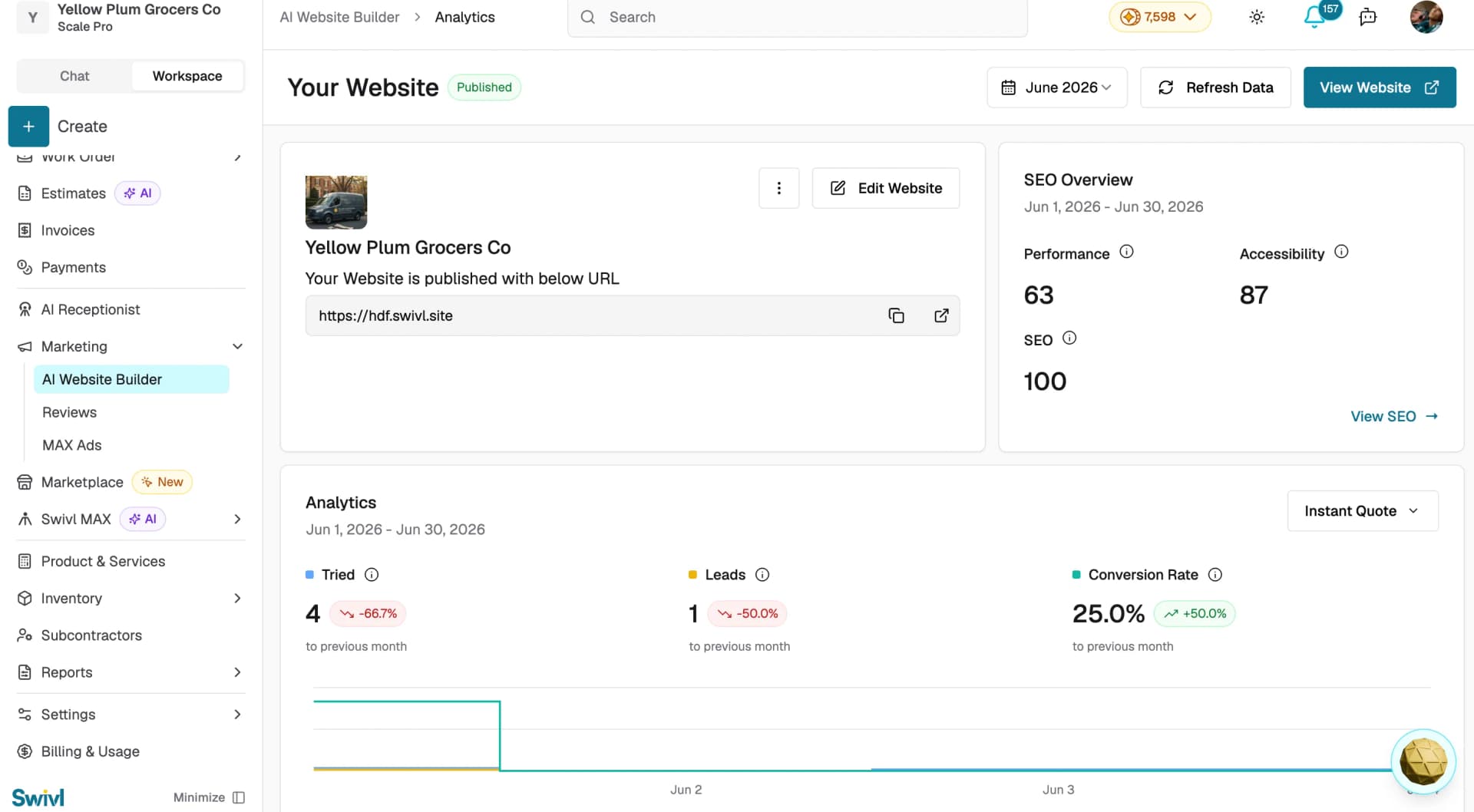
- Open Marketing > Build your website in the sidebar.
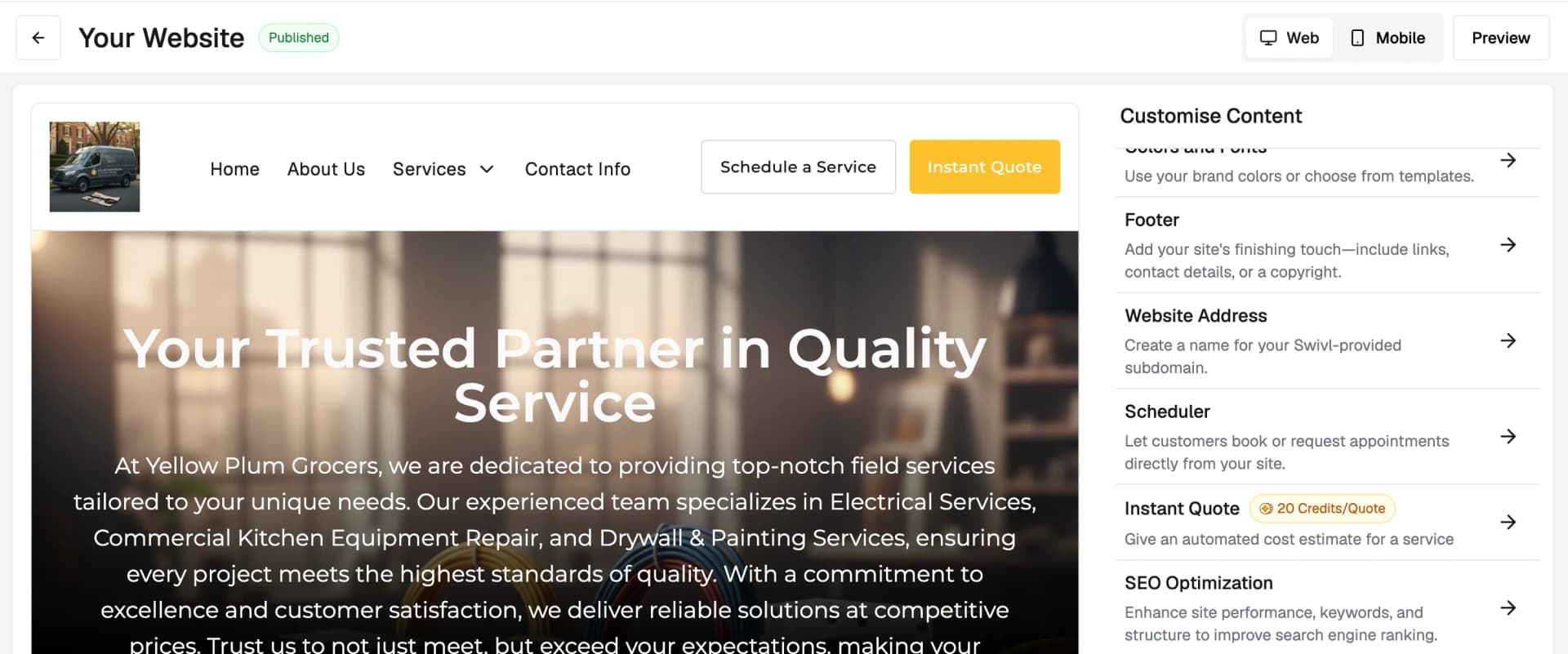
- In the builder editor, click Scheduler in the left-hand navigation.
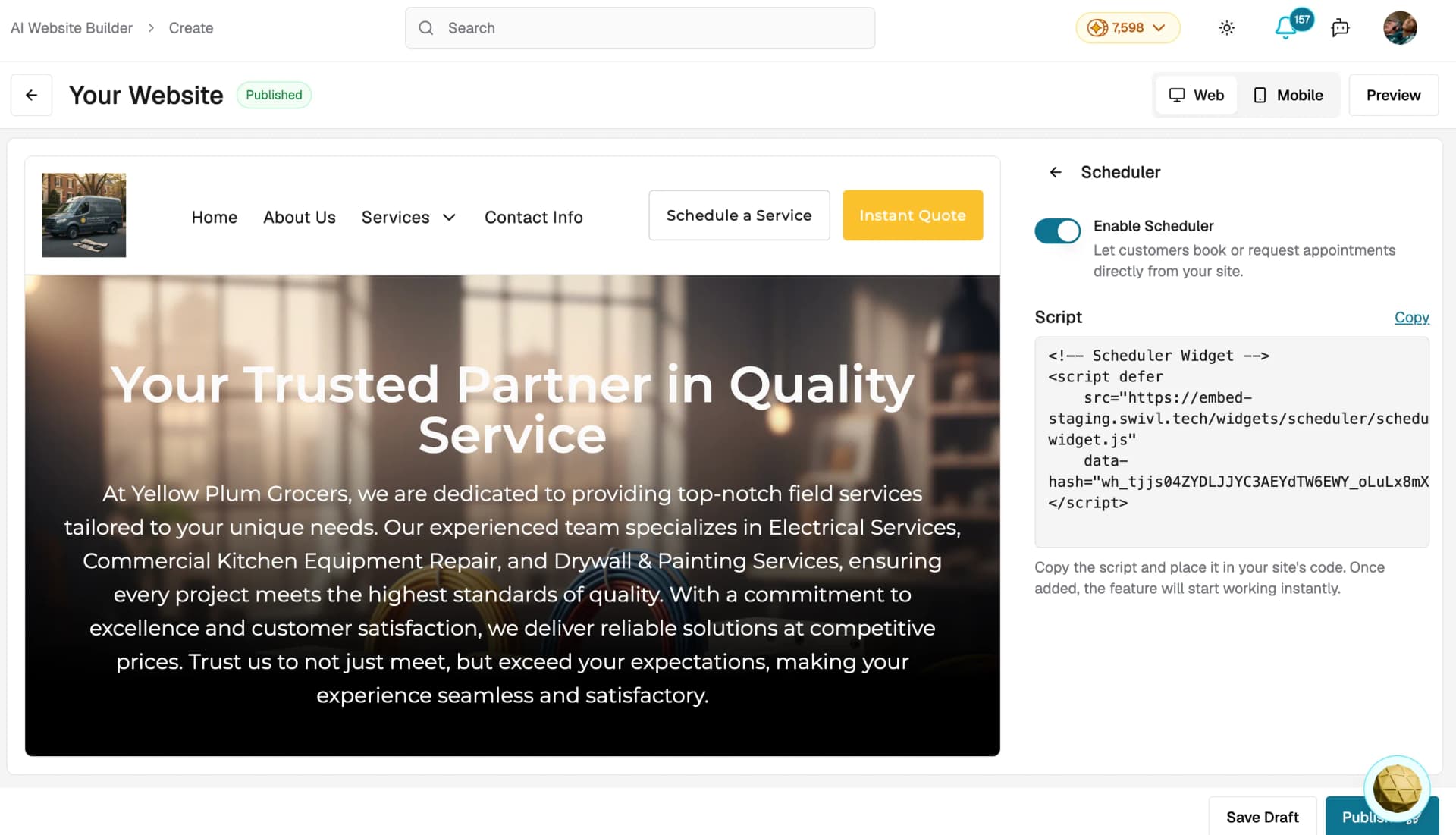
- You will see a toggle labeled Enable Scheduler with a short description: "Let customers book or request appointments directly from your site."
- Flip the toggle to the on position.
- The scheduler widget will now appear on your published website.
- Online scheduler is available on all plans, including the free Starter plan ,no upgrade required. Unlike Instant Quote, it does not cost credits per use.
How the scheduler works for your customers
Once the scheduler is enabled and your site is published:
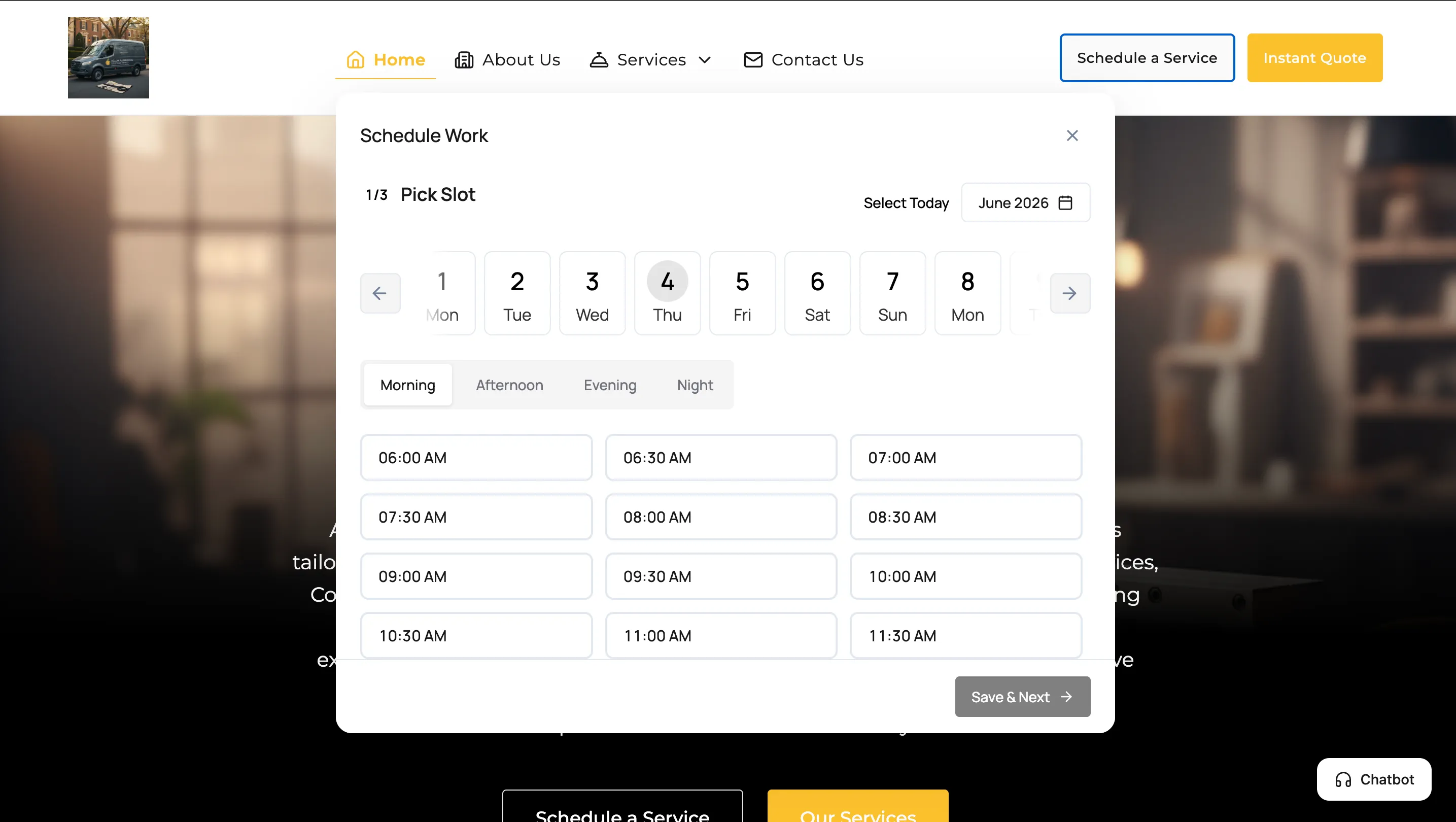
- A Schedule a Service button appears on your website inviting visitors to book an appointment
- Customers click the button to open the Schedule Work panel and pick a date and available time slot — with options for Morning, Afternoon, Evening, and Night
- They complete the remaining steps and submit their booking request
- The appointment request flows into your Swivl dashboard where your team can review and confirm it
Disabling the scheduler
- Go to Marketing → AI Website Builder and click Edit Website
- Click Scheduler from the right-hand panel
- Toggle Enable Scheduler off
- Click Publish to apply the change
The scheduling widget will no longer appear on your live website.
Tips
- Make sure your business hours and service offerings are up to date in Swivl before enabling the scheduler so customers see accurate availability
- You do not need to rebuild your entire site to enable or disable the scheduler just toggle it and republish
- Pair the scheduler with Instant Quote to let customers both book and get an instant estimate directly from your website
- Test the booking experience yourself by visiting your published site and completing the booking flow before sharing it with customers