
Welcome to Swivl
Welcome to Swivl, the all-in-one platform built for field service businesses. Whether you manage a plumbing company, an HVAC team, or any other service business, Swivl gives you the tools to run smarter and grow faster.
Overview
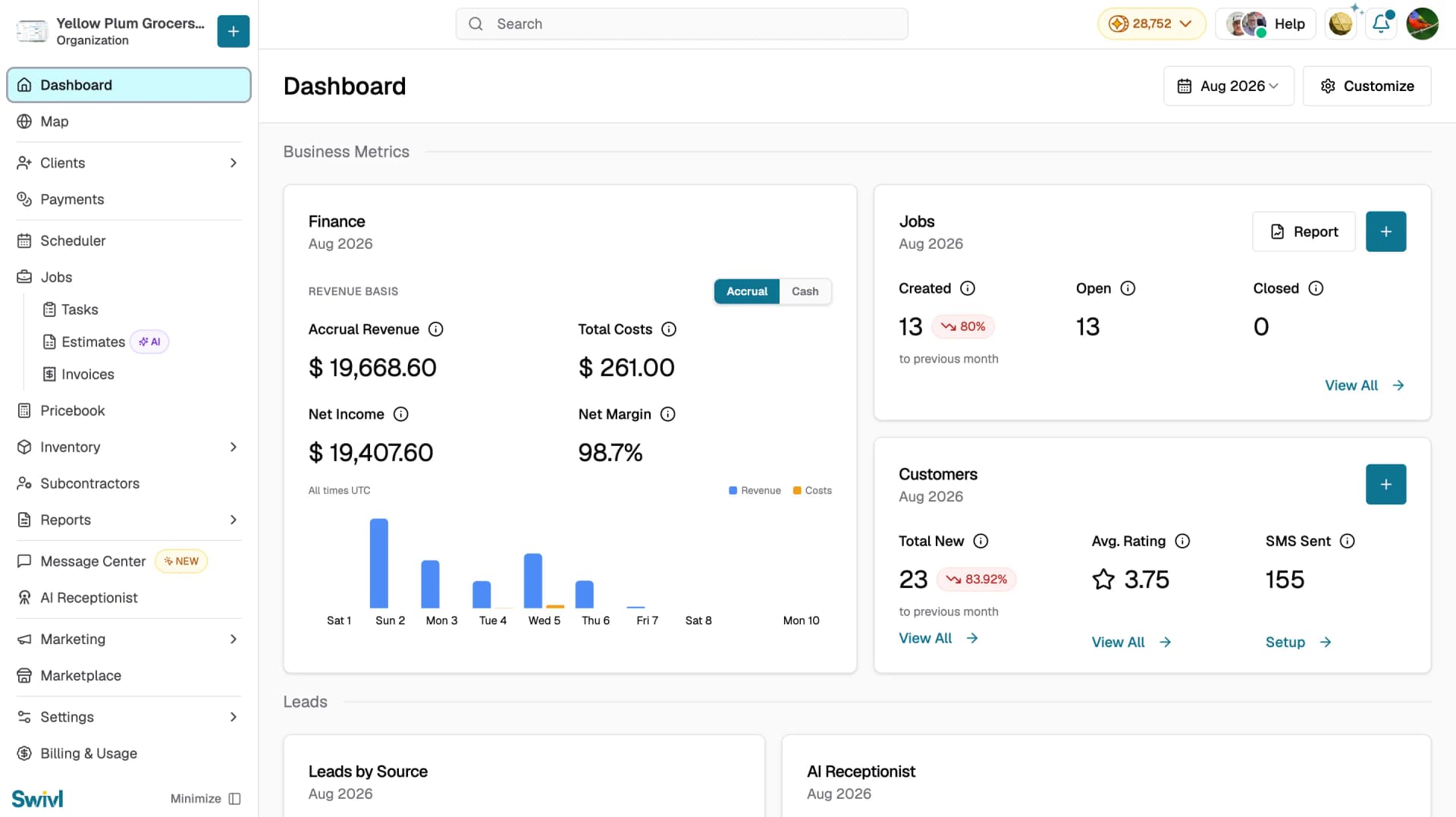
Swivl is an all-in-one field service management platform built to help home service businesses run smarter. Whether you manage a plumbing company, an HVAC team, or any other service business, Swivl gives you the tools to coordinate your team, capture leads, send estimates, create invoices, and get paid faster all from one place.
Who can access this
- Super Admins
- Admins
- Lead Technicians
- Technicians
What Swivl can do for you
Swivl is organized around a few core areas that cover every part of your day-to-day operations:
Feature / Section | Description |
|---|---|
Dashboard | Get a bird's-eye view of your business with key metrics and activity at a glance |
Clients | Manage all your leads and customer accounts in one place |
Payments | Track payout balances, incoming payments, and manage payment activity |
Scheduler | View and manage your team's scheduled, unscheduled, and unassigned tasks in one calendar |
Jobs | Create and manage jobs and tasks from start to finish, with Tasks, Estimates, and Invoices listed under it |
Estimates | Send professional pricing proposals to customers before work begins |
Invoices | Create and send invoices for completed or ongoing work |
Pricebook | Build and manage your pricebook with products, services, and pricing tiers |
Inventory | Track assets, materials, and suppliers used across your jobs |
Subcontractors | Manage all external contractors your business works with |
Reports | Track sales performance, technician hours, GPS activity, and job financials |
Message Center | Manage all customer and team communications in one inbox |
AI Receptionist | Automatically answer incoming calls and capture customer details |
Marketing | Build your website, manage reviews, and run ad campaigns |
Marketplace | Discover and connect apps and integrations to extend Swivl's capabilities |
Swivl MAX | Access your AI business assistant from the gold orb in the top bar and train MAX with your business data |
Settings | Configure your company profile, team access, communication preferences, tags & service areas, integrations, templates, and AI rules |
Billing & Usage | Manage your subscription plan, monitor credit usage, and purchase additional credits |
How roles work in Swivl
Swivl has four user roles, each with different levels of access:
- Super Admin: full control over the account, billing, company settings, and all features
- Admin: manages customers, leads, jobs, and team members but does not have access to billing
- Lead Technician: handles assigned jobs, manages materials, and submits time reports
- Technician: views and completes assigned jobs, logs materials, and clocks in and out
Your role determines which sections of the sidebar you can see and what actions you can take.
Getting started quickly
When you first sign in, Swivl shows a Welcome to Swivl section on the Dashboard with guided setup cards to help you get up and running quickly:
- Complete your company profile: fill in your company information
- Onboard your company members: invite your team to Swivl
- Setup your customers: import via CSV, sync with QuickBooks, or add manually
- Setup your pricebook: add your products and services with pricing
- Setup your Stripe finance account: enable seamless digital payments
You can also watch the Swivl feature overview video directly from this page to get a quick introduction to the platform.
Tips
- Use the Need Help? button in the sidebar to open the help assistant at any time
- Swivl is available on the web as well as on iOS and Android mobile apps
- The Welcome to Swivl setup cards on your Dashboard adapt based on what you told Swivl during onboarding , so the recommended actions are tailored to your business goals
- You can hide the Welcome section once you have completed setup by clicking Hide This Section