
Getting Started with MAX Ads
Create, launch, and manage Google ad campaigns directly from Swivl. MAX Ads uses AI to write your copy and art-direct your creatives on your brand, so you can start reaching new customers in minutes.
Overview
MAX Ads lets service businesses run ad campaigns without a separate ad platform or marketing tool. Tell Max what you're offering and who to reach, and Swivl's AI generates on-brand ad creatives for you. Set your budget, review the creatives, and launch all from within Swivl.
Campaigns currently run on Google (Display & Demand Gen). Meta is coming soon.
Before You Begin
You don't need to connect or create an ad account. Ads run inside Swivl's managed ad accounts.
You do need funds in your ad balance before a campaign can go live. You can add these while launching your first campaign, or ahead of time from the Setup kit.
Who can access this
MAX Ads is available to all roles in Swivl that is to Super Admin, Admin, Lead Technician, and Technician. Any team member can create, manage, and monitor ad campaigns from Marketing → MAX Ads.
The MAX Ads dashboard
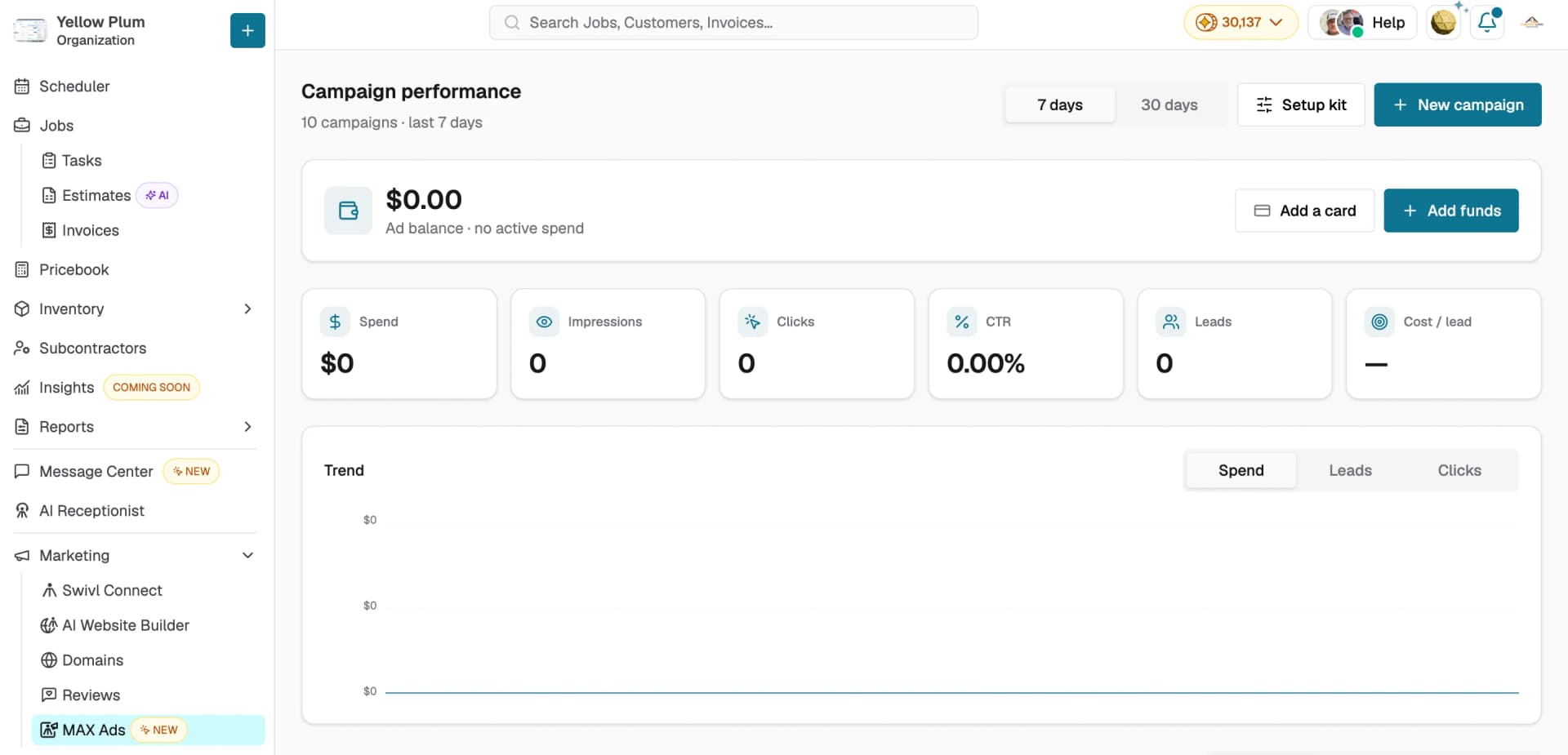
Go to Marketing → MAX Ads. The page opens on Campaign performance, showing your results across all campaigns.
- Use the 7 days and 30 days toggle to change the reporting period.
- Your Ad balance is at the top. Click Add funds to top up or Add a card to save a payment method.
- The cards show Spend, Impressions, Clicks, CTR, Leads, and Cost / lead, and the Trend chart plots Spend, Leads, or Clicks over time.
- Click Setup kit to adjust your brand settings, or + New campaign to create one.
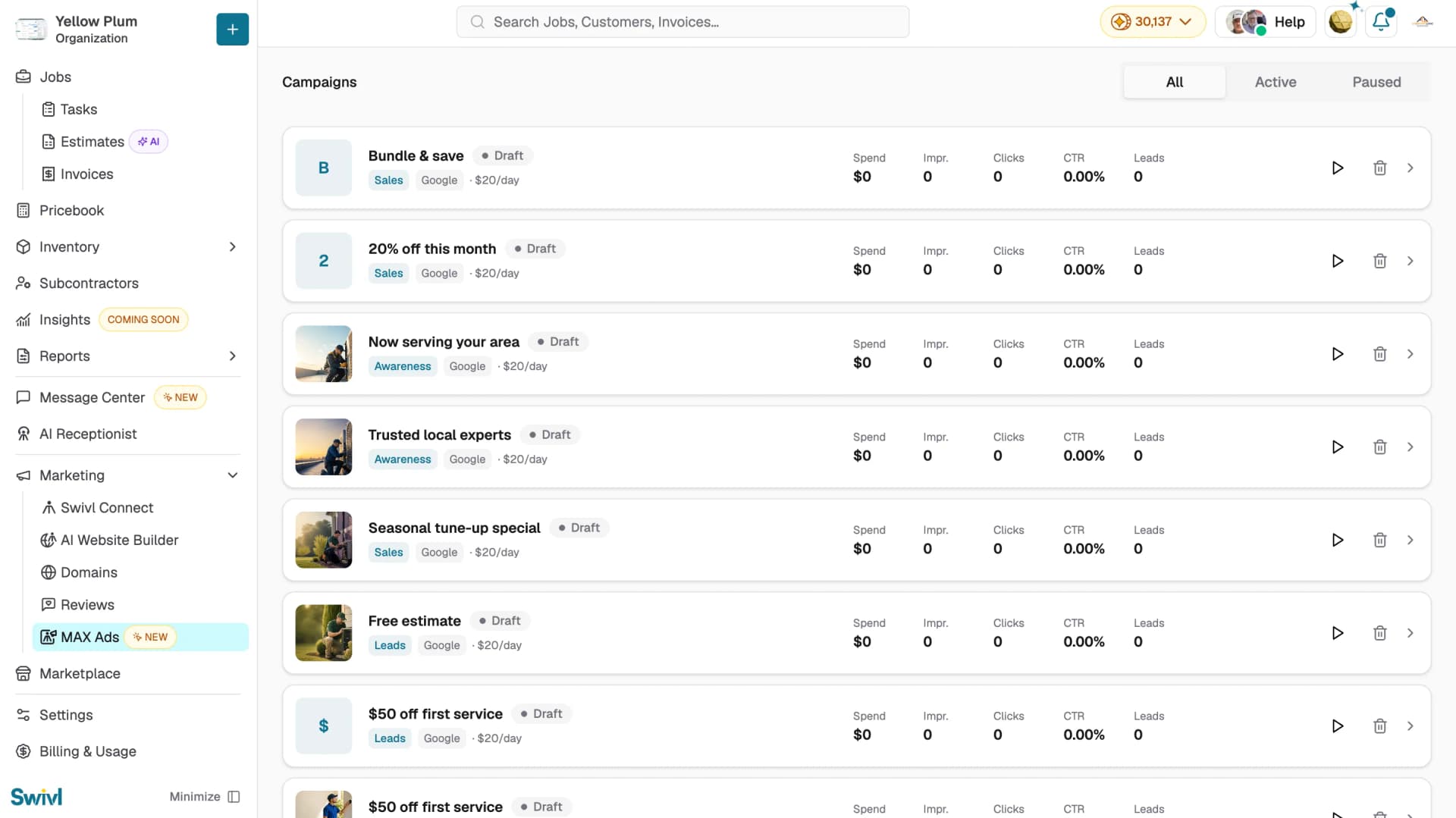
Below, the Campaigns list shows each campaign with its status, goal, platform, and daily budget, along with its own results. Use the All, Active, and Paused tabs to filter, the play icon to launch or resume a campaign, the trash icon to delete it, and the chevron to open its details.
Setting up your brand
Your Setup kit controls the brand applied to every creative Max generates. It's worth filling in before your first campaign.
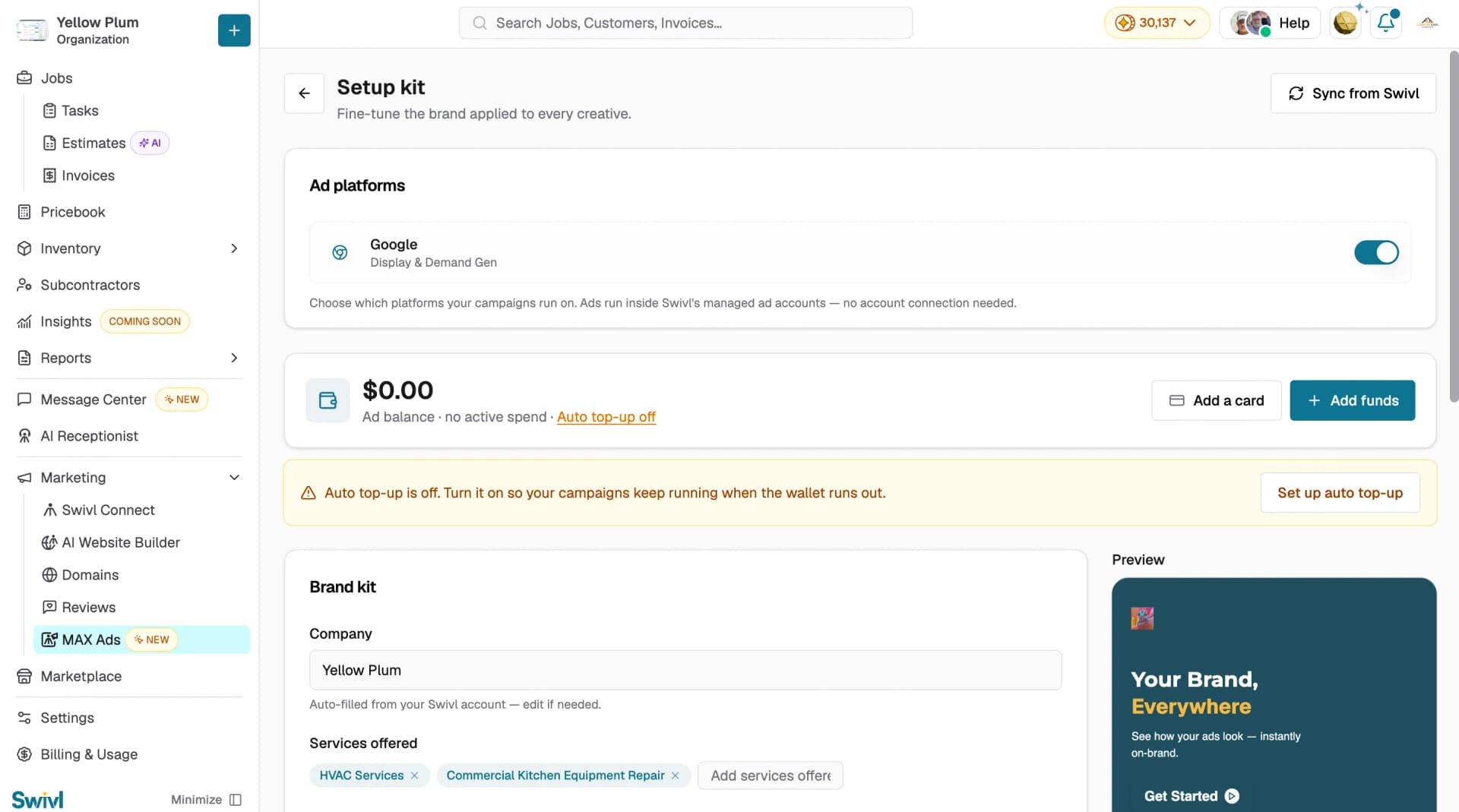
- Go to Marketing → MAX Ads and click Setup kit.
- Click Sync from Swivl to pull in your existing brand details, then adjust anything that needs it.
- Ad platforms: turn Google on or off. This controls which platforms your campaigns can run on.
- Ad balance: shows your current balance. Click Add funds to top up, or Add a card to save a payment method.
- Auto top-up: if auto top-up is off, you'll see a warning banner. Click Set up auto top-up so your campaigns keep running when the balance runs out.
- Fill in your Brand kit company name, services, colors, logo, fonts, and tone. The Preview panel updates live as you edit.
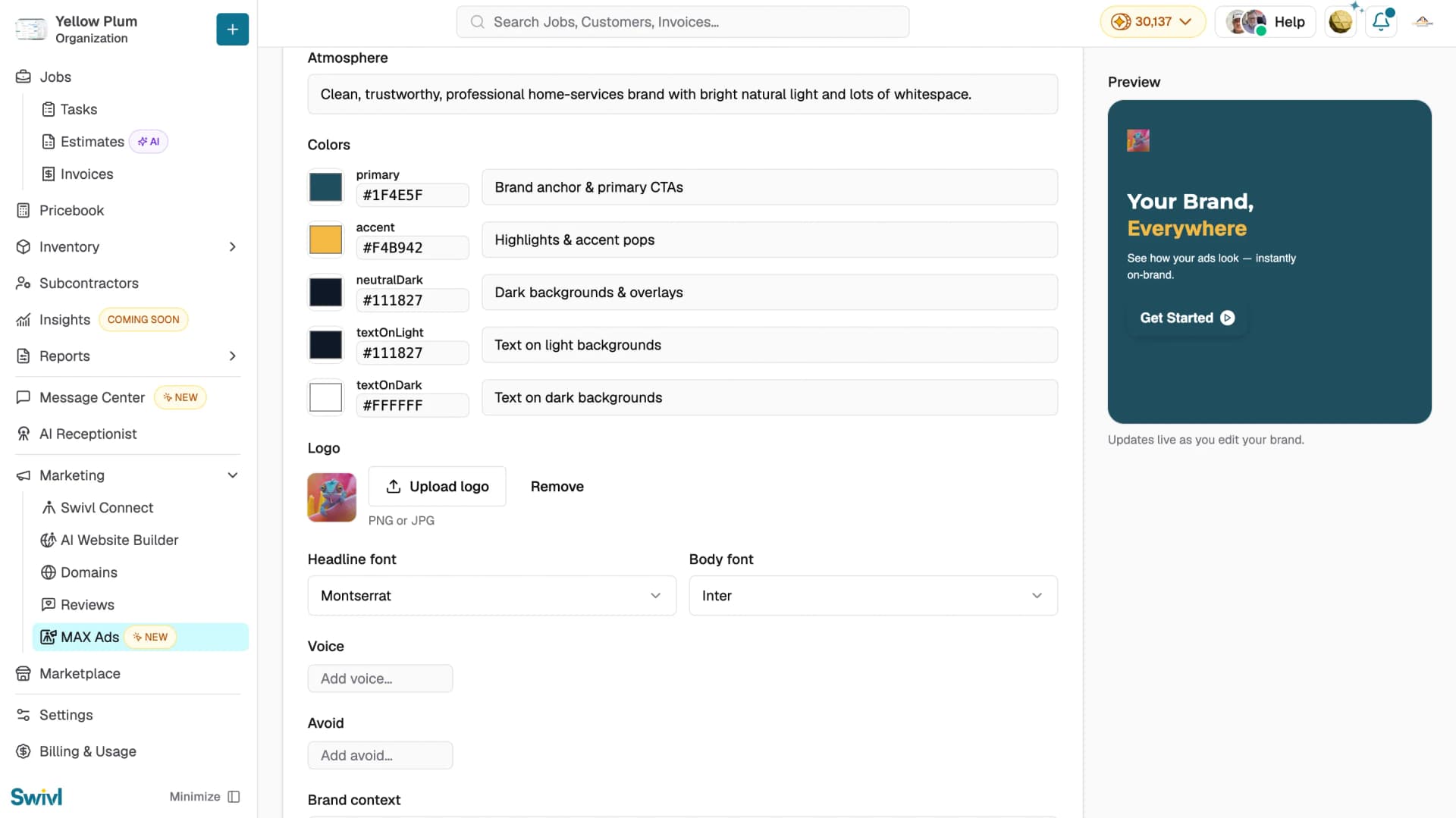
Note: As you edit, the Preview panel on the right shows how your ads will look.
Creating a Campaign
Click + New campaign to open the three-step wizard: Campaign, Creative, and Launch.
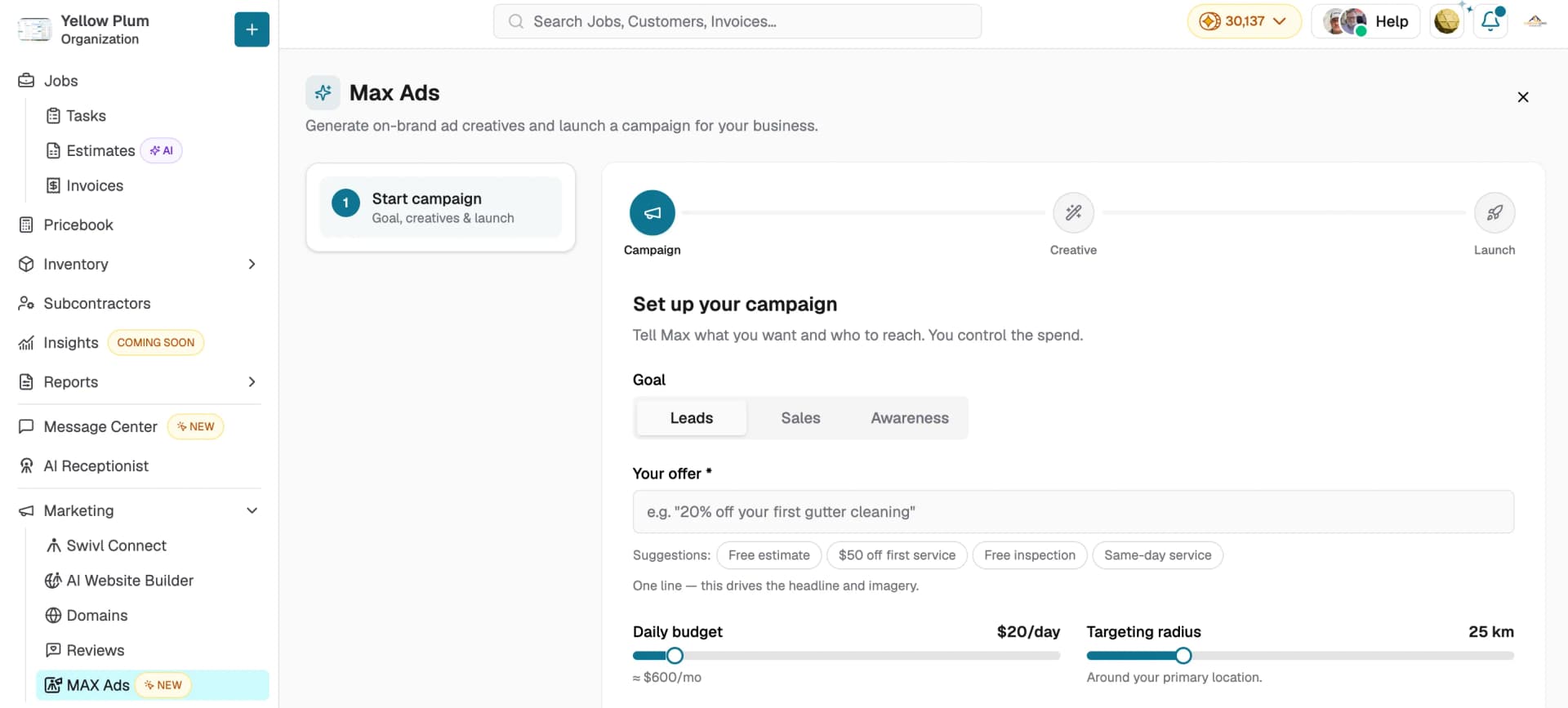
Step 1: Campaign
- Choose a Goal: Leads, Sales, or Awareness.
- Enter Your offer one line, like "20% off your first gutter cleaning." This drives your headline and imagery. You can also pick one of the suggestions, such as Free estimate or $50 off first service.
- Set your Daily budget with the slider. The estimated monthly spend appears underneath.
- Set your Targeting radius. This works outward from your primary location.
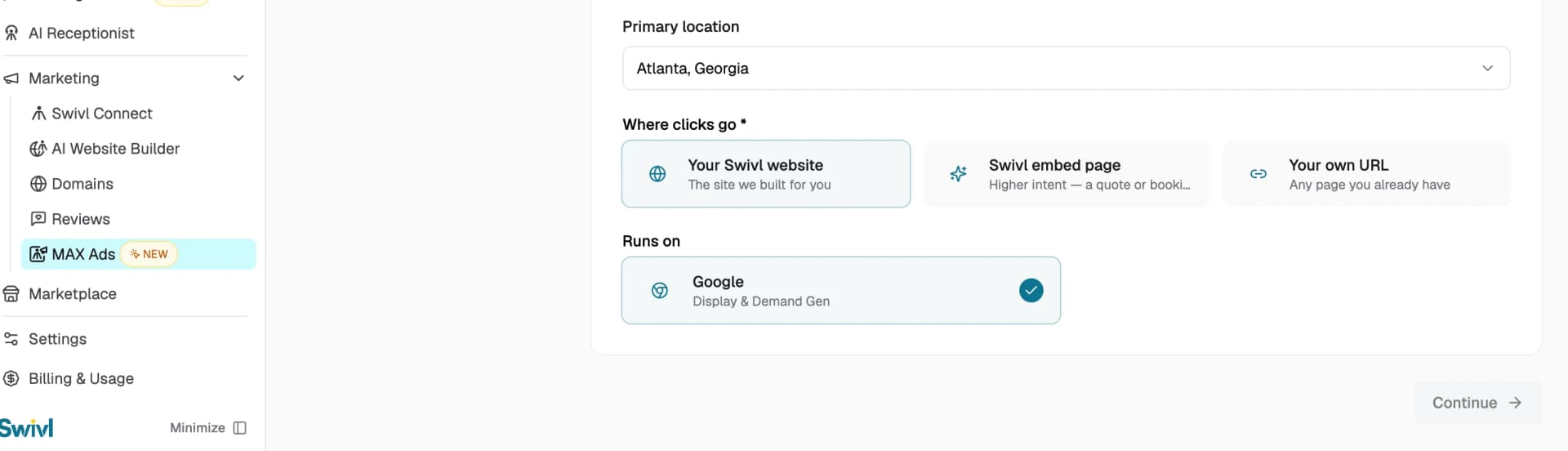
- Confirm your Primary location.
- Choose Where clicks go: Your Swivl website, Swivl embed page (higher intent a quote or booking form), or Your own URL.
- Under Runs on, confirm Google is selected.
- Click Continue.
Step 2: Creative
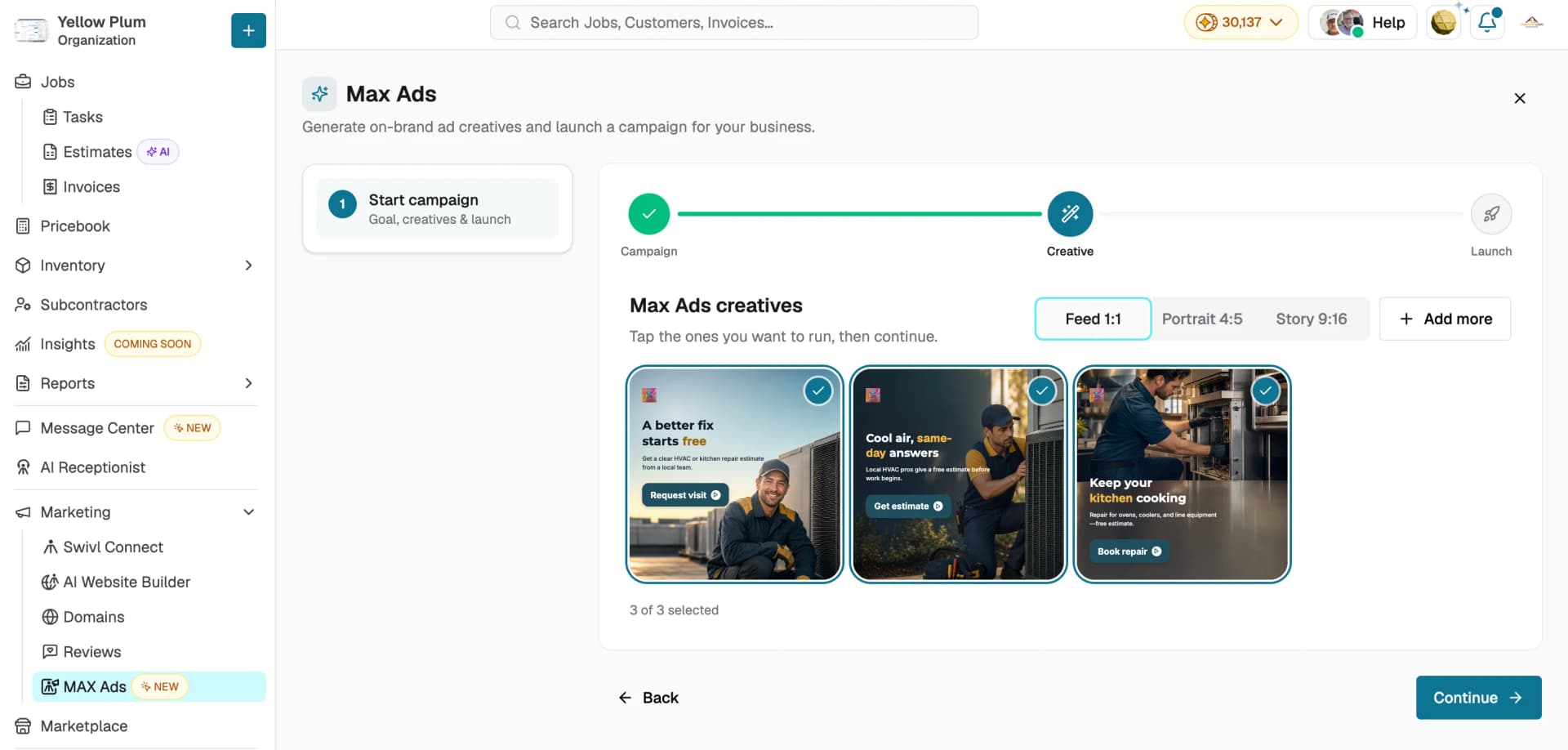
- Max writes the copy and art-directs the photos on your brand. This takes a moment.
- Use the Feed 1:1, Portrait 4:5, and Story 9:16 tabs to see each format.
- Tap the creatives you want to run. Selected creatives show a check mark, and the count appears below.
- Click + Add more to generate additional options.
- Click Continue.
Step 3: Launch
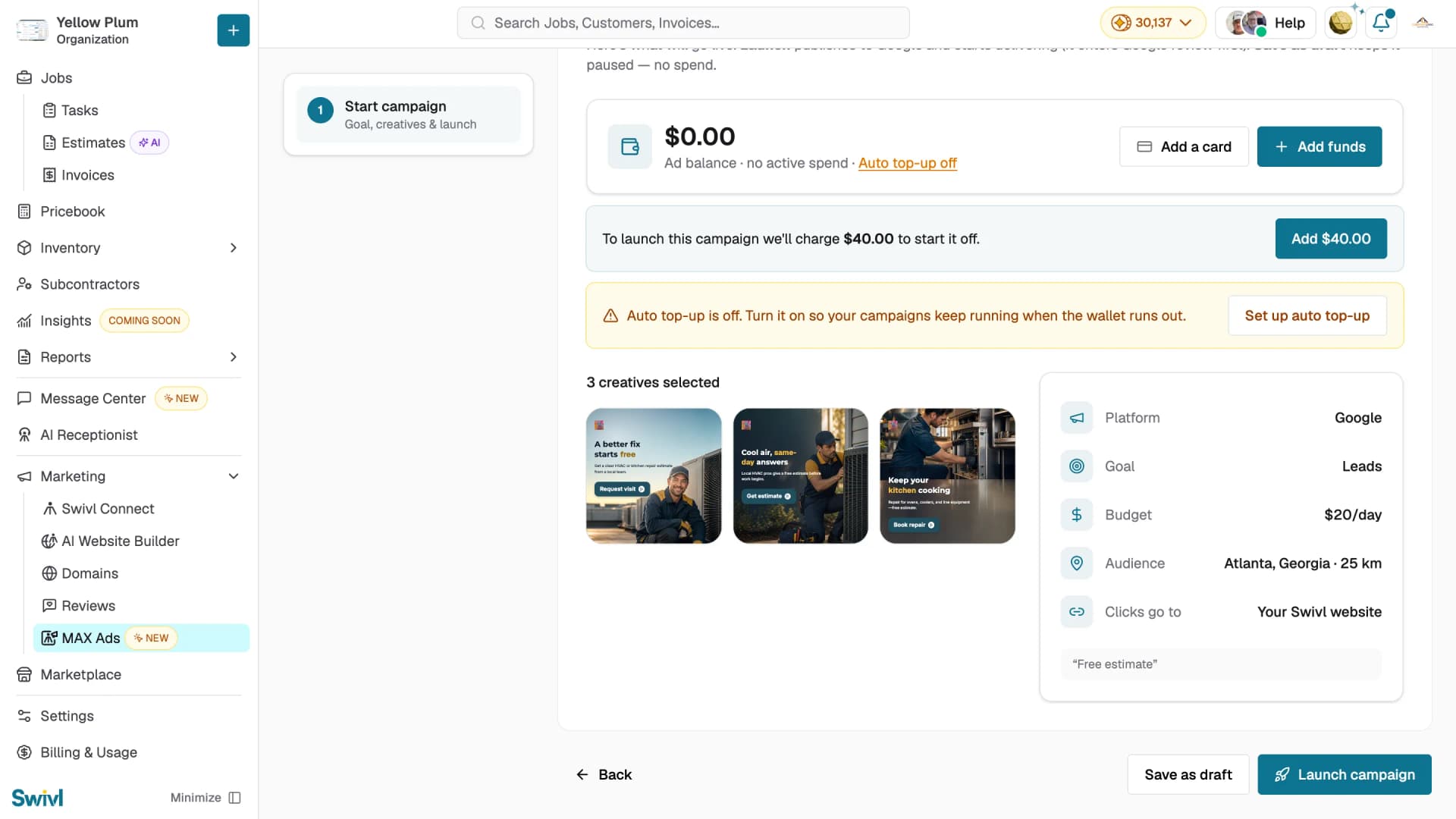
- Review the summary panel on the right: Platform, Goal, Budget, Audience, Clicks go to, and your offer.
- Confirm your selected creatives are correct.
- If your ad balance doesn't cover the campaign, Swivl shows the amount needed to start it this is charged upfront when you launch. Click the Add button to top up.
- In the Add funds window, pick a preset amount or choose Other and enter your own. The minimum is $5.00, and the amount needed for your campaign is filled in by default.
- Add a card if you don't have one on file, then click Add to wallet.
- Click Launch campaign to publish, or Save as draft to keep it paused with no spend.
The full amount you add becomes ad budget, and anything unused rolls over to your next campaign.Launching publishes the campaign to Google, where it enters Google's review before it starts delivering.
Tracking Performance
The MAX Ads home page shows Campaign performance across all your campaigns.
- Use the 7 days and 30 days toggle to change the reporting period.
- The metric cards show Spend, Impressions, Clicks, CTR, Leads, and Cost / lead.
- The Trend chart plots Spend, Leads, or Clicks over the selected period.
Below that, the Campaigns list shows every campaign with its status, goal, platform, and daily budget, alongside its own spend, impressions, clicks, CTR, and leads.
- Use the All, Active, and Paused tabs to filter.
- Click the play icon to launch or resume a campaign.
- Click the trash icon to delete it.
- Click the chevron to open the campaign's full details.
Tips
- Fill in your Setup kit before your first campaign. Every creative Max generates is built from it, so a complete brand kit means less editing later.
- Keep your offer to one specific line. "Free estimate on AC repair" gives Max more to work with than "great service."
- Generate creatives in all three formats. Different placements use different aspect ratios, and running more gives Google more to optimize against.
- Turn on auto top-up so a campaign doesn't stall mid-flight when your balance runs out.
- Give a campaign at least 7–10 days before judging performance.
- Use Save as draft if you want to set up a campaign now and launch it later drafts don't spend anything.