
Adding a Vehicle
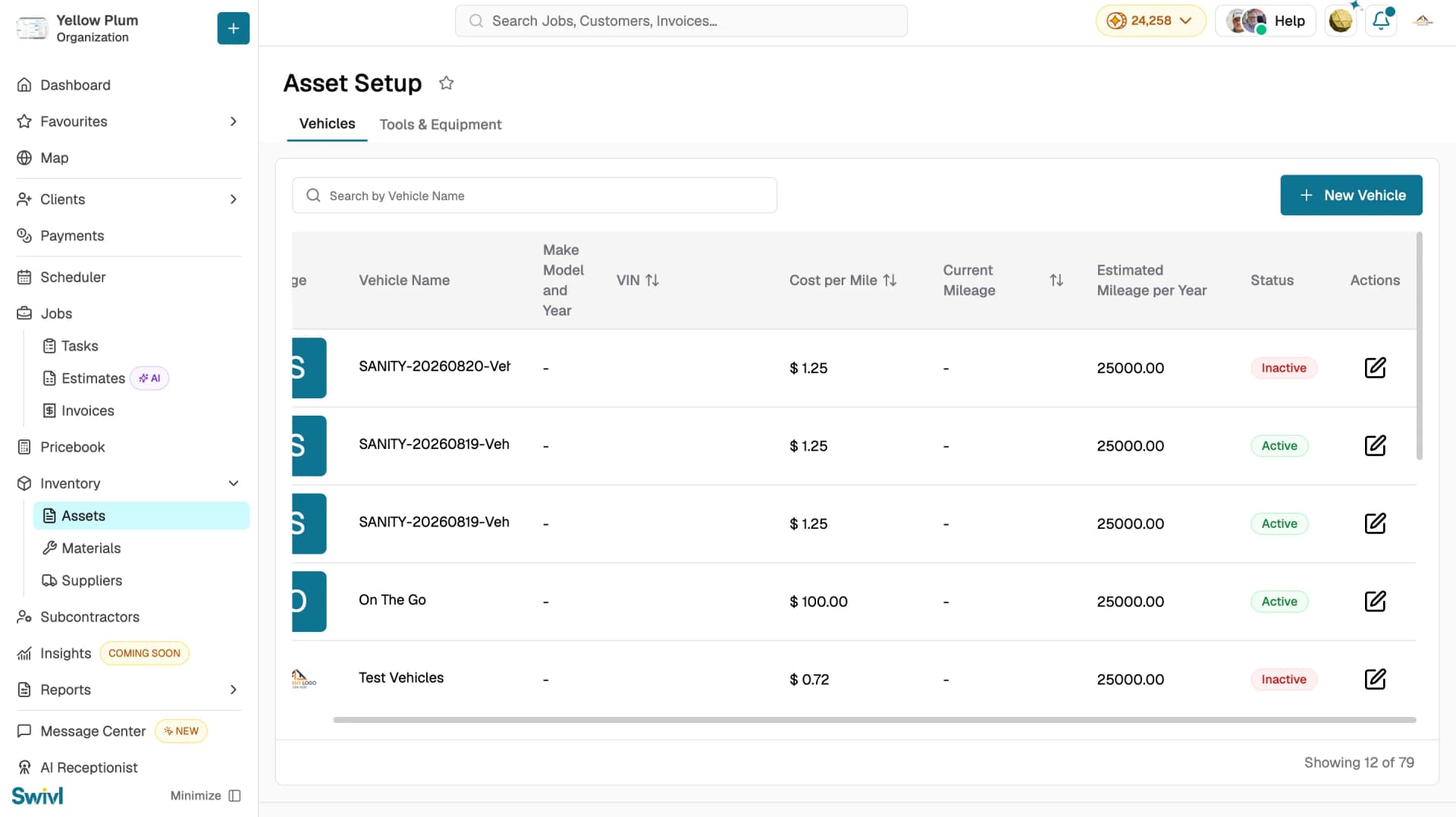
Vehicles are managed under Asset Setup in Swivl. Add each vehicle in your fleet to track mileage, calculate running costs, and assign them to technicians at clock-in.
Overview
Register your fleet in Swivl to track mileage, calculate running costs, and assign vehicles to technicians. Swivl uses VIN decoding to automatically pull vehicle details and estimate ownership costs.
Who can access this
- Super Admin: can add and manage vehicles.
- Admin: can add and manage vehicles.
How to add a vehicle
- Go to Inventory → Assets → Vehicles
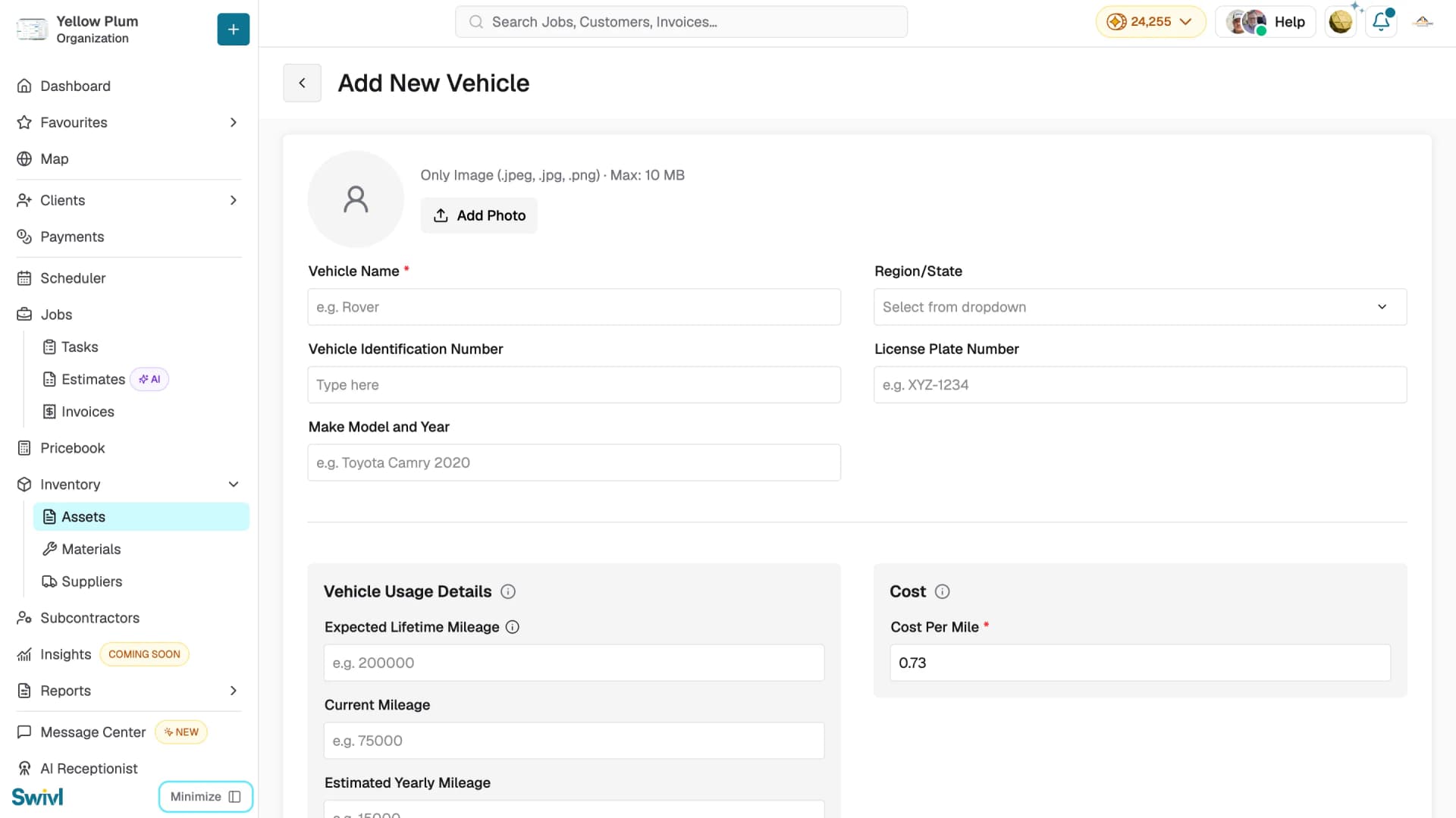
- Click New Vehicle to open the Add New Vehicle page
- Click Add Photo to upload a vehicle image (JPEG, JPG, or PNG, max 10 MB)
- Fill in the fields described below
- Click Save to add the vehicle
Vehicle Details
- Vehicle Name: required, e.g. "Rover-1"
- Vehicle Identification Number: the VIN
- Make Model and Year: e.g. Toyota Camry 2020
- Region/State: select from the dropdown
- License Plate Number
Vehicle Usage Details
- Expected Lifetime Mileage: total miles expected before retirement
- Current Mileage: current odometer reading
- Estimated Yearly Mileage: estimated miles driven per year
Cost
- Cost Per Mile: required. Automatically calculated from ownership costs and yearly mileage, or enter manually
- Click Add Photo to upload a vehicle image (JPEG, JPG, PNG — max 10 MB)
- Click Save to add the vehicle
Cost calculation
Swivl calculates Cost Per Mile using the formula:
Remaining Cost per Mile = Projected future costs ÷ Remaining miles
If you manually update the Cost Per Mile, the Estimated Yearly Mileage recalculates automatically and vice versa.
Editing a vehicle
- Go to Inventory → Assets → Vehicles
- Click the edit icon on the vehicle you want to update
- The form opens with all current details pre-filled
- Make your changes and click Save
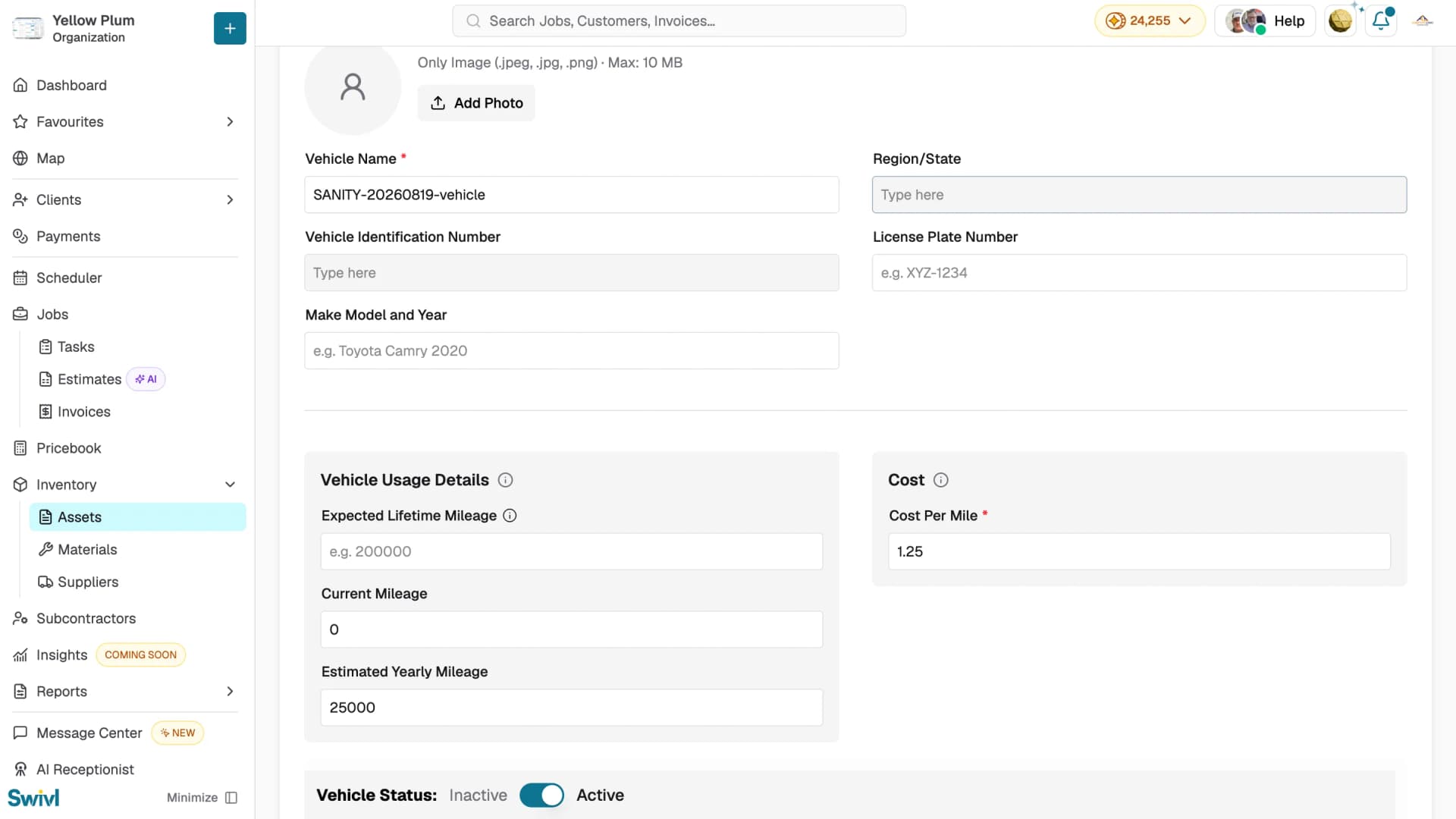
Setting a vehicle as inactive
To remove a vehicle from active assignment without deleting it, click the edit icon and toggle the Status to Inactive. Toggle back to Active when the vehicle returns to service.

Tips
- Always enter the correct VIN as Swivl uses it to pull accurate vehicle details and ownership cost estimates.
- Update Current Mileage regularly to keep Cost Per Mile figures accurate across jobs.
- Vehicle Name must be unique, if you see an error on save, choose a different name.
- VIN must be unique as the same VIN cannot be registered twice.