
SEO Optimisation for Your Website
Track your website's SEO performance and manage page-level SEO settings including titles, meta descriptions, and keywords directly from the AI Website Builder.
Overview
Manage your website's SEO directly from the AI Website Builder. View performance scores and update titles, meta descriptions, and keywords for each page to improve your search visibility.
Who can access this
Role | Access Level |
|---|---|
Super Admin | Can view and edit SEO settings for all pages |
Admin | Can view SEO settings |
Lead Technician / Technician | No access |
How to Access SEO Settings
From the AI Website Builder dashboard, click View SEO → to open the SEO section.
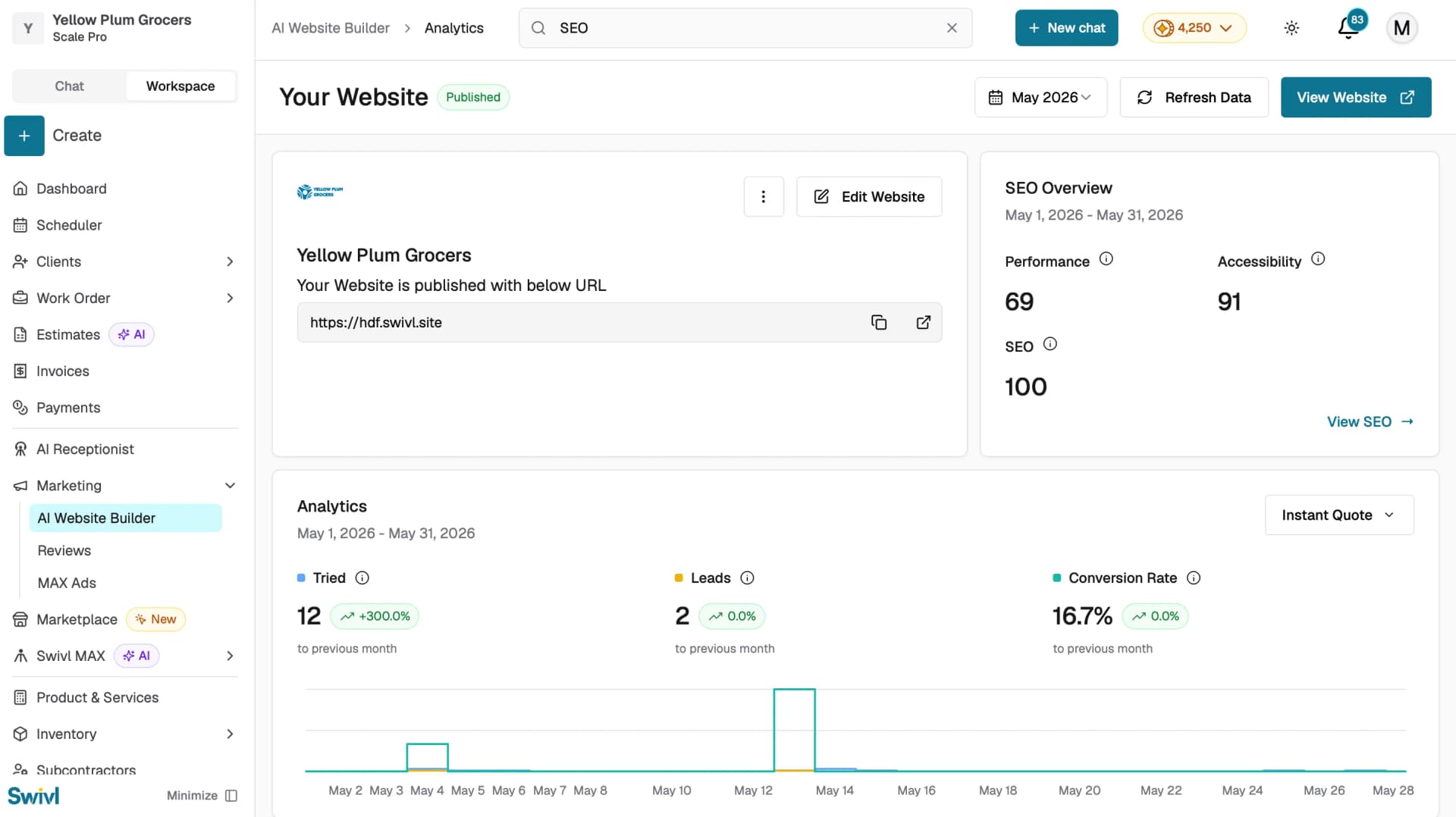
Once inside, you will see four score cards at the top:
- Performance: how fast and efficiently your site loads.
- Accessibility: how easily all users can access and use your site.
- Best Practices: whether your site follows web development best practices.
- SEO: your site's overall search engine optimisation score.
Below the scores, the Pages table lists all your website pages with their current SEO Title, Meta Description, and Keywords.
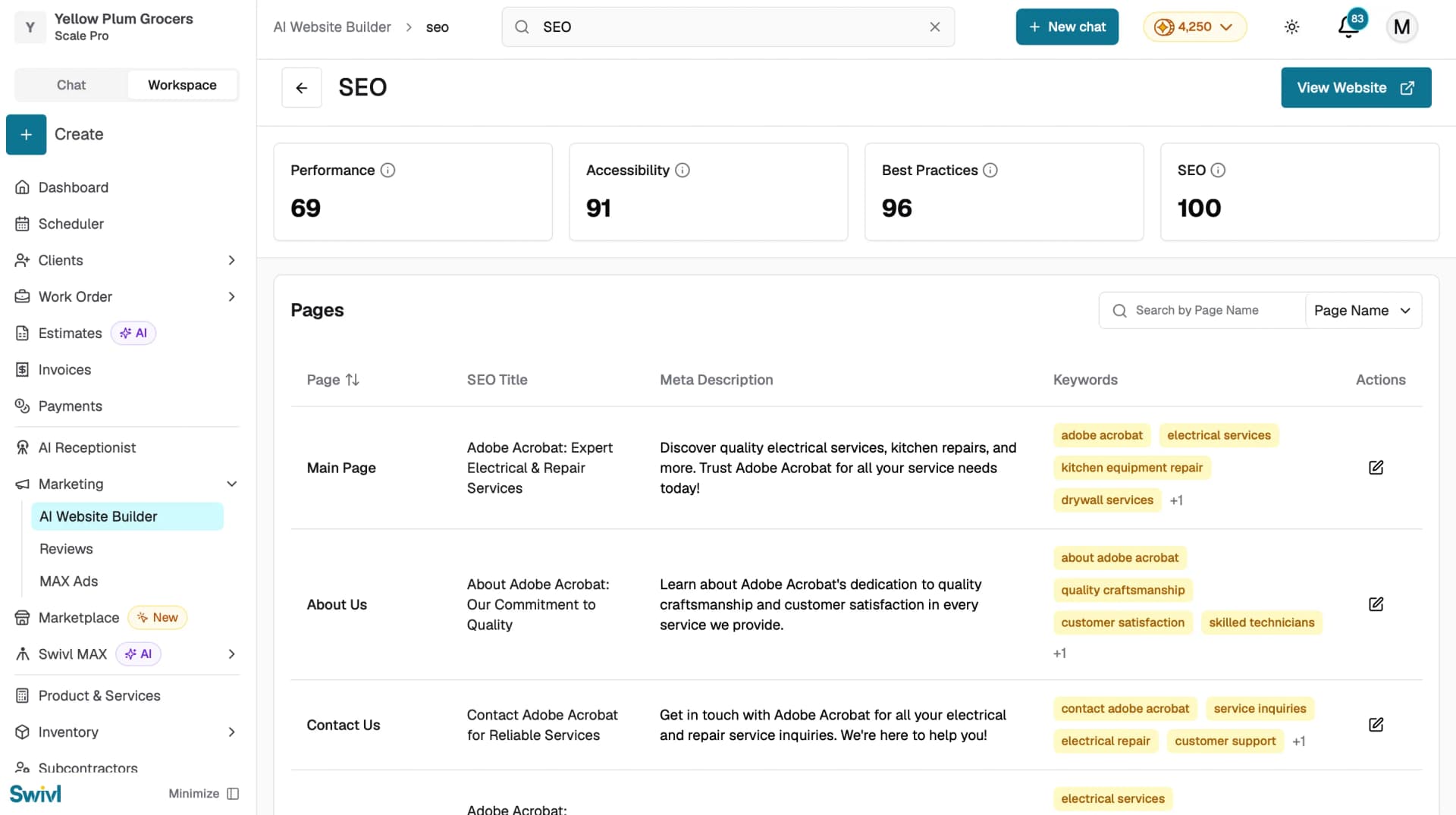
Note: Click View Website in the top right to preview your live website at any time.
Editing SEO Settings for a Page
- In the Pages table, find the page you want to update.
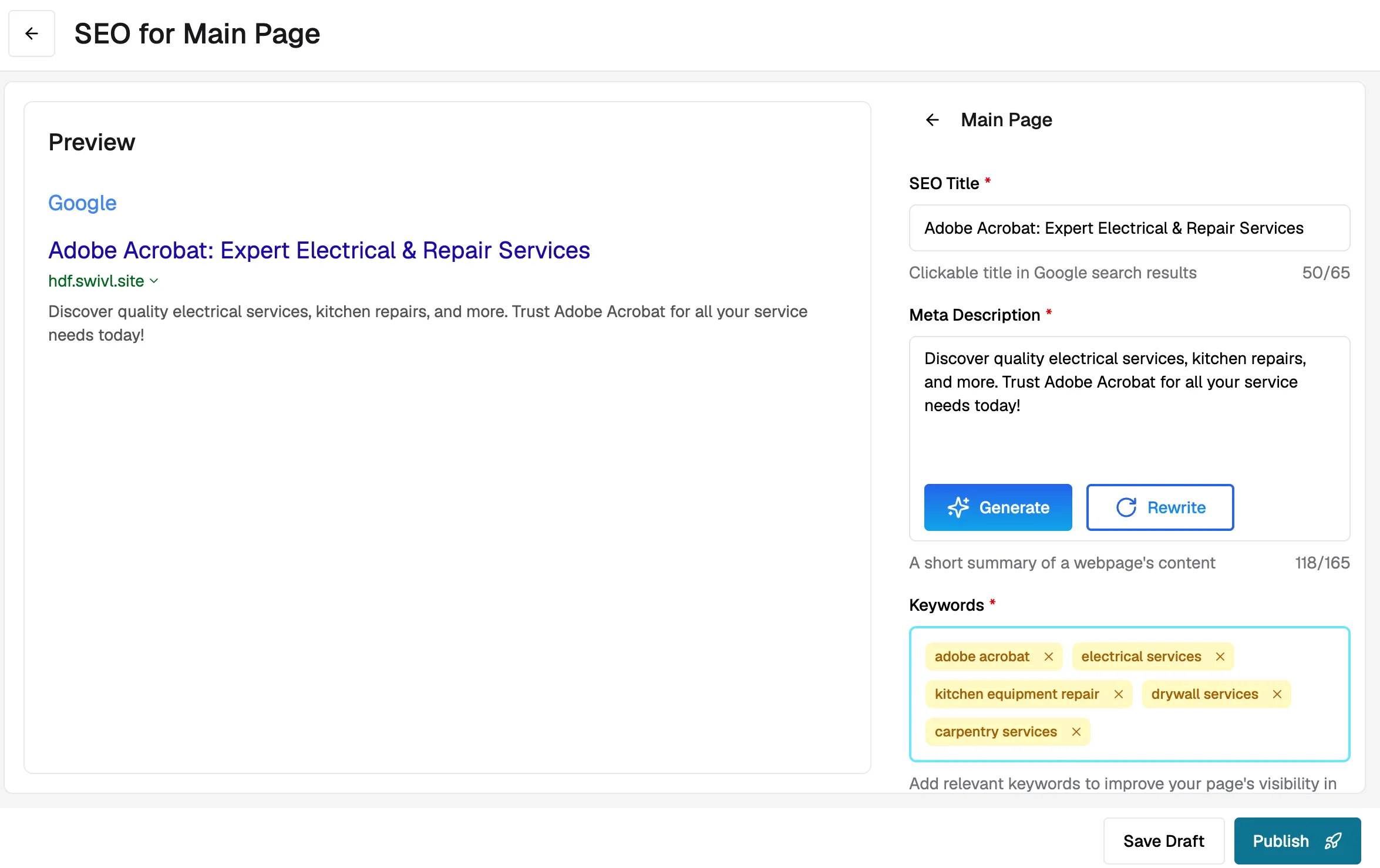
- Click the edit icon in the Actions column.
- Update the following fields:
- SEO Title: the title that appears in search engine results.
- Meta Description: a brief summary of the page shown in search results.
- Keywords: the search terms you want the page to rank for.
- Click Save to apply your changes.
Note: SEO fields are automatically generated by AI when your website is created. You can edit them at any time to better reflect your business.
Tips
- Keep your SEO Title clear and descriptive, include your business name and the main service the page covers.
- Write a unique Meta Description for each page, a good description improves click-through rates from search results.
- Use relevant Keywords that your customers are likely to search for like services you offer and your location.
- Check your Performance score regularly and aim to improve it , a faster website ranks better in search results.
- Use the Search by Page Name filter to quickly find and update a specific page's SEO settings.