
Swivl Max
Upgrading to Swivl MAX features
Upgrading to Swivl MAX unlocks premium features such as the AI Receptionist, GPS tracking, and advanced SMS automation. This article walks you through the upgrade process and what to expect afterward.
Overview
Upgrading to Swivl MAX unlocks premium features such as the AI Receptionist, GPS tracking, and advanced SMS automation. This article walks you through the upgrade process and what to expect afterward.
Who can access this
- Super Admin: can initiate and manage plan changes
How to upgrade
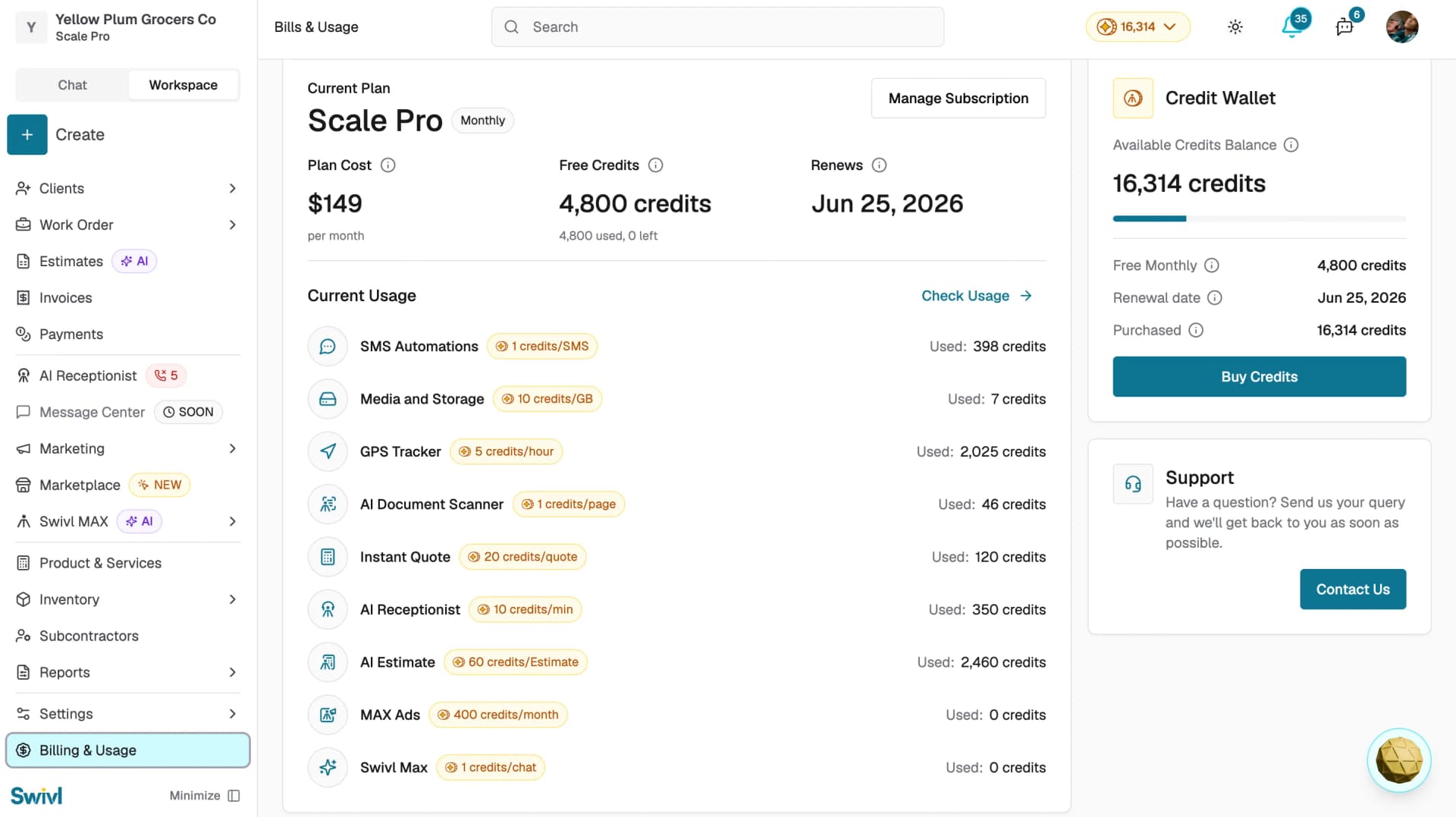
- Go to Billing & Usage from the left sidebar
- Click Manage Subscription to view all available plans
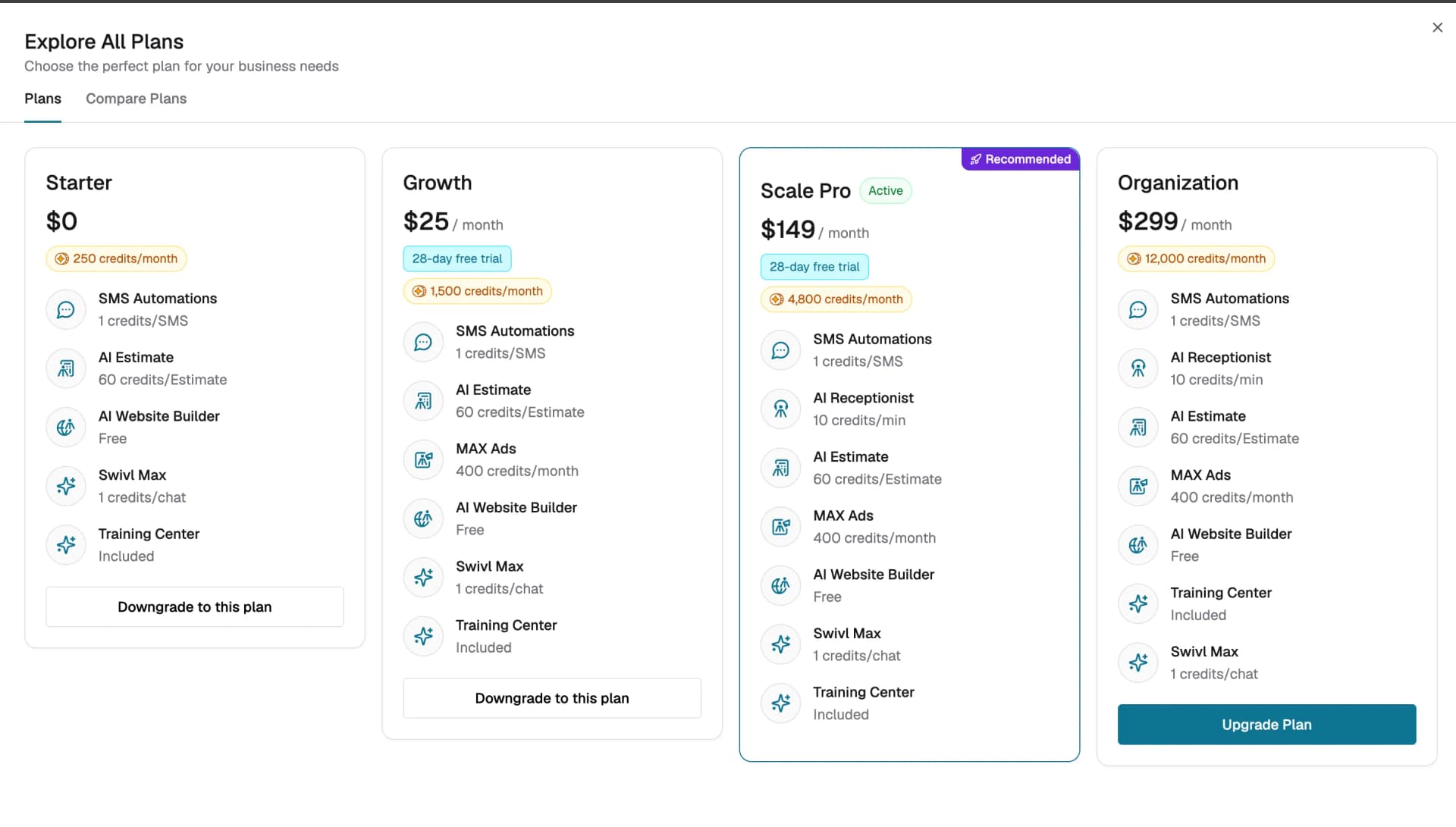
- Compare the Starter, Growth, Scale Pro, and Organization plans and their included credits
- Click Upgrade Plan to switch to a higher plan
What happens after you upgrade
- Your new plan and increased credit allowance become available immediately
- Features that require higher plan tiers will become fully accessible
- Your billing will be updated to reflect the new plan cost, you can review this under Billing & Usage
- Your new monthly credits will be shown under Free Credits on the Billing & Usage page
Enabling individual features
Some features can be enabled independently based on your plan. To enable a feature:
- Go to Billing & Usage → Features & Usage
- Find the feature you want to enable and click Enable
You can also enable features directly from their settings page. If a feature is not yet enabled, Swivl will display an Enable Feature prompt — click it to activate the feature without leaving the page.
Tips
- Before upgrading, review your current credit usage in Billing & Usage to understand how much you are consuming each month
- You can disable features you no longer need from Billing & Usage → Features & Usage
- Plan changes take effect immediately there is no waiting period
- Contact Swivl support via the Support section in Billing & Usage if you have questions about pricing or want to discuss a custom plan